Start a campaign from a template
Every new campaign starts from a ready-made board. Here is what each template does and when to pick it.
Updated
Open Campaigns and click New campaign. You get a grid of templates. Each one is a finished board with the steps already in place, so you only fill in the blanks (usually a web address) and turn it on.
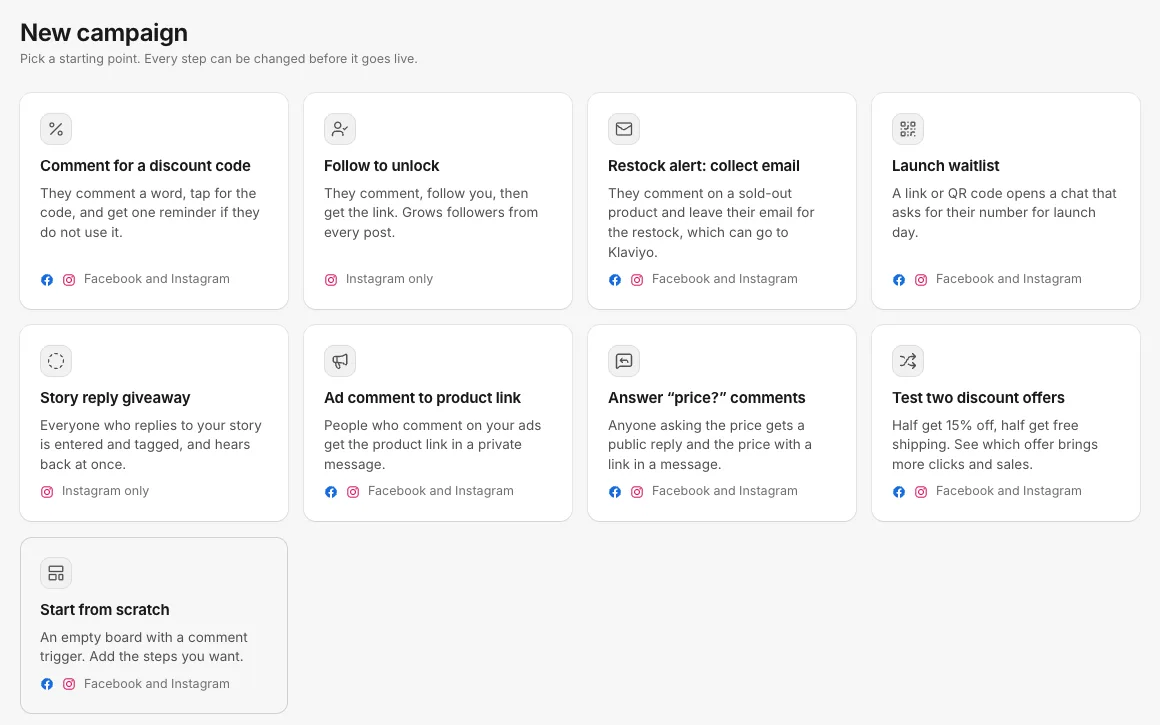
The templates
| Template | What the customer experiences | Use it when |
|---|---|---|
| Comment for a discount code | They comment a word, tap for the code, and get one reminder if they do not use it | You want a post or ad to bring in first orders |
| Follow to unlock | They comment, follow you, then get the link | You want every post to grow your Instagram followers. Instagram only |
| Restock alert: collect email | They comment on a sold-out product and leave their email for the restock, which can go to Klaviyo | A product sold out and you want a list to email when it is back |
| Launch waitlist | A link or QR code opens a chat that asks for their number for launch day | You are printing a QR code on packaging, inserts or a flyer, or teasing a launch |
| Story reply giveaway | Everyone who replies to your story is entered and tagged, and hears back at once | You run giveaways or polls on Instagram stories. Instagram only |
| Ad comment to product link | People who comment on your ads get the product link in a private message | Your ads get "link?" and "where can I buy this?" comments |
| Answer “price?” comments | Anyone asking the price gets a public reply and the price with a link in a message | People keep asking the price under your posts |
| Test two discount offers | Half get 15% off, half get free shipping. The board shows which brings more clicks and sales | You want to know which offer sells better before you commit to it |
| Start from scratch | An empty board with a comment trigger | None of the above fits. Add the steps you want |
The platform marks under each template show where it runs. Templates that mention Facebook and Instagram start listening on both; you can change that on the trigger.
What happens when you pick one
- The campaign is created as a Draft. Nothing is sent yet.
- The board opens with the trigger's settings on the right, so you can set the keyword, the accounts and whether it listens on posts, ads or both.
- Anything still missing shows under the title after Before it can go live, for example Step 3: the "Shop now" button needs a web address. Click a line to jump to that step.
- When nothing is left, click Turn on.
Every step can be changed, removed or added to before it goes live. The template is only a starting point.
Starting from a suggestion on Home
When Home notices people asking for a link on one of your ads, it can suggest a campaign. Starting from that suggestion opens the Ad comment to product link template with the ad, the words people used and your message already filled in.
Related
- What a campaign is A campaign answers people automatically when they comment, message you, reply to a story or open your link, and walks them to a code, a link or a sign-up.
- Build a campaign on the flow board Add steps with the + buttons, change them in the side panel, and turn the campaign on once nothing is blocking it.
- Fix what stops a campaign from going live What each line under "Before it can go live" means, and how to fix it so the Turn on button works.
- The opening DM with a button, and why it matters Facebook and Instagram allow one message to someone who only commented. A button in that first message is what lets the rest of your campaign run.
Still stuck?
Tell us what you were trying to do and what happened. A person replies, usually within one business day.