Connect Facebook Pages and Instagram
Sign in with Facebook once to bring in your Pages, their Instagram accounts and your ad accounts.
Updated
Facebook and Instagram connect together. One sign-in with Facebook brings in your Facebook Pages, the Instagram accounts linked to them, and the ad accounts you run ads from.
Before you start
- Sign in to Facebook as someone who can moderate comments on the Pages you want. Page admins can.
- Your Instagram account needs to be a professional account (business or creator) and linked to one of those Facebook Pages. Instagram comes in through its Page, so an Instagram account with no linked Page will not show up.
- If your Pages sit in a Meta business portfolio, have access to that portfolio. You pick it during the sign-in.
Connect
- Open Accounts in the sidebar.
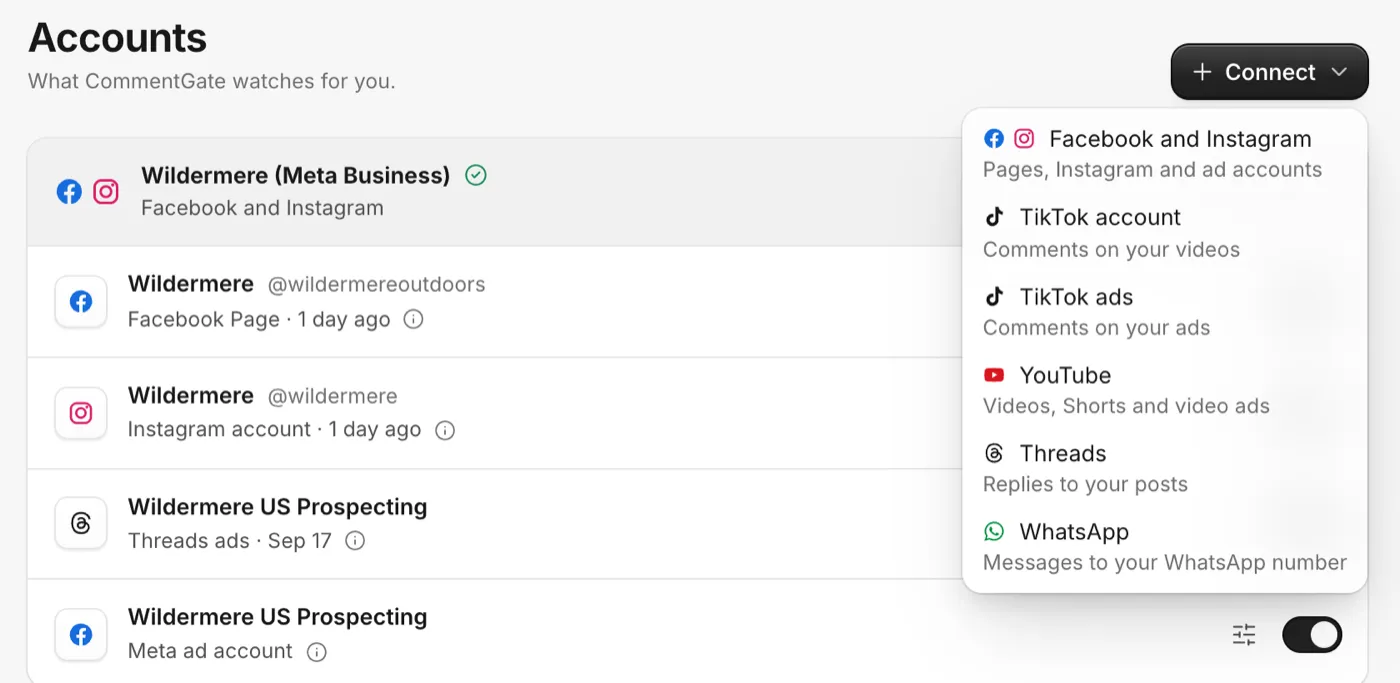
- Click Connect, then Facebook and Instagram. (On a brand new workspace, the same buttons are on the first screen of setup.)
- Facebook opens. Choose the business portfolio if it asks, then tick the Pages, Instagram accounts and ad accounts CommentGate may use. Leave every permission switched on.
- Facebook sends you back to Accounts, where a note says Facebook and Instagram are connected.
Comments from the last 30 days come in over the next few minutes. They arrive as suggestions: CommentGate reads them and shows what it would have done, but it does not hide or answer old comments on its own. New comments from now on are handled by your Setup switches.
What you will see on Accounts
Each Facebook sign-in is one group, named after the portfolio or the person who connected it. Under it you get a row for every Page, Instagram account and Meta ad account, each with its own switch. Click the small info icon on a row to read what that account covers.
"Pages were left out"
If the note after connecting says some Pages were left out, the person who signed in can see those Pages but cannot moderate their comments. Ask a Page admin to give you that access in Facebook, then reconnect. See Reconnect an account.
Good to know
- Instagram Stories do not take comments, so there is nothing to moderate there.
- Comments on Instagram live videos can be read while the video is live, but Instagram does not let anyone hide them.
- Comments on Instagram catalog ads may not all reach your inbox.
- Liking Instagram comments needs one extra permission. If your like switch says so on Setup, reconnect and allow it.
Related
- Moderate comments on Facebook and Instagram ads (including dark posts) How your Meta ad accounts come in, what dark posts are, and how CommentGate tells ad comments apart from post comments.
- Choose what each account watches Turn an account on or off, watch only its posts or only its ads, and pick which rules apply to it.
- What each platform allows: hide, delete, reply and like Each platform decides what outside apps may do with comments. Here is what CommentGate can do on each one, and why.
- Reconnect an account Reconnect when a platform asks you to sign in again, to add Pages or permissions, or before TikTok’s yearly date.
Still stuck?
Tell us what you were trying to do and what happened. A person replies, usually within one business day.