Reconnect an account
Reconnect when a platform asks you to sign in again, to add Pages or permissions, or before TikTok’s yearly date.
Updated
Reconnecting signs in to the platform again for a connection you already have. Your comments, rules, settings and history stay exactly as they are.
When to reconnect
- The connection shows Needs reconnecting, with a line saying why. Owners and admins also get an email when this happens, at most once a day for each account, whatever your alert settings say.
- TikTok's yearly date is coming up ("Reconnect before ...").
- You want to add Pages, Instagram accounts or ad accounts you left out the first time.
- A switch on Setup says a platform needs one more permission from you.
How
- Open Accounts.
- Find the connection. When it needs you, a Reconnect button shows beside it. Otherwise click the Reconnect icon (the circular arrows).
- Sign in on the platform with the same account as before, and leave every permission switched on. On Facebook, tick every Page, Instagram account and ad account you want watched.
- You land back on Accounts and the connection reads as active again.
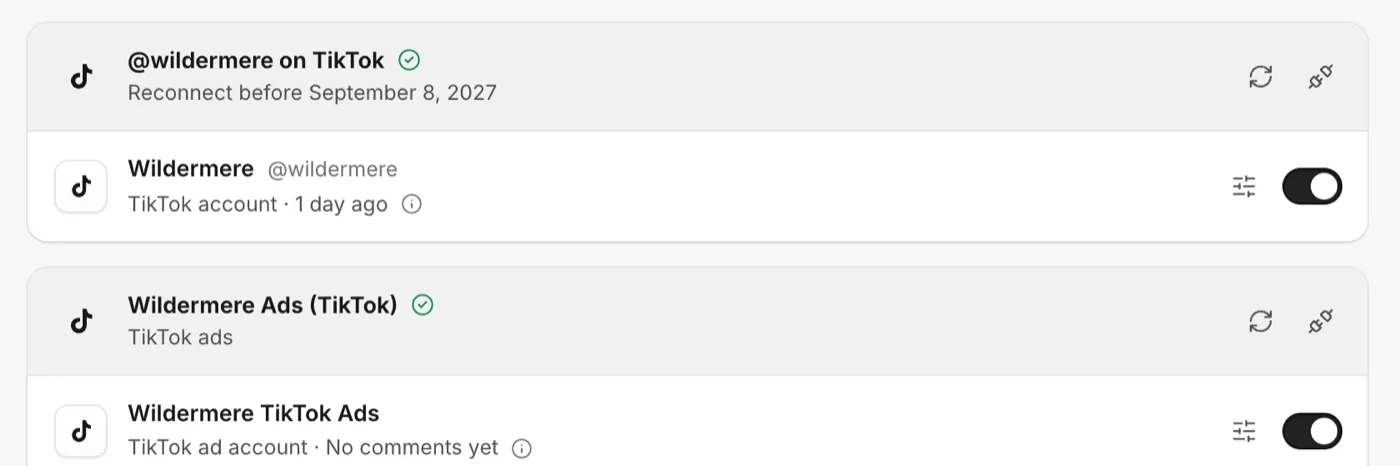
Common reasons a connection needs you
| Platform | Why |
|---|---|
| Facebook and Instagram | The Facebook sign-in expired, a password changed, or access was removed in Facebook's settings |
| TikTok account | The yearly reconnect, or a permission was switched off during sign-in |
| YouTube | Access was removed from the Google account, or the YouTube permission was not ticked |
| Threads | Threads stopped accepting the sign-in |
If nobody reconnects
While a connection needs reconnecting, comments may stop arriving from it and CommentGate cannot hide or answer anything on it. If the platform itself refused the sign-in (for example, access was removed in its settings) and nobody reconnects within a few days, CommentGate treats it as disconnected and its data is deleted, as described in Remove an account.
Still stuck? See Reconnect needed.
Related
- "Reconnect needed": what it means and how to fix it A platform asked you to sign in again. Until you reconnect, comments on that account are not read or acted on. It takes a minute.
- Connect Facebook Pages and Instagram Sign in with Facebook once to bring in your Pages, their Instagram accounts and your ad accounts.
- Connect TikTok: your account, your ads and Spark Ads TikTok connects in two parts: your TikTok account for comments on your videos, and TikTok ads for comments on your ads.
- Pause or remove an account, and what happens to its data Switch an account off to pause it and keep its history, or disconnect to stop for good and delete its data within 7 days.
Still stuck?
Tell us what you were trying to do and what happened. A person replies, usually within one business day.