Pause or remove an account, and what happens to its data
Switch an account off to pause it and keep its history, or disconnect to stop for good and delete its data within 7 days.
Updated
There are two ways to stop CommentGate on an account. Pick the one that matches what you want to keep.
| Switch off | Disconnect | |
|---|---|---|
| Moderation | Stops for that one account | Stops for every account in the connection |
| History, reports and corrections | Kept | Deleted within 7 days |
| Comments already hidden | Stay hidden | Stay hidden |
| Undo | Switch it back on | Connect again and start fresh |
Pause one account
On Accounts, turn off the switch on the account's row. Its row reads Off. Nothing new is hidden or answered there until you turn it back on, and everything you already have stays.
Disconnect a connection
Disconnect works on a whole connection, meaning everything that came in with one sign-in (for example, all the Pages, Instagram accounts and ad accounts from one Facebook sign-in). To stop watching only one of them, switch it off instead.
- Open Accounts.
- Click the Disconnect icon beside the connection's name.
- Read the dialog and click Disconnect and delete.
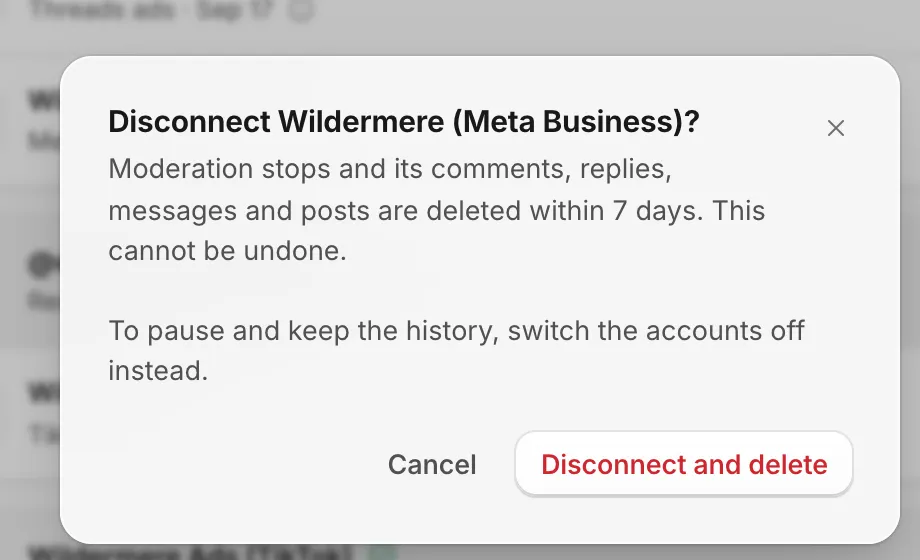
What happens to the data
- Moderation stops at once, and CommentGate's access is removed on the platform where it allows that.
- The accounts move to a Disconnected list at the bottom of Accounts.
- Their comments, replies, direct messages and posts are deleted within 7 days. It usually starts within minutes. Quotes from those comments are also taken out of your weekly insights and client reports.
- Your monthly usage count and billing records stay.
- Comments CommentGate already hid stay hidden on the platform. Unhide any you want back before you disconnect.
This cannot be undone. If you connect the same account again later, it starts fresh, with the last 30 days brought in again as suggestions.
Removing access on the platform instead
If you remove CommentGate in Facebook's, Threads', TikTok's or Google's own settings, the result is the same as disconnecting: the connection stops and its data is deleted within 7 days. For TikTok and YouTube, which do not tell CommentGate right away, the connection first shows Needs reconnecting for a few days, in case you meant to renew it.
Only owners, admins and managers
People with other roles see Accounts but cannot switch accounts off or disconnect them. See Limit a moderator to certain accounts.
Related
- Choose what each account watches Turn an account on or off, watch only its posts or only its ads, and pick which rules apply to it.
- Reconnect an account Reconnect when a platform asks you to sign in again, to add Pages or permissions, or before TikTok’s yearly date.
- Connect Facebook Pages and Instagram Sign in with Facebook once to bring in your Pages, their Instagram accounts and your ad accounts.
- Moderate comments on Facebook and Instagram ads (including dark posts) How your Meta ad accounts come in, what dark posts are, and how CommentGate tells ad comments apart from post comments.
Still stuck?
Tell us what you were trying to do and what happened. A person replies, usually within one business day.