Comments as creative feedback: what to read before your next test
Your ad comments are the only place strangers tell you, in their own words, what your creative made them think. Here is how to read them for hooks, objections and confusion, and turn that into your next round of tests.
Guides 5 min read
On this page
Creative testing produces a lot of numbers: thumb-stop rate, hold rate, click-through, cost per purchase. They tell you which ad won. They rarely tell you why, and they never tell you what the people who did not buy were thinking. The comments sometimes do.
Under every ad, a small number of strangers type out their reaction in their own words. Some of it is noise. Some of it is the most honest creative feedback you will get all month, and it is free.
What comments can tell you, and what they cannot
Start with the limits, because they decide how much weight to give any of this.
- Comments are not a sample of your audience. The people who comment are the ones with something to say: very interested, very confused, or very annoyed. Most viewers never comment.
- Comments do not tell you who bought. A thread full of questions can sit under your best-selling ad, and a quiet thread under your worst.
- Comments are not a delivery signal you can read. Meta says it considers how relevant an ad is before delivering it, and its diagnostics include an engagement rate ranking (Meta: about ad relevance diagnostics), but it does not publish how comments are weighed. Do not choose creative because you think comments will make the ad cheaper.
What comments are good for is the "why" behind your numbers: which claim people doubt, which detail they cannot see, which objection keeps coming up, which moment they loved.
Five things to read for
1. Questions the ad should have answered
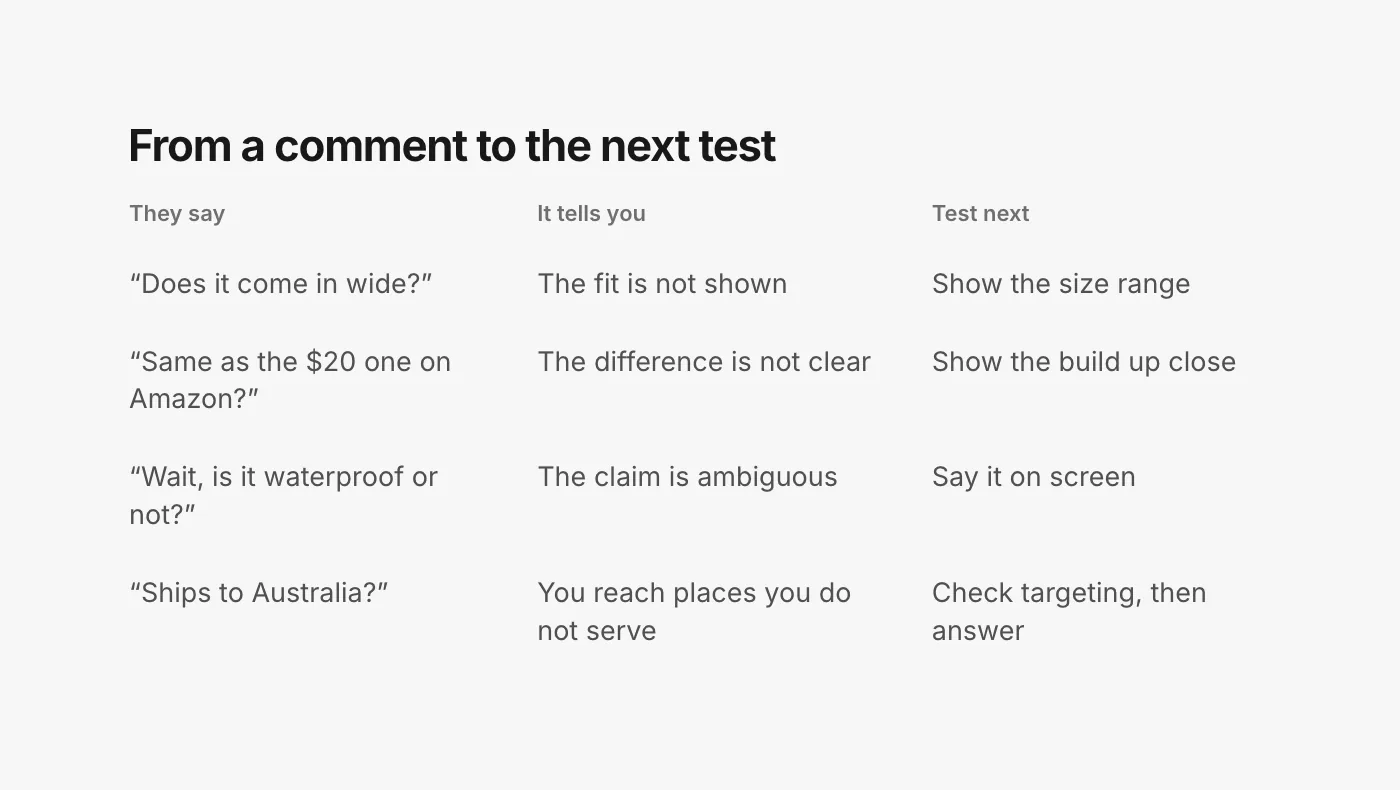
"Does it come in wide?" "What sizes?" "Is it waterproof or just water resistant?" Every question that repeats is a gap in the creative. One person asked; many more wondered and scrolled on. The fix is often a single frame or a line of on-screen text.
2. Objections
Price, shipping time, returns, "I'll wait for a sale". These are the reasons people did not click, said out loud. If the same objection shows up under every variant, it is about the offer or the product, not the creative. If it shows up under one hook and not another, that hook set the wrong expectation.
3. Confusion
"Wait, what is this?" "Is it for men or women?" "Is this an ad for the boots or the socks?" Confusion is the clearest creative signal there is: the ad did not say what it is fast enough. Compare it across variants. The hook with the fewest "what is this" comments is usually the clearest one, whatever its click-through says.
4. Doubt about claims and proof
"Is this the same as the cheap one on Amazon?" "Paid actor." "Nobody walks through a creek in new boots." These tell you which claims people do not believe, and whether your UGC reads as real. They are also the comments that most need a good public answer, because the next reader is wondering the same thing (how to answer them).
5. What people loved
"The part where he steps in the puddle." "Finally a boot that isn't ugly." Praise that names a specific moment tells you what to keep and what to open with next time.
What to leave out
Not every comment is feedback. Scams, spam, bots and competitor plugs are attracted by reach, not by your creative, and they should be hidden, not counted. Tag friends and one-word reactions are nice to see but tell you little. Keep the judgement calls out of your creative notes as well: a chargeback threat or a defect report is a support or product problem, and it goes to a person who can act on it.
Where to find them
The hard part is gathering comments from every ad, because ads built from new creative run on posts that never appear on your Page, and each has its own thread. On Meta, you can open each ad in Ads Manager and choose Manage Facebook comments, Manage Instagram comments or Manage Threads replies (Meta: manage comments on your ads). That works for reading a handful of ads.
TikTok is easier to read in bulk. Comments Manager in TikTok Ads Manager lets you view and filter comments across your ads and export them (TikTok: about Comments Manager); bulk export is XLS only (TikTok: view and manage comments in Ads Manager). TikTok's reports also include Paid comments, "the number of comments your video creative received within 1 day of a user seeing a paid ad" (TikTok: about Spark Ads), which is useful for comparing how much conversation each creative started.
A 30-minute read before your next test
Once a week, or before you brief the next round of creative:
- Pick the ads in the test, winners and losers alike. Losing ads often have the most useful comments.
- Skip what was hidden. Scams and spam tell you about reach, not about the ad.
- Tag each remaining comment as a question, an objection, confusion, doubt or praise. Five tags is enough.
- Count by ad. A tag that appears under one hook and not the others is about that hook.
- Write one line per pattern in the brief: what people said, what it means, what to test. The table above is a fair starting format.
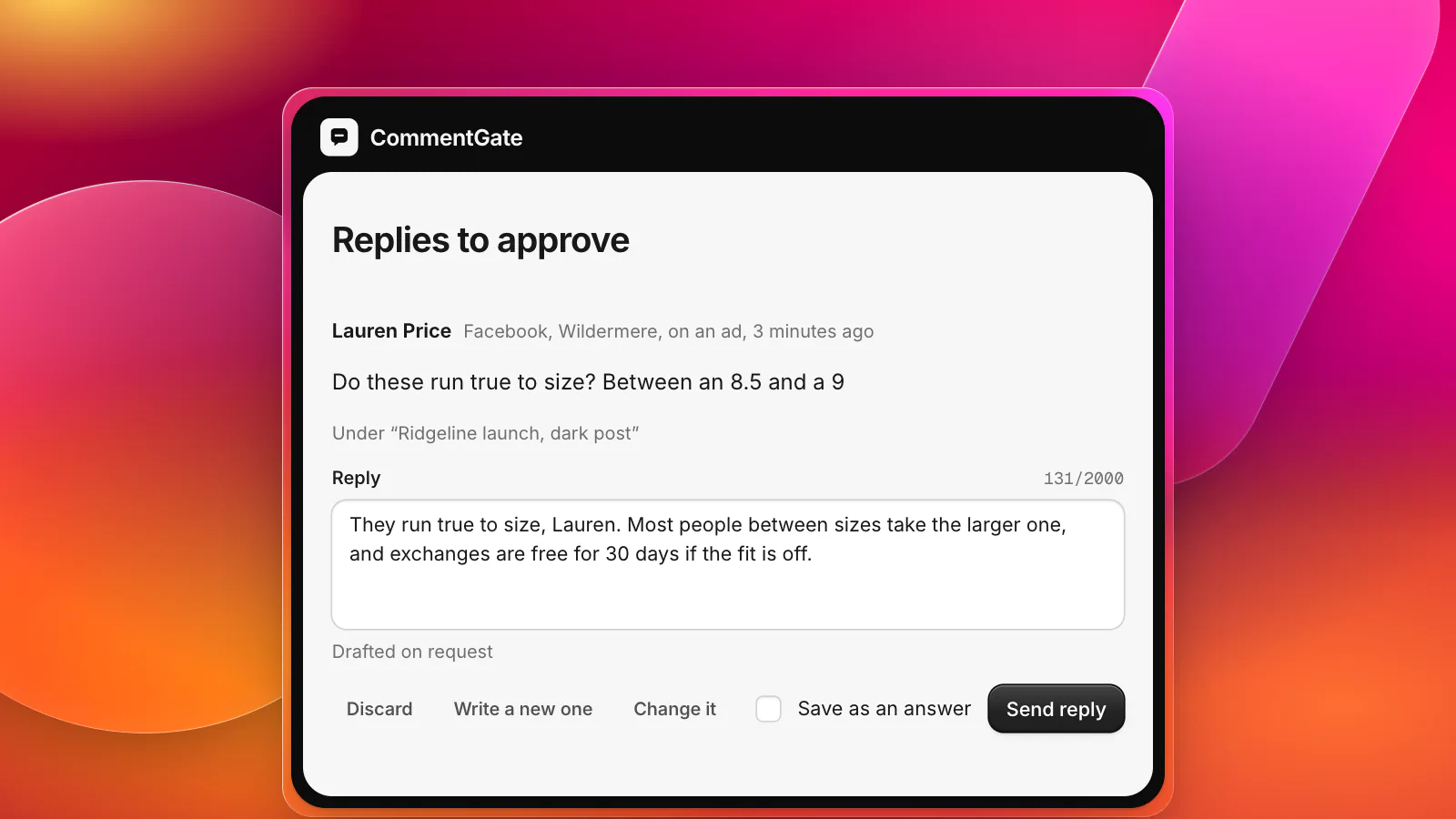
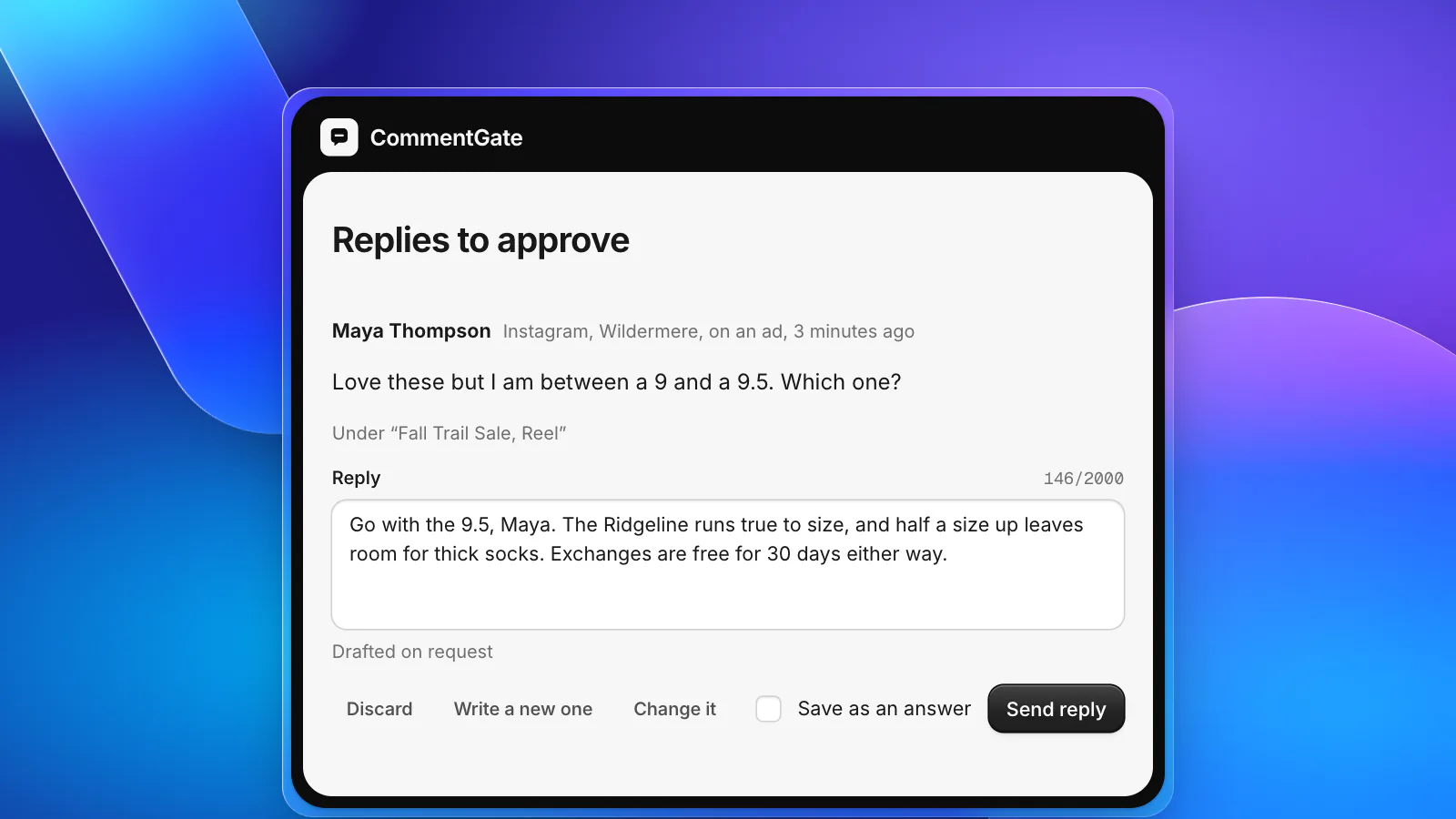
- Answer while you read. Any question you tagged is also a question the next buyer has. Reply to it on the ad before you close the tab.
Letting CommentGate do the gathering
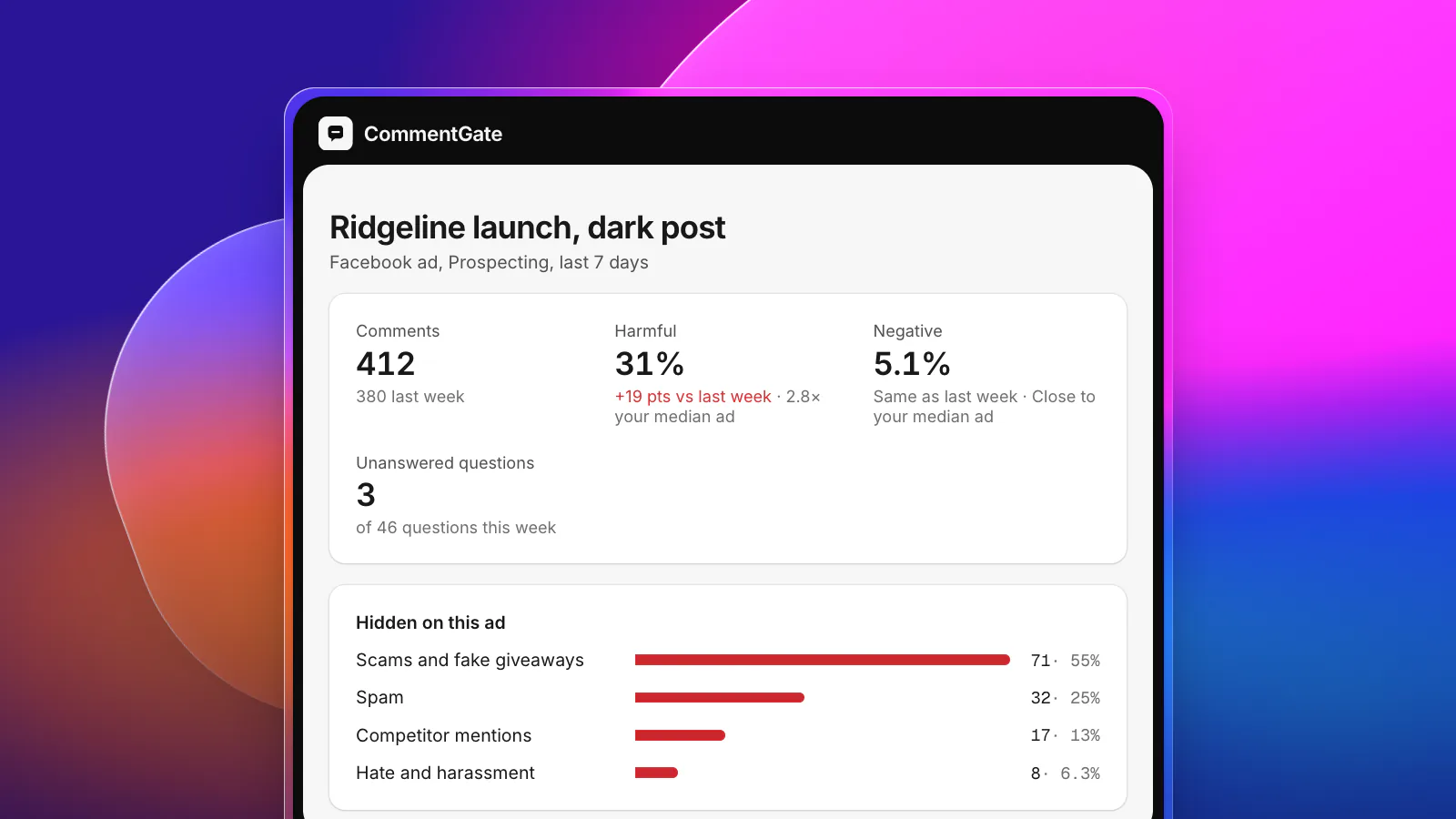
CommentGate collects comments from every connected Page, profile and ad account into one list, labelled with the ad each came from, including dark posts. The scams, spam and competitor plugs are hidden on their own, so what is left is the part worth reading.
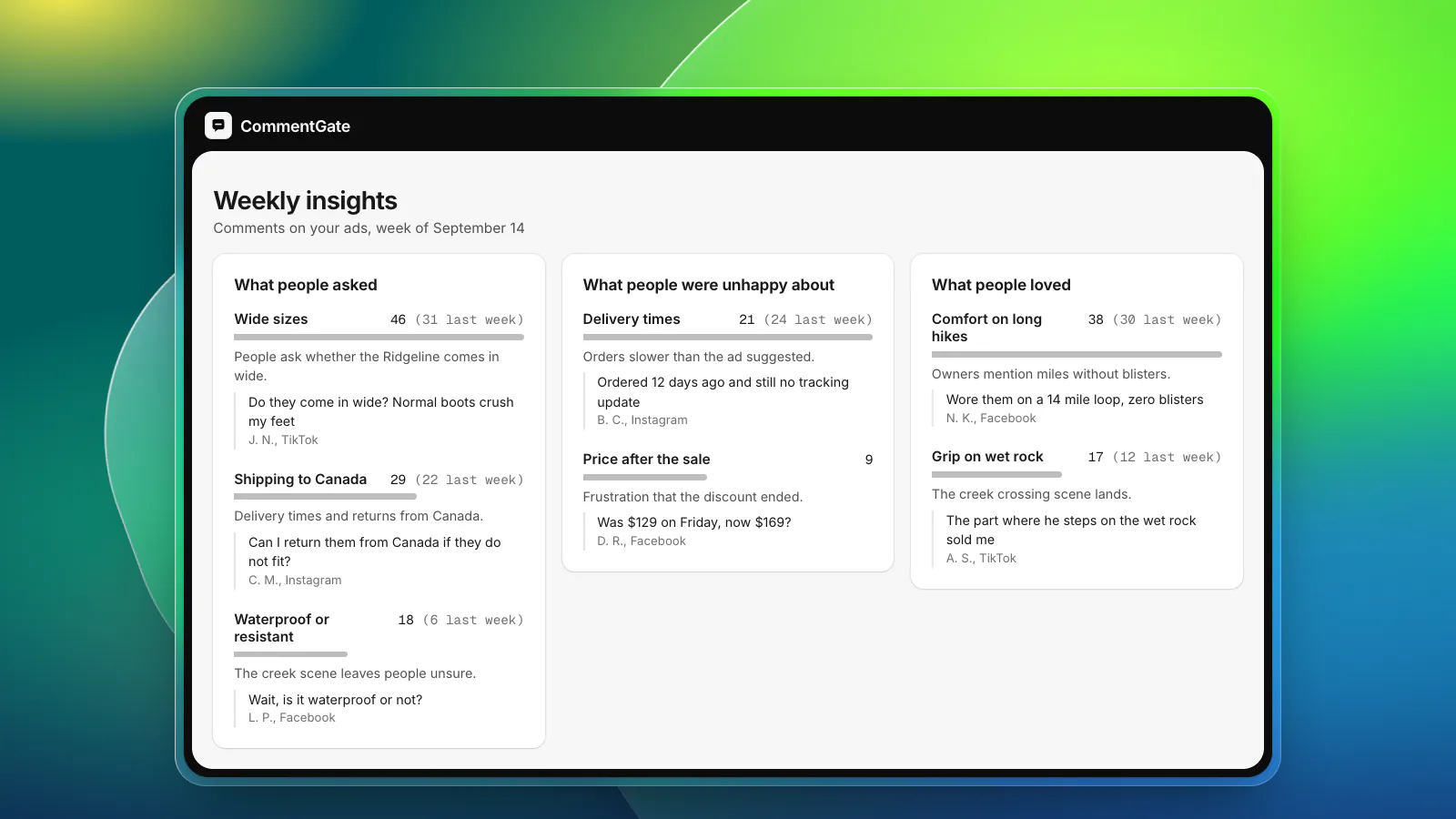
Every Monday, weekly insights group the previous week's comments into themes: what people asked about, what they were unhappy about and what they loved, each with a count, a one-line summary and example comments. That is steps 2 to 4 of the routine above, done before you open your laptop.
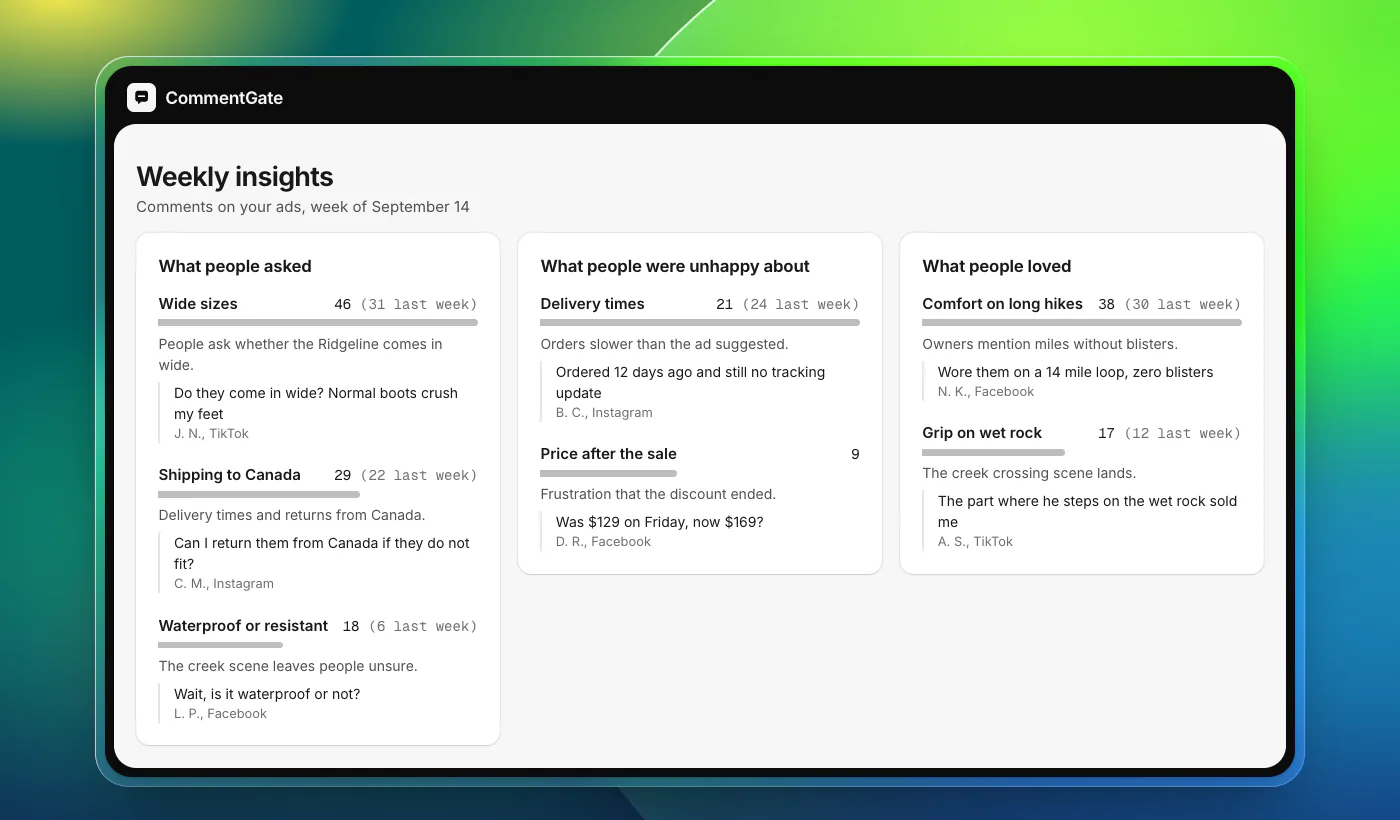
For a closer look at one ad, ad health shows its share of harmful and unhappy comments against its own previous week and your typical ad, and any view in reports exports to CSV, including every comment on one post or ad. Questions do not have to wait for your creative review, either: they get drafted answers in your voice that you approve or let send. The media buyers page shows how it all fits a testing workflow.