Social proof in ad comments: what buyers read, and what you control
The comments under an ad are the closest thing a stranger has to a review. Here is what a hesitant buyer is looking for in them, which parts you can shape on each platform, and the lines you should not cross.
Guides 6 min read
On this page
Someone who has never heard of your brand sees your ad, likes the product and hesitates. Before they tap through, a lot of them open the comments. They are not reading for entertainment. They are looking for a reason to trust you, or a reason not to.
That makes the comment section of a prospecting ad one of the most-read pieces of copy you run, and the only one written mostly by strangers. You cannot write it, and you should not fake it. You can decide a great deal about what it looks like.
What a hesitant buyer is looking for
Nobody publishes a reliable breakdown of how shoppers read ad comments, so treat this as a checklist rather than a statistic. When someone opens the comments on an ad for a product they have never bought, they are usually trying to answer a few plain questions.
- Is this a real company? Do other people seem to have received their orders? Does the brand answer when someone asks?
- Will it work for me? Sizing, fit, compatibility, "does this come in wide", "is it safe for a toddler".
- What happens if it goes wrong? Returns, shipping times to their country, whether complaints get a response.
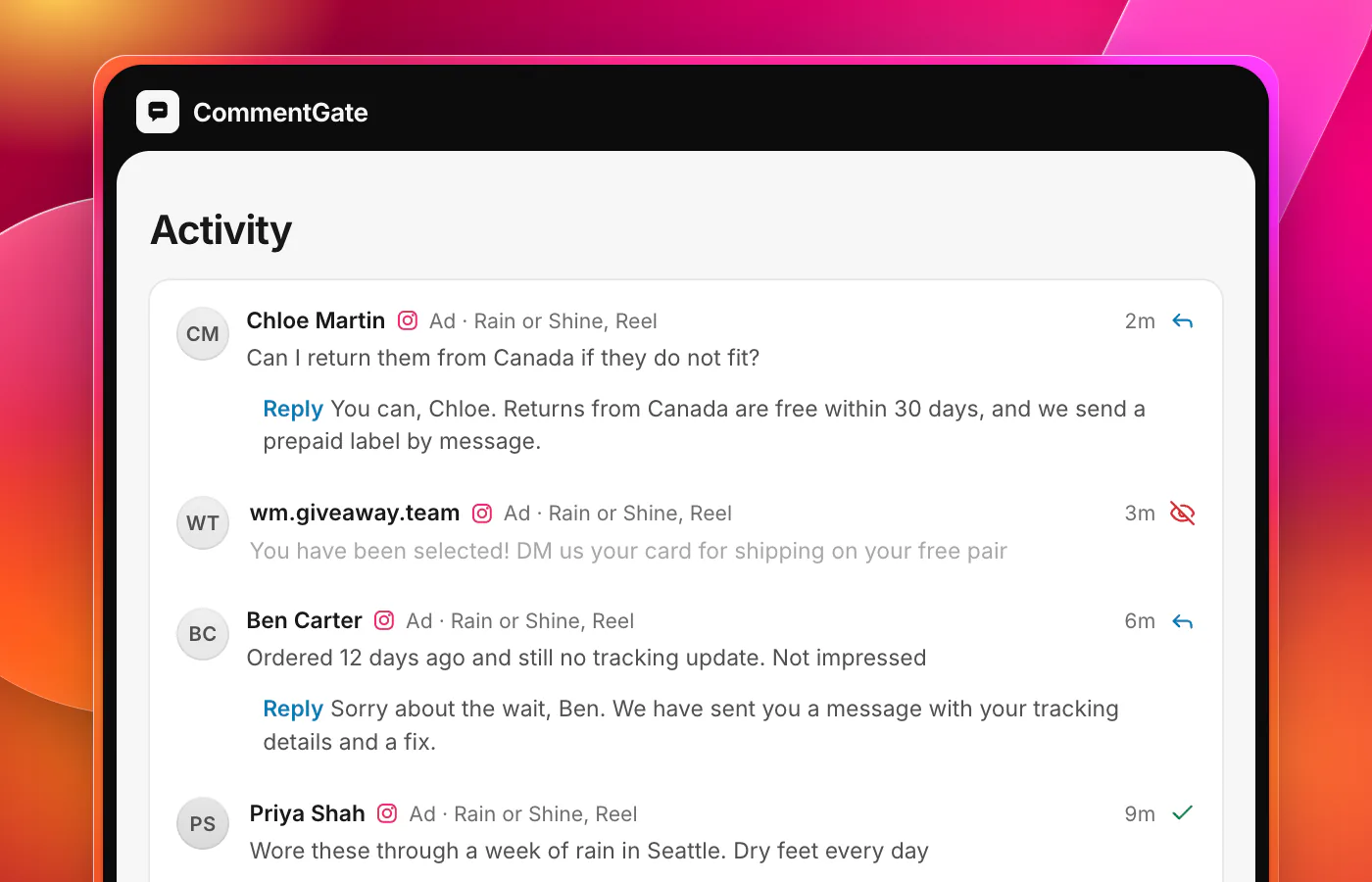
- Is anyone being scammed here? A fake giveaway reply or a "message me for a discount" account is a red flag about the brand, not only about the scammer.
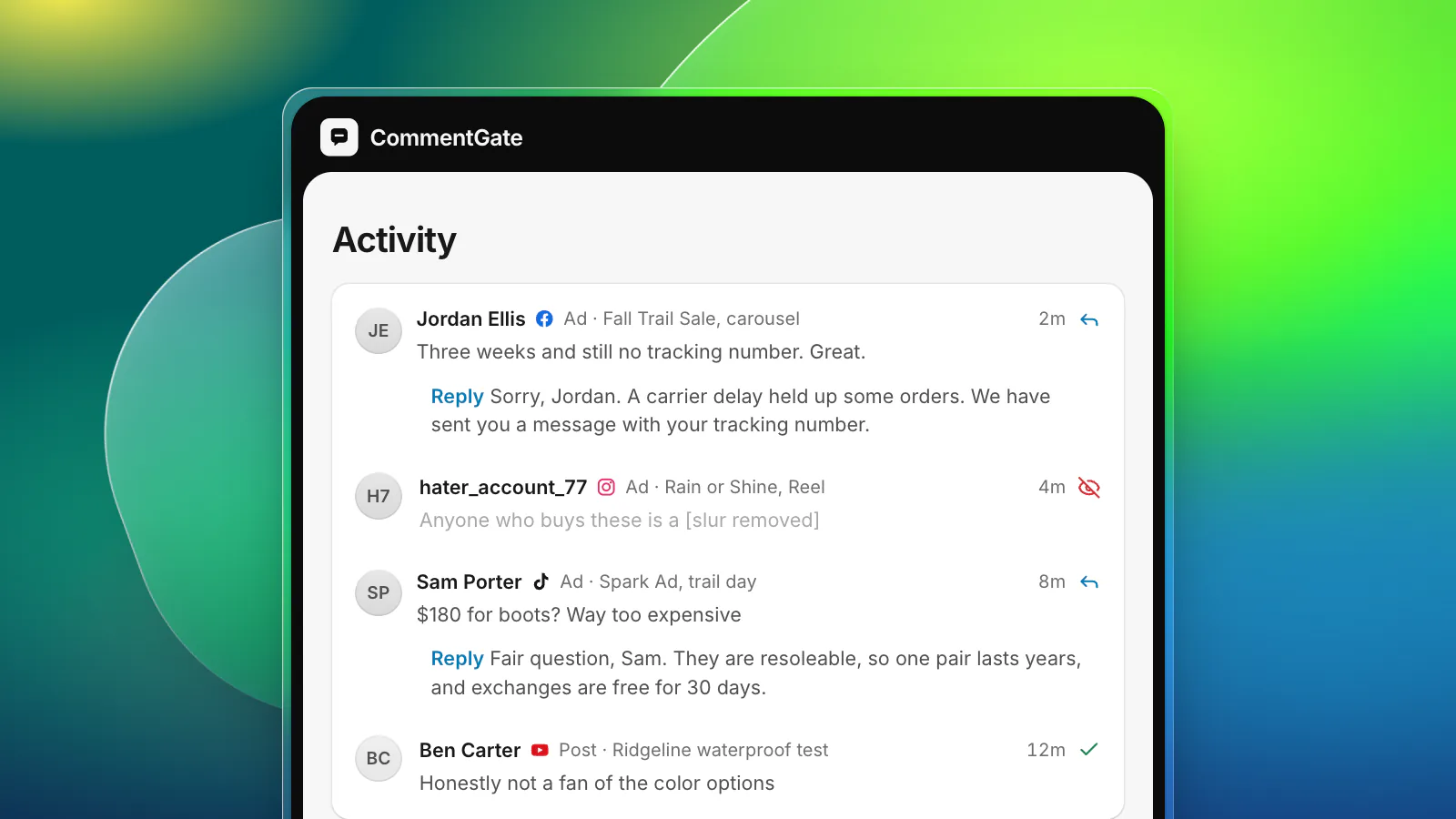
Notice what is missing from that list: a wall of five-star praise. Praise helps, but what reassures a buyer most is evidence that someone is minding the store. A comment section with an answered sizing question, one annoyed customer who got a calm reply and no scams tells them more than fifty heart emojis.
What you control
Which comments stay visible
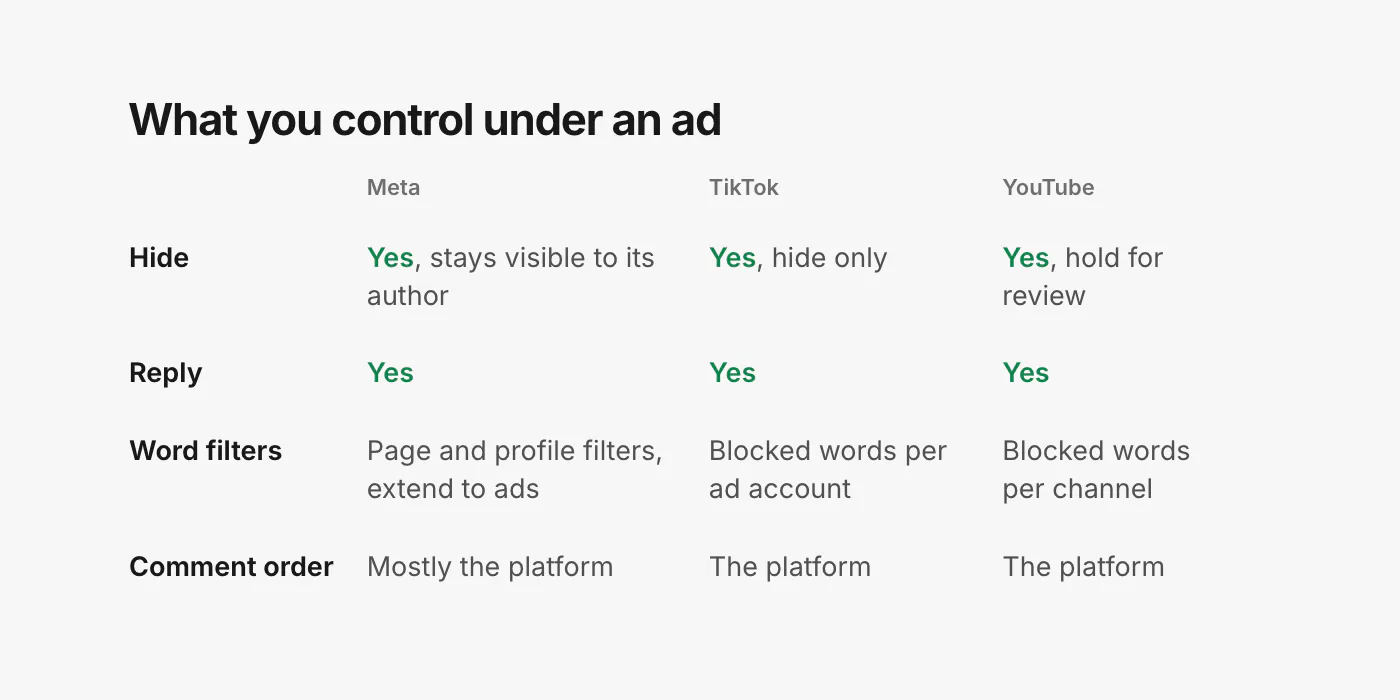
You can hide comments on every major platform. On Facebook, a hidden comment "will still be visible to the person who wrote it and their friends" and is hidden for everyone else (Facebook Help: hide a comment). TikTok Ads Manager lets you hide comments on your ads one at a time or in bulk (TikTok: view and manage comments in Ads Manager), and TikTok does not let anyone delete other people's comments, so hiding is the tool there. On YouTube the equivalent is holding a comment for review, and channels can keep a list of blocked words (YouTube Help: comment settings).
Hide what harms the reader: scams, spam, hate, competitor plugs and people's personal details. Do not hide criticism. The next section explains why.
Whether questions get answers
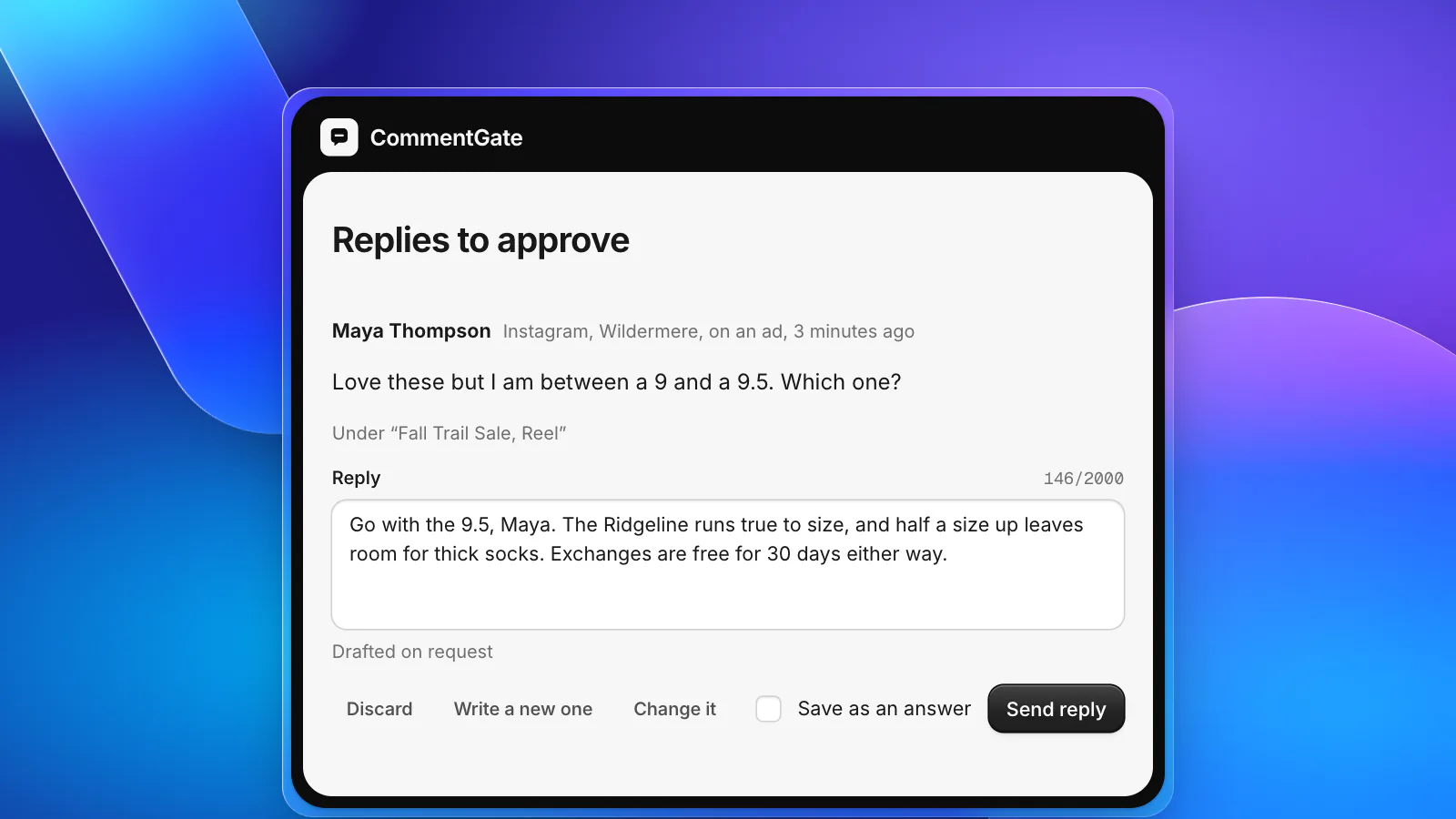
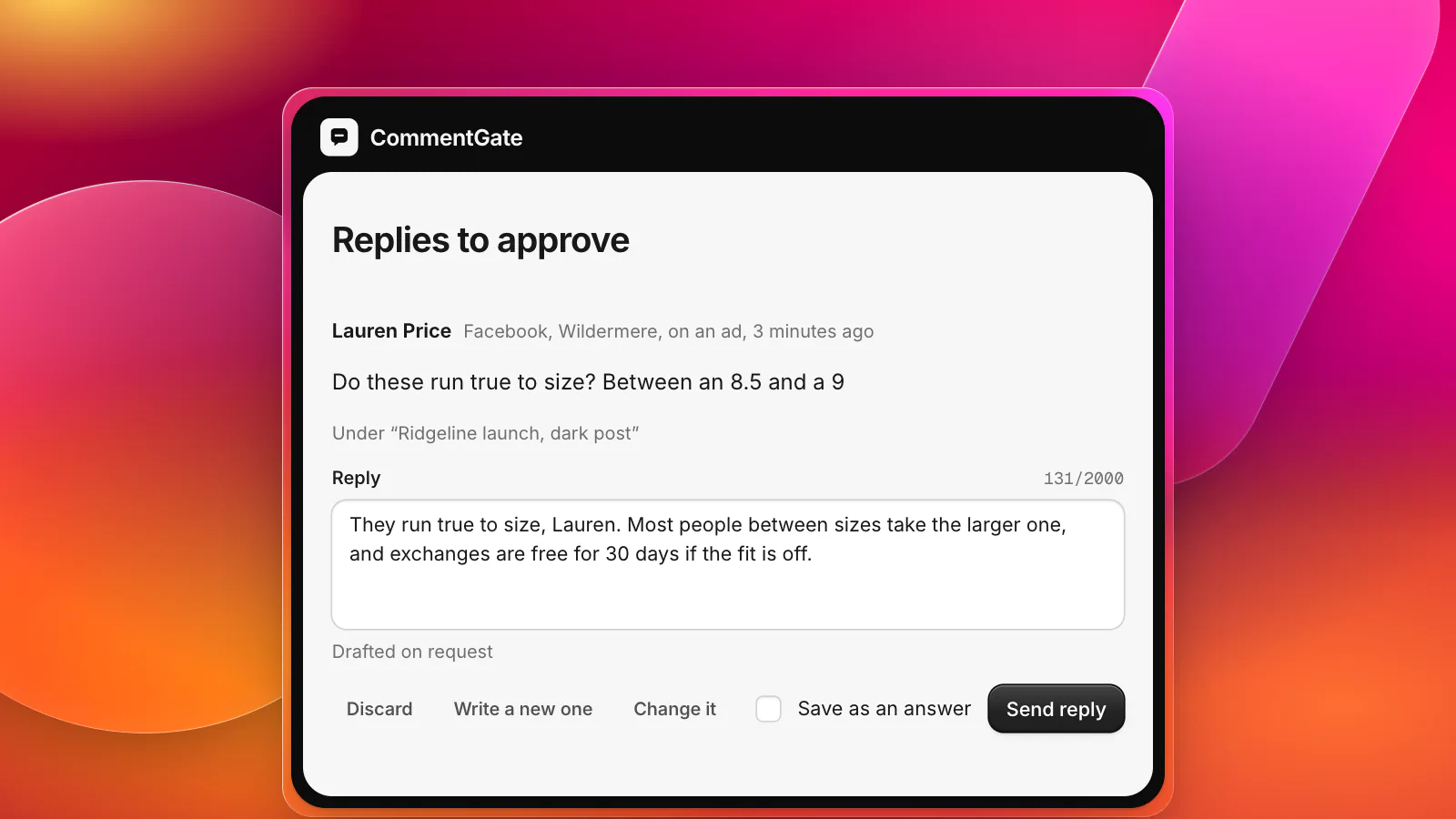
This is the part of social proof you control most directly, and the one most brands neglect on ads. A question that sits unanswered for two days tells every later reader that nobody is watching. A good answer, written once, is read by everyone who opens the comments while the ad runs. Our guide to answering "is this legit?" and sizing questions has wording that works, and there are ready replies in the templates.
Meta's own advice for ad comments starts in the same place: "Address comments directly, both negative and positive when possible, to show that your brand is listening" (Meta: best practices for comment moderation on your ads).
Which words never appear
Every platform offers a word filter, and the Meta ones cover ads automatically. The profanity filter and blocked words on a Facebook Page, and Hidden Words on Instagram and Threads, "are set at the Facebook Page, or Instagram and Threads profile level, and extend to ads from the Page or profile" (Meta: manage comments on your ads). On TikTok ads, Comments Manager lets you keep a blocked word list that hides matching comments (TikTok: about Comments Manager), and a comment containing a blocked word cannot be unhidden by hand (TikTok: view and manage comments in Ads Manager). Put scam phrases and lookalike store names in all of them; leave out words worried customers use, like "scam" itself.
What you mostly do not control
The order comments appear in is largely the platform's call. Facebook Pages have a comment ranking setting you can turn on or off (Meta: manage comments on your ads links to it), but on most surfaces the platform decides what shows first. Plan as if any comment could be the top one, which is one more reason to answer questions quickly and hide scams before they collect replies.
The lines not to cross
Social proof works because readers believe the comments are real. Everything that makes it work also makes faking it tempting, and some of that temptation is now illegal in the United States.
- No bought engagement. The FTC's rule on consumer reviews and testimonials, in effect since October 21, 2024, prohibits buying or selling "fake indicators of social media influence, such as followers or views generated by a bot or hijacked account" when you knew or should have known they were fake (FTC: final rule announcement). The rule's definition of those indicators lists comments alongside followers, views and likes (FTC: final rule text, 16 CFR Part 465).
- No undisclosed insiders. The same rule covers reviews and testimonials from company insiders that do not disclose the connection, and the FTC notes that testimonials can appear in social media (FTC: rule questions and answers). If your team or their relatives praise the product under your ads, they say who they are.
- No hiding every complaint. Ad comments are not a review page, but the FTC's guidance is a useful compass: it says suppressing customer reviews about "a particular seller's customer service, delivery, returns, and exchanges" can be deceptive (same questions and answers). A spotless comment section under a busy ad also simply looks wrong to readers. Answer the fair complaints in public.
This is not legal advice, and other countries have their own rules, including the UK, Canada, Australia and the EU. The practical version is simple: the comments should be real people, and the bad ones that are fair should stay up with a good answer under them.
A short routine for prospecting ads
- Before launch, turn on the Page and profile filters and add your scam phrases.
- In the first hours, check the new ad's comments often. The first few replies set the tone for everyone after.
- Answer every buying question you can answer in public, in the same thread. Move order details to a private message.
- Reply once, calmly, to fair complaints, then take it private. Leave the complaint and your answer up.
- Hide scams, spam and plugs on sight, and report impersonators.
- Send the rest to a person: chargeback threats, injury or defect reports, medical claims under ads, press and partnership offers. These are not social proof questions; they are business decisions.
Where CommentGate fits
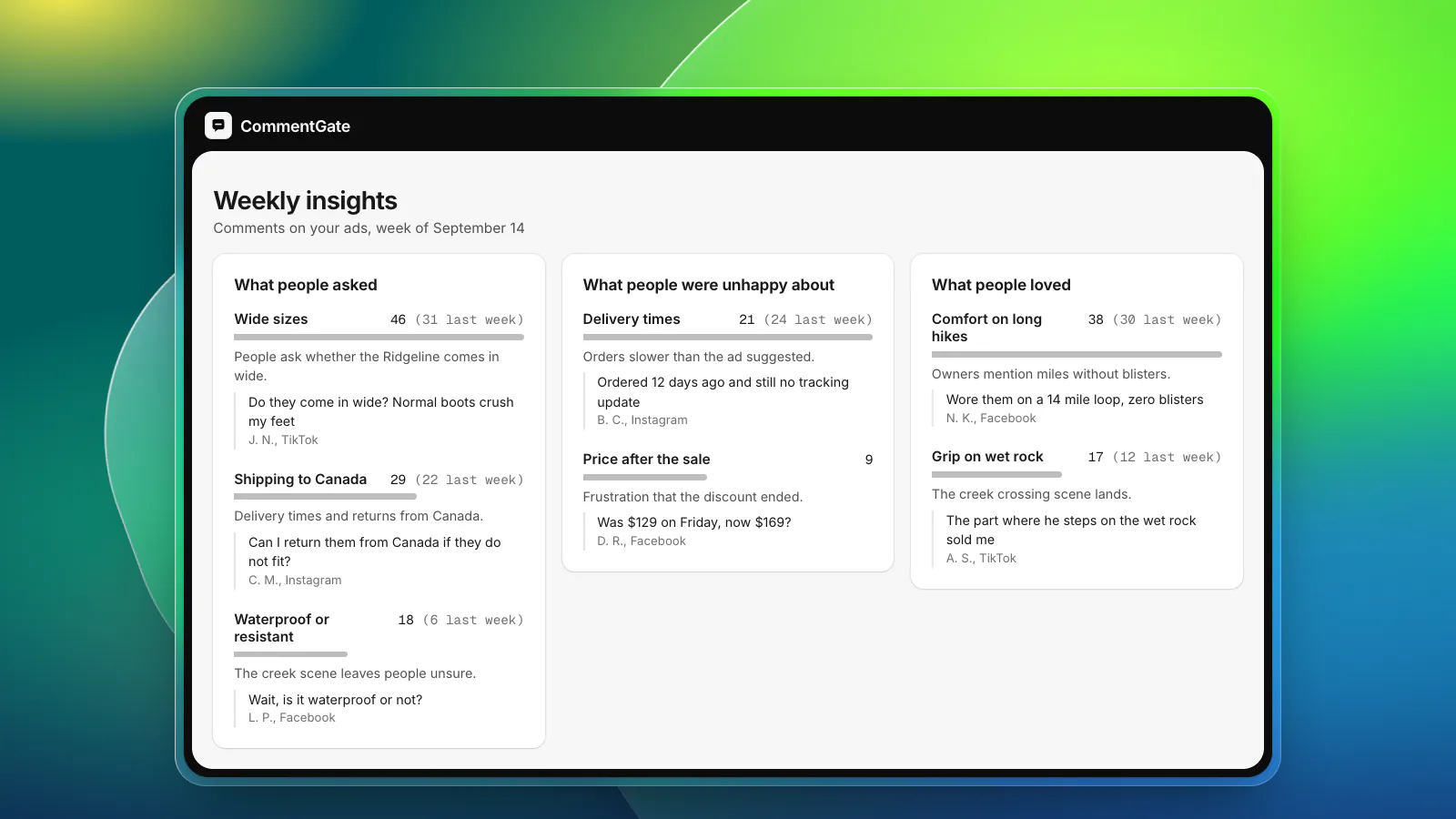
CommentGate handles the parts of that routine that do not need you. Scams and fake giveaways, spam, hate and competitor mentions are hidden within seconds on Facebook and Instagram, and within minutes on TikTok, on posts and ads alike. Questions get a drafted reply in your voice, built from your notes on sizing, shipping and returns; you approve each one, or let the clear ones send on their own (replies in your voice).
Criticism stays up unless you tell it otherwise: hiding negative comments is a switch that is off from the start. The judgement calls, like a customer disputing a charge under your best ad, wait in Needs you with a one-line reason. Every correction you make teaches it where your line is. If you run ads for a living, the media buyers page shows how it follows each ad, and the negative comments guide goes deeper on what to answer and what to leave.
Sources
- Facebook Help Center: Hide a comment from a post on your Facebook Page
- Meta Business Help Center: Best practices for comment moderation on your ads
- Meta Business Help Center: Manage comments on your ads in Meta Ads Manager
- TikTok Ads Help: About Comments Manager in TikTok Ads Manager
- TikTok Ads Help: How to view and manage comments in TikTok Ads Manager
- YouTube Help: Learn about comment settings
- FTC: Federal Trade Commission announces final rule banning fake reviews and testimonials
- FTC: Use of Consumer Reviews and Testimonials, final rule
- FTC: The Consumer Reviews and Testimonials Rule, questions and answers