Threads ads comment moderation: how to hide and answer replies
Threads ads collect replies like any other ad, but the rules are narrower: hide and reply only, direct replies only, and some ads cannot be moderated at all. Here is what works, what does not, and how to cover it.
Platforms 5 min read
On this page
Threads ads are new enough that most brands running them have never opened their replies. That is a mistake for the same reason it is a mistake on Facebook and Instagram: an ad puts your post in front of people who do not know you yet, and the replies under it are one of the first things they read. Scams and spam find those replies quickly.
Moderating Threads ads works, but the rules are narrower than on Facebook, and they differ from Threads posts in ways that are easy to miss.
How Threads ads work
Threads ads run through Meta Ads Manager, alongside Instagram. To deliver ads on Threads, an ad set includes both Instagram and Threads placements (Meta: Threads ads creation). Three details shape how you moderate them:
- An ad is never an existing Threads post. Meta says it plainly: "Ads cannot be created from an existing Threads post" (Meta: Threads ads). When you provide new creative, "an unpublished post is created". Like dark posts on Facebook, it never appears on your profile, so scrolling your profile will never show its replies.
- Promoted Facebook and Instagram posts start a new conversation. You can run an existing Facebook or Instagram post as a Threads ad, but engagement "on the Threads ad does not propagate back to the original post" (Meta: use posts as ads). The Threads replies are a separate thread to watch.
- Delivery is low for now. Meta says it is "keeping the volume of ads in Threads intentionally low as we test and learn" (Meta: Threads ads). Fewer replies than on Instagram, but also fewer eyes on them from your team.
Which identity your ad runs as matters
A Threads ad can run as a real Threads profile linked to your Instagram account, or as a stand-in account Meta creates from your Instagram account or your Facebook Page. Meta says of the stand-ins: "You cannot log into Threads accounts created this way to manage posts" (Meta: Threads ads).
That decides whether you can moderate at all. Meta's ads help lists Manage Threads replies among the options on an ad, and adds that you can't manage "replies on Threads if you don't connect a Threads profile (ie, you run ads using your Facebook or Instagram identity.)" (Meta Business Help: manage comments on your ads).
What you can do with replies on Threads ads
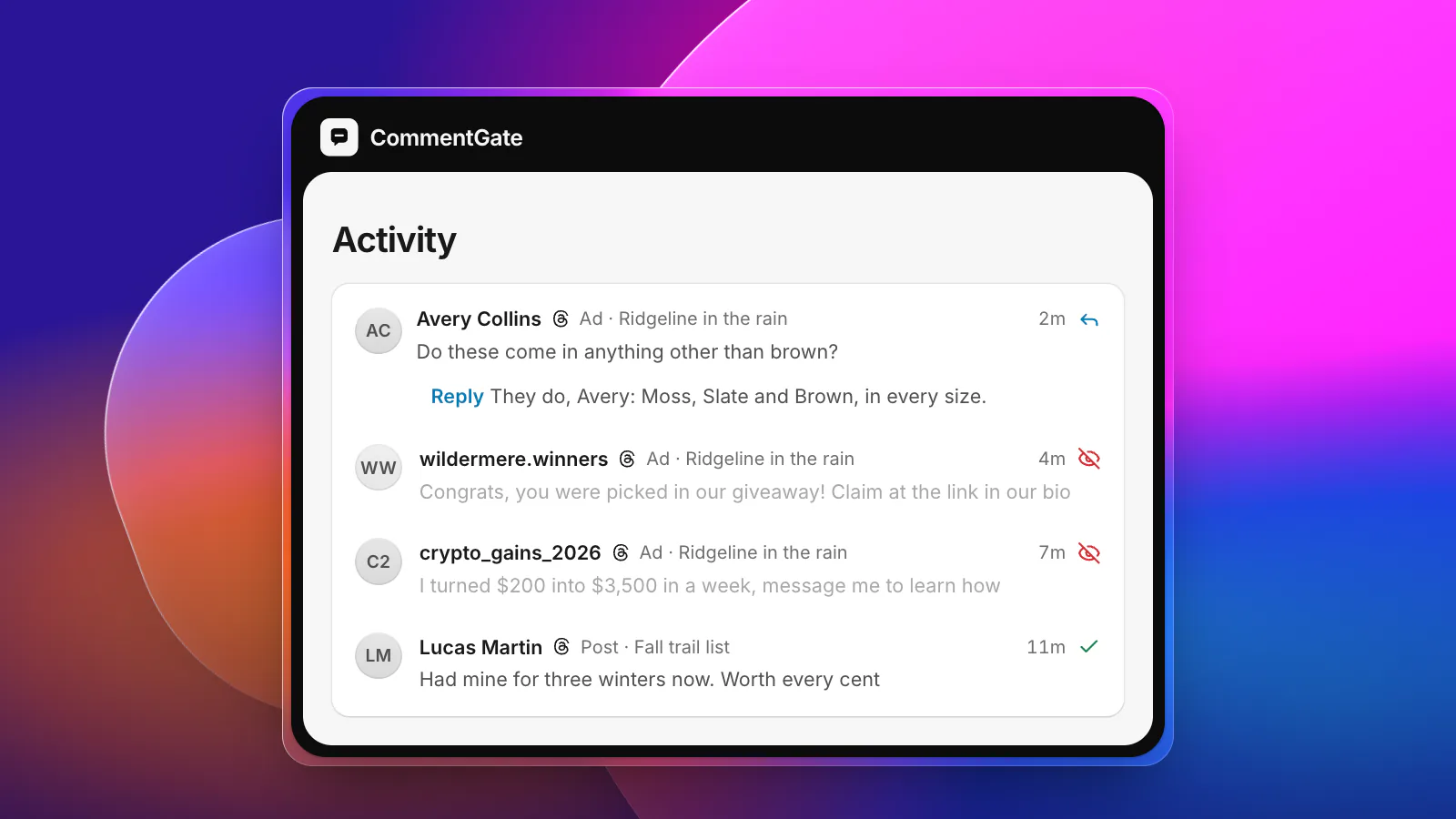
Meta's reply moderation for Threads ads comes down to three actions: read the replies, hide them, and reply (Meta: Threads ads reply moderation).
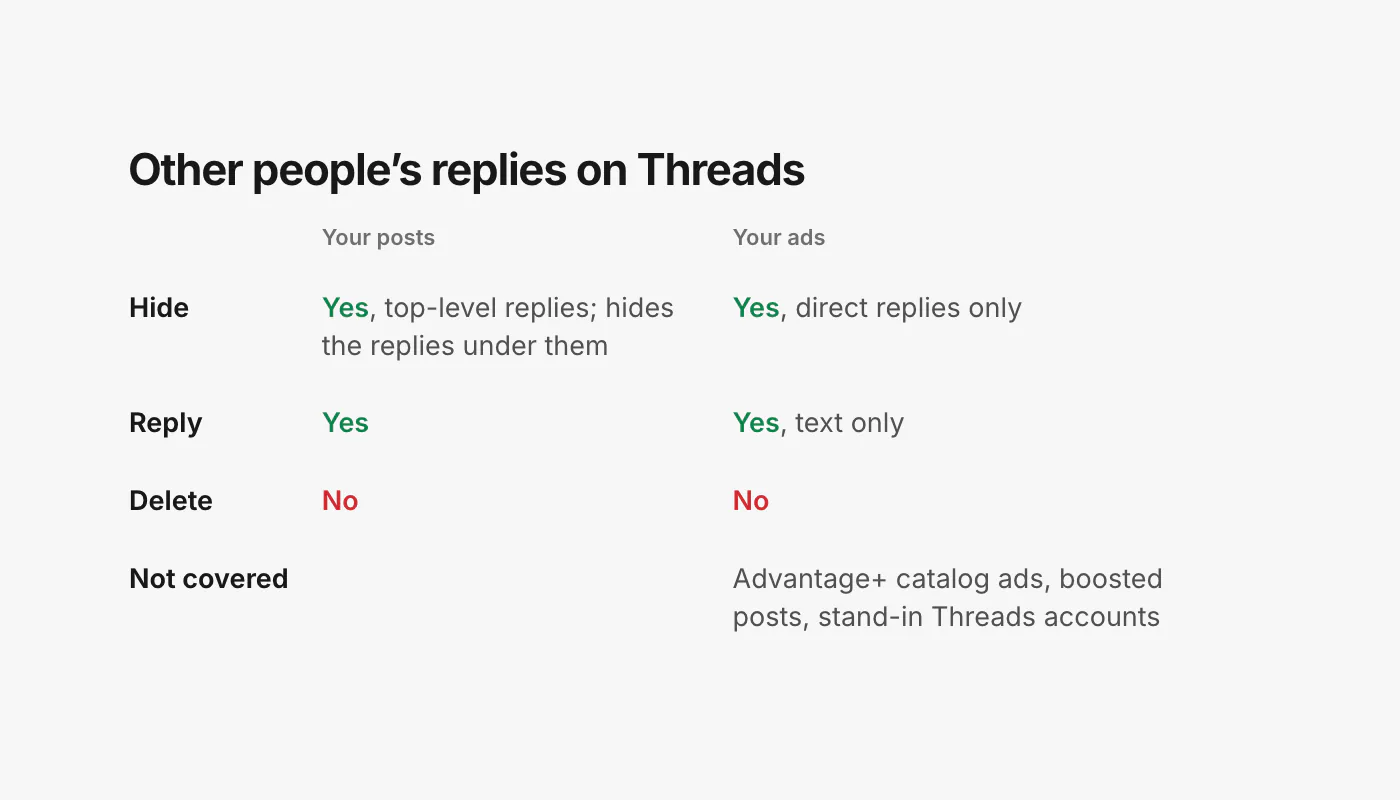
- Hide. "Hiding a reply removes it from public view but does not delete it." It can be unhidden later.
- Reply. "Only text replies are supported." No images, video or carousels.
- Direct replies only. "Only direct replies to ad media are supported for both fetching and replying. Nested replies (replies to replies) are not available through either operation."
And some ads are out of reach entirely. Meta lists as unsupported "Advantage+ catalog ads and boosted posts as well as ads created by Instagram-backed and Page-backed Threads accounts." On Advantage+ catalog ads there is nothing to moderate: engagement, replies included, "is disabled for Advantage+ catalog ads in Threads at this time" (Meta: Threads Advantage+ catalog ads).
There is no delete for other people's replies, no like, and no block from these tools. On Threads, "hide" is the whole moderation vocabulary.
Replies on your own Threads posts
Your organic Threads posts follow slightly different rules, and they are worth knowing because the same people will reply to both.
- Tools outside the app hide top-level replies only. Hiding a top-level reply also hides the replies under it, and "Replies nested deeper than the top-level reply cannot be targeted in isolation" (Meta: Threads reply management).
- In the app, you choose Hide for everyone from the menu next to a reply (Instagram Help: hide posts and replies on Threads).
- Hidden Words works differently here. Threads can "automatically hide common offensive words in replies", and your custom filters apply too. But replies hidden that way "are moved to a covered section at the bottom of your thread. Others can still view these replies" (Instagram Help: hide posts and replies on Threads). It is a cover, not a hide.
- Reply approvals let you review replies to a post before anyone sees them. You manage it post by post, from Reply options (Instagram Help: reply approvals on Threads). Useful for an announcement you expect to draw fire.
When you answer, keep it short: Threads posts are limited to 500 characters, and a profile can publish 1,000 replies in a 24-hour period (Meta: Threads overview). That is plenty for a brand answering by hand, and a real ceiling for anything automatic.
A routine for Threads ads
- Run Threads ads as a real Threads profile, linked to your Instagram account, so the replies can be moderated.
- List your live Threads ads and check each one's replies at least daily. The low delivery makes this realistic by hand for a few ads.
- Hide scams, spam and abuse. Answer questions first when a reply mixes both.
- Answer questions in text, briefly. One or two sentences, with a link only when it is the answer.
- Remember the blind spots. Nested replies under an ad, Advantage+ catalog ads and boosted posts are outside what the tools can reach. If a reply thread under an ad turns bad below the top level, the Threads app is the only place to act.
- Turn on Hidden Words for your profile, knowing it covers rather than hides.
Threads in CommentGate
CommentGate covers Threads posts and Threads ads next to Facebook, Instagram, TikTok and YouTube, in one list and under the same switches.
- Your posts. Replies are handled as Threads sends them, with a check every hour for anything missed. Scams, spam, hate and competitor plugs are hidden; hiding follows Threads' rule, so it acts on top-level replies.
- Your ads. Threads ads are found through your Meta ad accounts and checked about every hour.
- Answers in your voice. Questions get a drafted text reply, well under 500 characters, that you approve or let send on its own.
- One place for both. A person who replies to your post and to your ad shows up in the same list, with the post or ad each reply came from.
See every platform side by side, or how the same ideas work on Facebook and Instagram ads.
Sources
- Meta for Developers: Threads ads
- Meta for Developers: Threads ads creation
- Meta for Developers: Use Facebook and Instagram posts as Threads ads
- Meta for Developers: Threads ads reply moderation
- Meta for Developers: Advantage+ catalog ads on Threads
- Meta for Developers: Threads reply management
- Meta for Developers: Threads overview
- Meta Business Help Center: Manage comments on your ads in Meta Ads Manager
- Instagram Help Center: Hide posts you don’t want to see on Threads
- Instagram Help Center: Turn approvals on or off for replies to your post on Threads