Spark Ads comments on TikTok: who sees them, who owns them, what a brand can do
A Spark Ad shares its comment section with the post it promotes, which is great for social proof and awkward when the post belongs to a creator. Here is where Spark Ad comments live, who can hide and answer them, and how to cover them.
Platforms 5 min read
On this page
Spark Ads are the TikTok format most brands end up running, because they work: the ad looks like a normal post, it carries the post's likes and comments, and it can use a creator's video instead of yours. The comment section is part of what makes them work, and it is also where things go wrong.
A Spark Ad does not have a comment section of its own. That one fact explains almost everything about moderating it.
One post, one comment section
TikTok describes Spark Ads as a format that uses "posts from organic TikTok accounts to ensure that all views, comments, shares, likes, and follows gained from boosting the video during the promotion are attributed to your organic posts" (TikTok Ads Help: about Spark Ads).
In practice:
- People who comment on the ad are commenting on the post. Anyone who opens the post later, from a profile or a share, reads the same comments, paid and organic together.
- The comments outlive the campaign. TikTok sells this as a benefit: "all of the Spark Ads post engagement will be attributed to the original organic post." When the ad stops, the comments stay on the post.
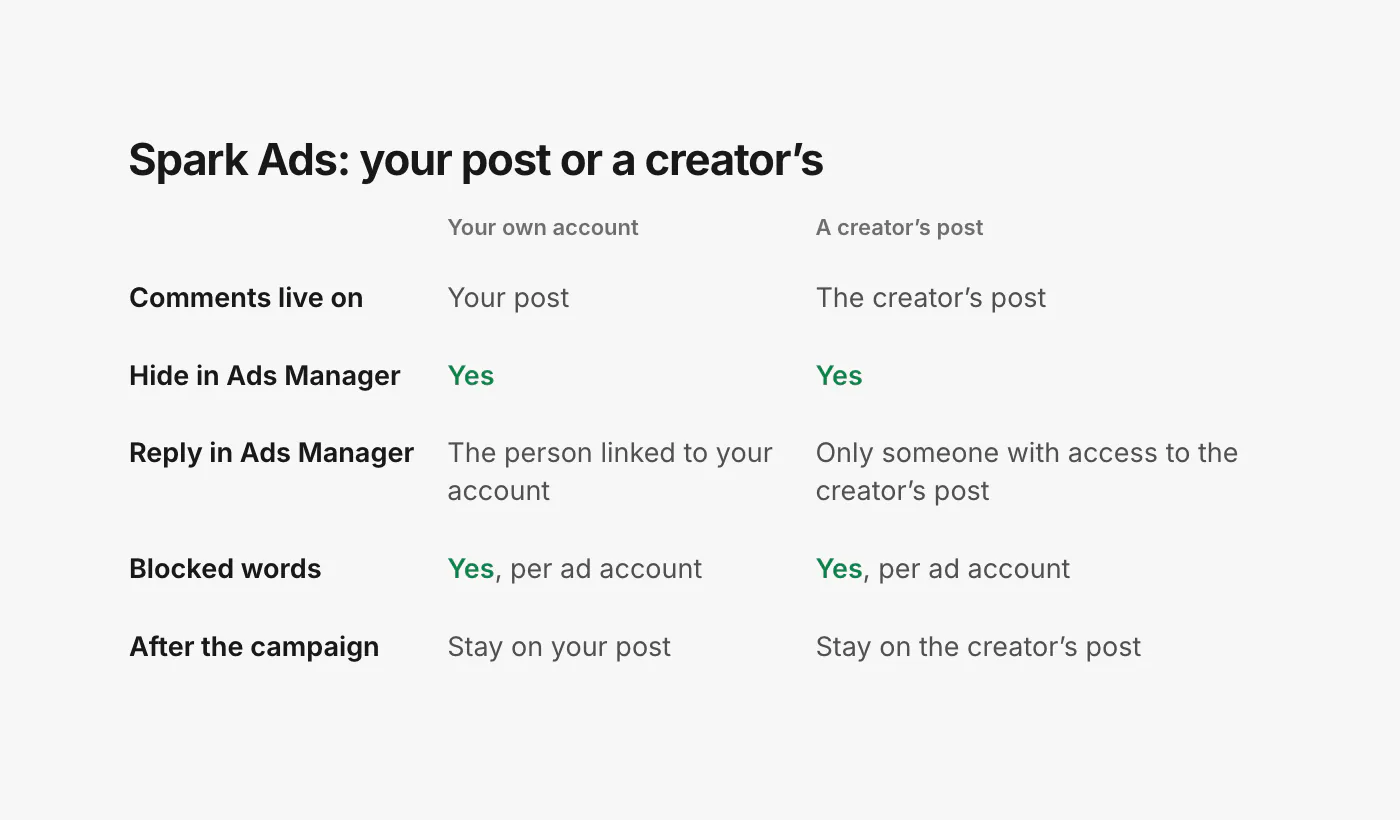
- Two kinds of post can be promoted. Your own TikTok account's posts, or "organic posts made by other creators (with their authorization)" (TikTok Ads Help: about Spark Ads). For a creator's post, the creator gives you an authorization code, and you choose how long it lasts.
So the question "who owns the comments?" has a plain answer: whoever owns the post. On your own account, that is you. On a creator's post, the comments live on the creator's account, before, during and after your campaign.
Who sees Spark Ad comments
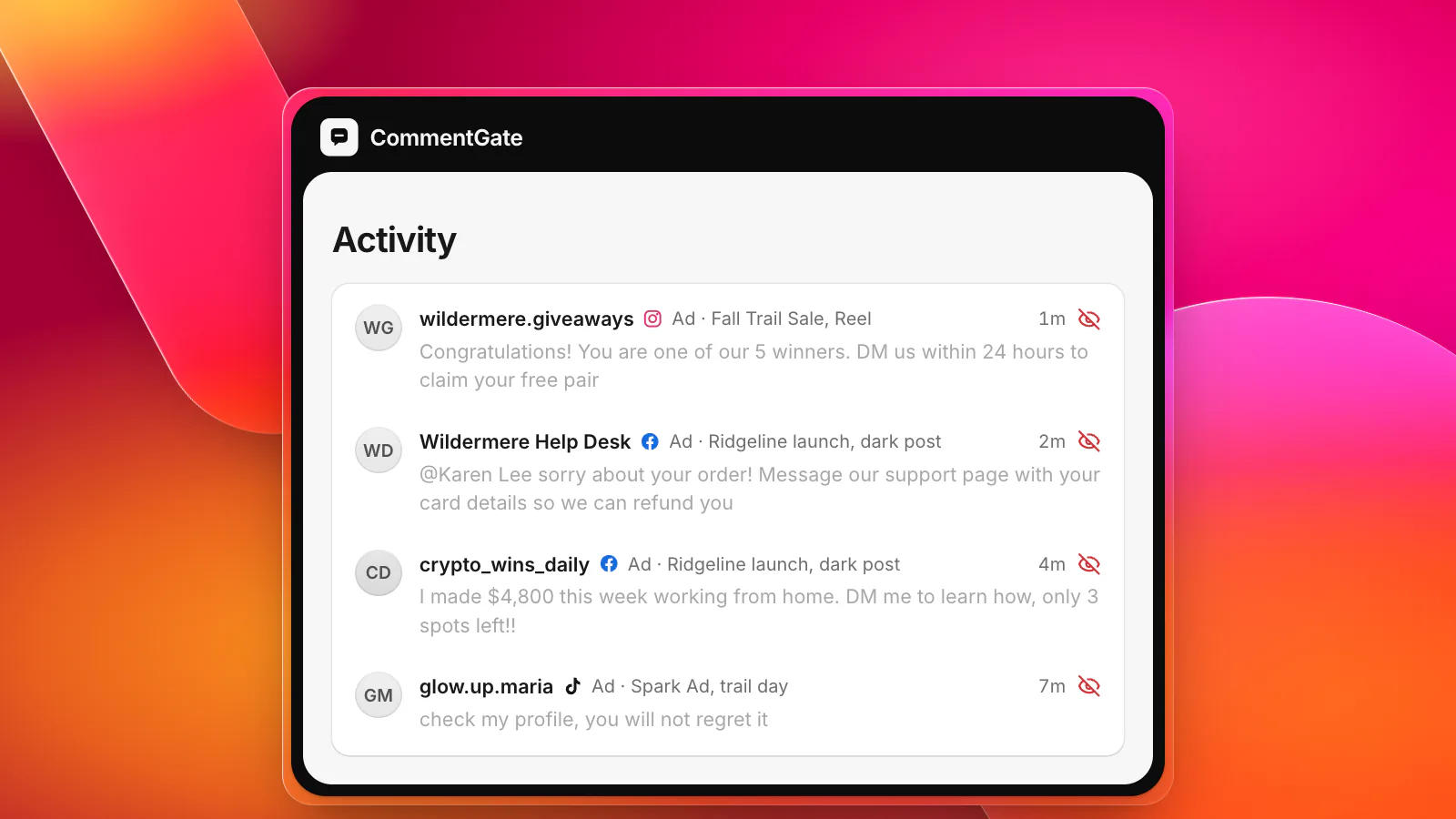
Everyone who sees the post sees the comments: people reached by your ad, the creator's followers, and anyone who finds the video later. That is why a scam comment on a creator's Spark Ad is worse than one on a regular ad. It keeps working on the creator's audience long after your budget stops, under a video that mentions your brand.
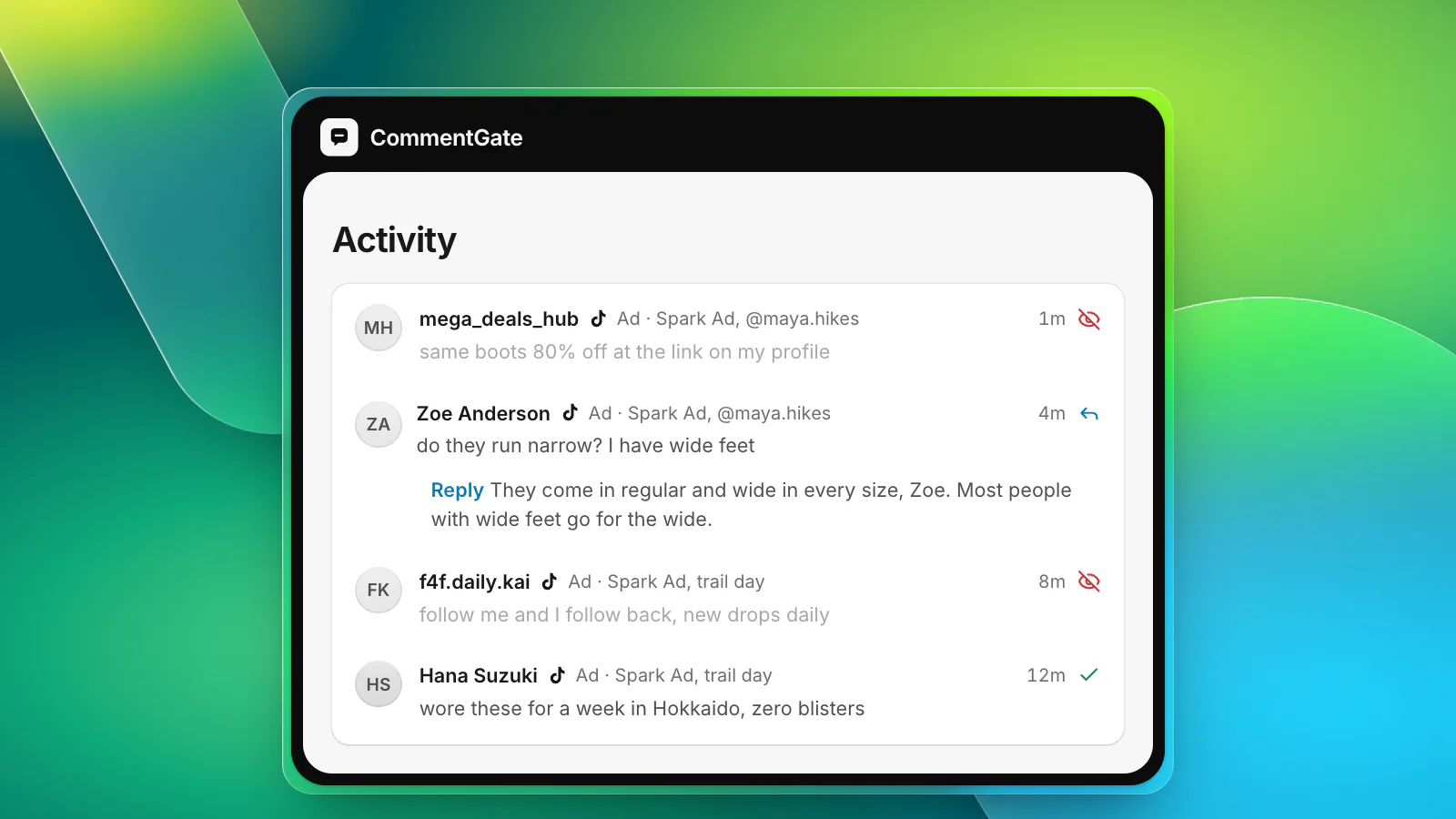
It also means the creator's followers are part of your comment section. Their inside jokes, their questions about the creator's life and their opinions about your product all land next to each other. Moderating a creator's post needs a lighter touch than moderating your own.
What a brand can do from TikTok Ads Manager
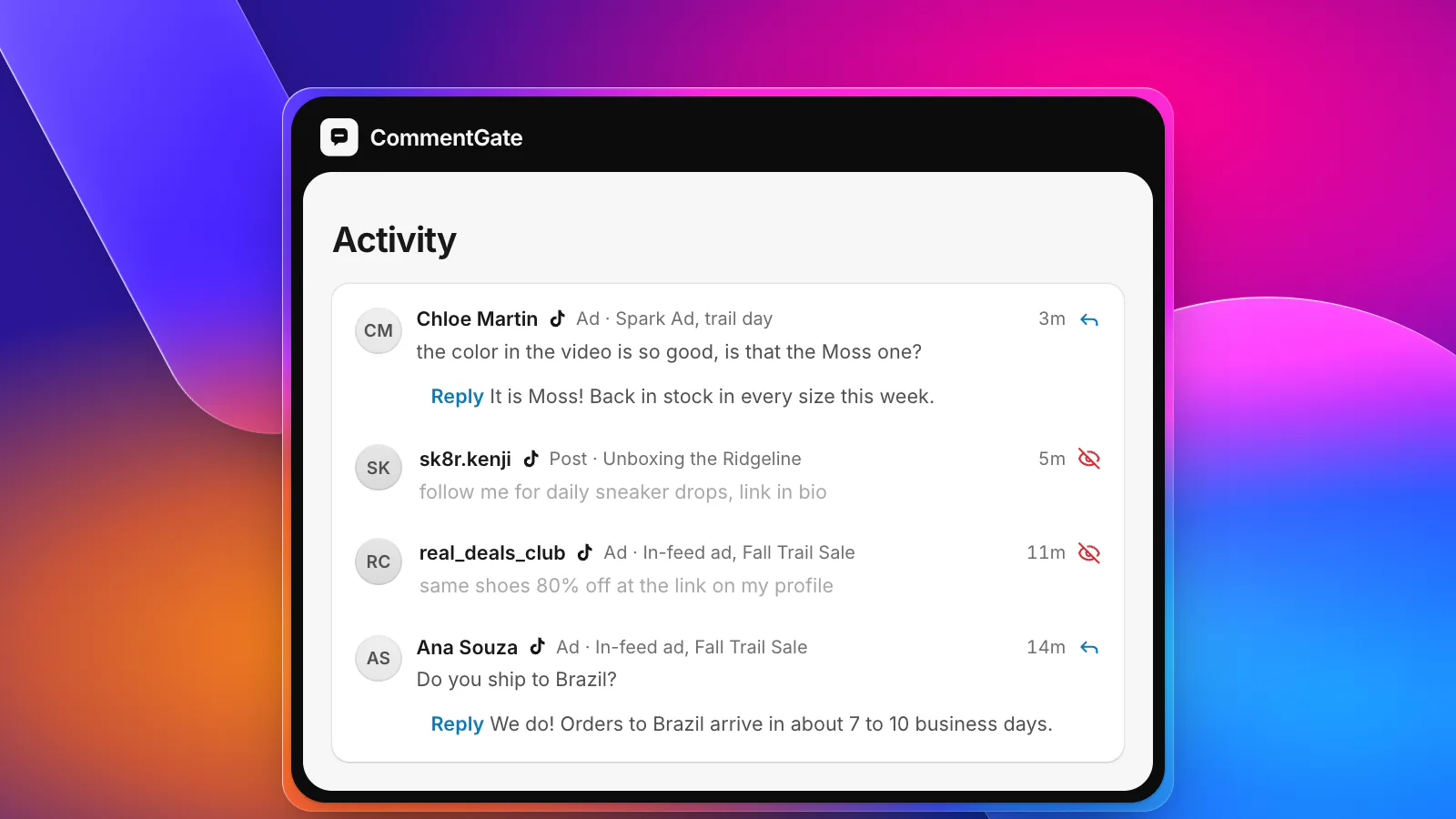
TikTok Ads Manager has a comments tool for ads, Spark Ads included. It lets you "view, reply to, like, block, export, hide, and filter the comments made on your ads" (TikTok Ads Help: manage comments). A few details matter for Spark Ads:
- Hide and unhide work on Spark Ad comments, one at a time or in bulk.
- Replies need the right access. TikTok's help says: "For Spark Ads created with 'Use account owned by you', only the user who is linked with the TikTok Account can reply to comments. For Spark Ads created with authorized account or post, only the user who has access to the authorized account or post can reply to comments" (TikTok Ads Help: view and manage comments). On a creator's post, that usually means your team cannot answer from Ads Manager at all.
- Blocking a user hides all their comments on your ads. "When you block a user, you'll hide all of their new and existing comments on your ads. A blocked user can still comment, but only they will be able to see their comment."
- Blocked words apply instantly. Each ad account can hold up to 500 blocked words (TikTok, blocked words), and a comment containing one is hidden the moment it is posted. One catch: "You can't hide or unhide a comment that contains a blocked word" (TikTok Ads Help: view and manage comments). To bring one back, remove the word.
What nobody can do is delete someone else's comment: "Comments made by other users cannot be deleted, and can only be hidden" (TikTok, delete a comment).
Working with creators on comments
Most Spark Ad comment problems with creators are agreement problems, not tool problems. Settle these before the code changes hands:
- Who hides what. Agree that scams, spam, hate and competitor plugs can be hidden by either side, and that honest criticism of the product stays up.
- Who answers product questions. Sizing, shipping and returns are yours. If you cannot reply from Ads Manager, agree on how questions reach you, or ask the creator to connect their account to your moderation tool for the length of the campaign.
- What happens after. The comments stay on the creator's post. Agree whether the creator keeps watching them, and for how long.
- The creator's own filters. TikTok's in-app filters (keywords, spam, "Filter all comments") are the creator's settings (TikTok Support: manage comments). Ask them to turn on spam filtering for the campaign.
- The authorization window. A video "need[s] to be un-authorized as a Spark Ad before it can be deleted from the organic account" (TikTok Ads Help: about Spark Ads). Agree how long the code lasts and what happens if the creator wants the video down.
Turning comments off
If a Spark Ad's comments are more trouble than they are worth, TikTok lets you turn off User comment for an ad group, with a note that it recommends "keeping user comments on to help your ads achieve more impressions and conversions" (TikTok Ads Help: turn off comments for an ad group). For Spark Ads, a post full of real comments is most of the point, so treat this as a last resort.
How fast can anyone act?
On posts from a TikTok account that has connected a tool, TikTok sends new comments "within five minutes" (TikTok, comment updates). On other ads, comments are checked on a schedule. Blocked words are the one thing that acts instantly, inside TikTok, which is why a good blocked-word list on every ad account matters more on TikTok than anywhere else.
Spark Ads in CommentGate
CommentGate connects to your TikTok ad account and your TikTok account, and Spark Ads land in the same list as your posts, your other ads and every other platform.
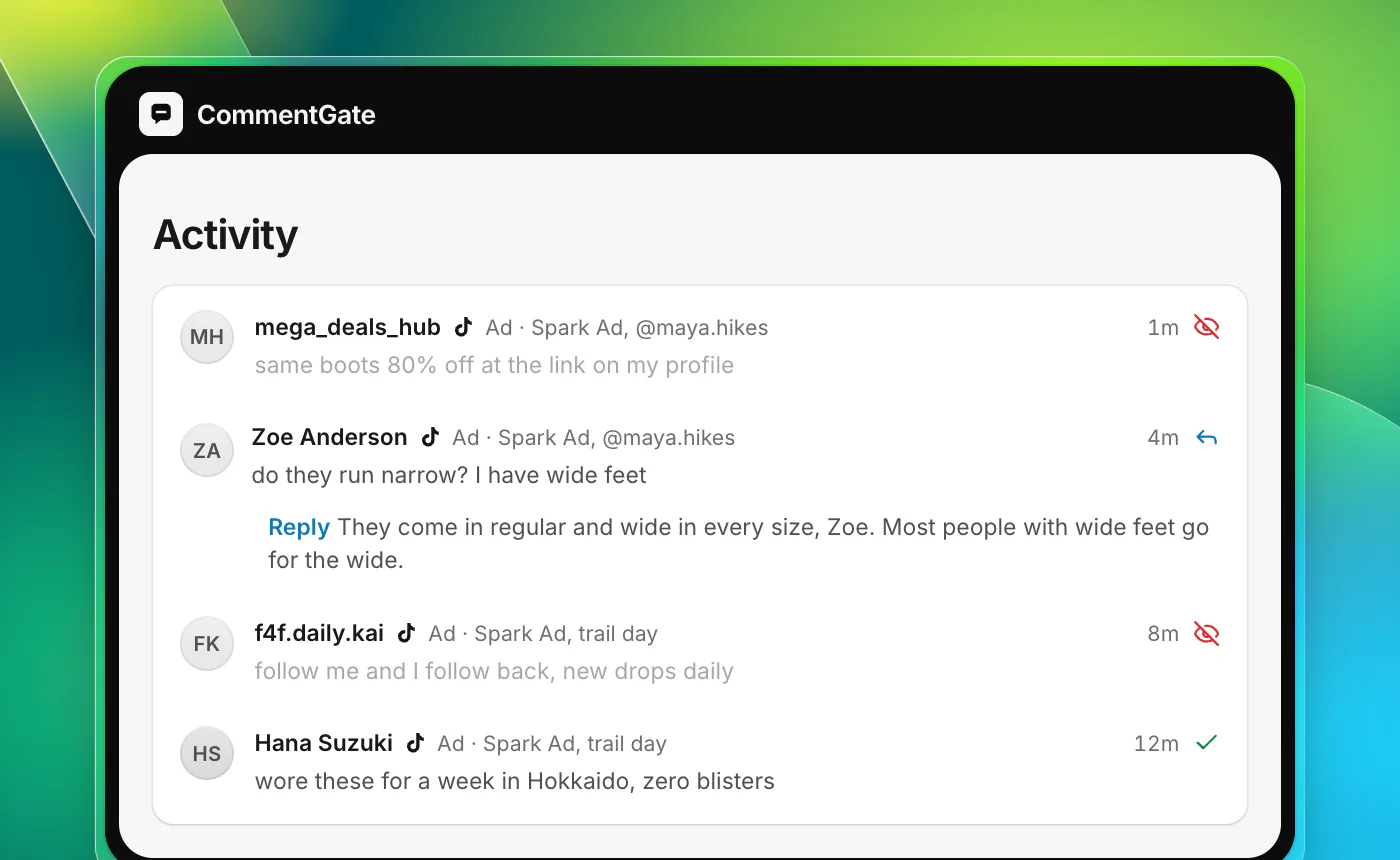
- Your own Spark Ads are covered through your TikTok account and handled within minutes.
- Creators' Spark Ads are covered through your ad account, checked every few minutes while they run. If the creator also connects their TikTok account, their post is handled as it arrives, and replies can go out on it.
- Your blocked words go to TikTok on every ad account, so those comments are hidden the moment they are posted.
- Hide means hide. Every hidden comment can be brought back with one click, and CommentGate learns from what you bring back.
If you run Spark Ads for several brands, the agency playbook covers keeping clients and creators apart. For TikTok organic posts and in-feed ads, see TikTok comment moderation for brands.
Sources
- TikTok Ads Help: About Spark Ads
- TikTok Ads Help: About Comments Manager in TikTok Ads Manager
- TikTok Ads Help: How to view and manage comments in TikTok Ads Manager
- TikTok Ads Help: How to turn off comments for an ad group
- TikTok Support: Manage comments
- TikTok API for Business: Blocked words
- TikTok API for Business: Delete a comment
- TikTok API for Business: Comment updates