A media buyer’s daily 10-minute comment check (and what to automate)
You do not have time to read every comment on every ad, and you should not need to. Here is a ten-minute daily check that catches what matters across Meta and TikTok, and the parts worth handing to automation.
Playbooks 5 min read
On this page
If you run paid social, comments are somebody's job, and often that somebody is you. Clients notice a scam link under their best ad long before they notice a two-point change in CTR, and a complaint left unanswered under a prospecting ad is read by everyone you pay to reach.
At the same time, nobody running twenty ads across two ad accounts can read every comment every day. The answer is a short, fixed check that looks at the few places where problems hide, in order of what costs the most when missed, plus automation for the rest.
Before the ten minutes: set up once
A daily check only works if the routine things are already handled. Do these once per brand.
- Turn on the built-in filters. On Meta, the profanity filter and blocked words on the Facebook Page and Hidden Words on Instagram and Threads "extend to ads from the Page or profile" (Meta: manage comments on your ads). On TikTok, Comments Manager has a blocked word list for ad comments (TikTok: about Comments Manager), up to 500 words per ad account (TikTok API: blocked words).
- Connect Instagram to the ads. Meta's help notes you cannot manage Instagram comments on an ad that runs with only your Facebook Page identity (same Meta page).
- Write down the answers. Shipping times per market, returns, sizing, current offer. Anyone replying needs them, including you at 7 a.m.
- Name who takes the hard ones. Chargebacks, injuries, legal threats, press, partnerships. You are not the right person for most of these, but you are often the first to see them.
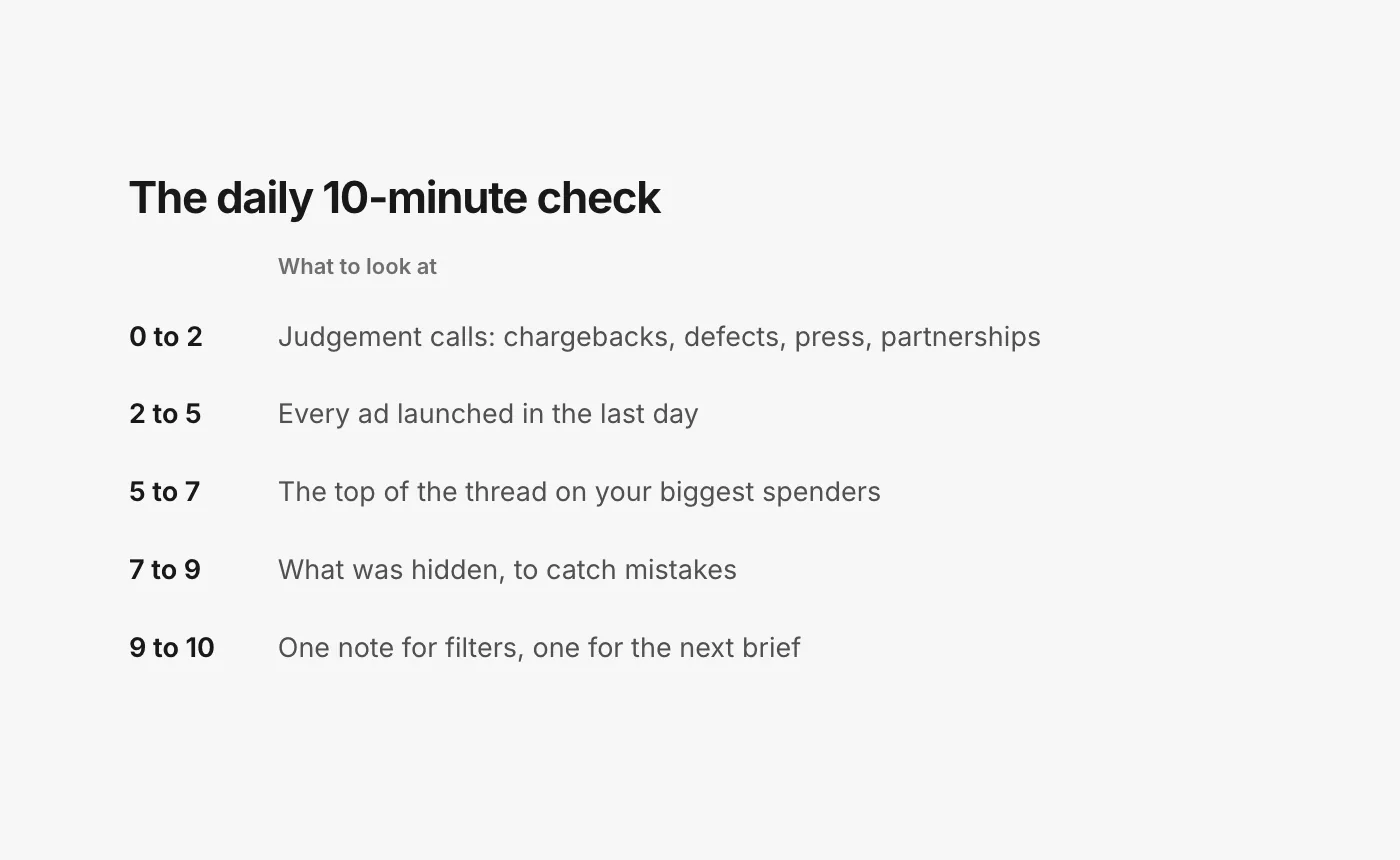
The ten minutes
Minutes 0 to 2: the judgement calls
Start with the comments that are not moderation questions at all: a customer threatening a chargeback, a defect or injury report, a medical claim under a supplement ad, a reporter, a creator offering a partnership. These cost the most when they sit, and they are the ones you must not answer on instinct. Forward each one to the person who owns it, with a link, and move on.
Minutes 2 to 5: every ad launched in the last day
New ads have new threads, and on Meta, ads built from new creative run on posts that never appear on your Page. Open each new ad's comments: in Ads Manager, open the ad, choose Edit, then the menu next to the ad name, and pick Manage Facebook comments, Manage Instagram comments or Manage Threads replies (Meta: manage comments on your ads). On TikTok, open Comments Manager and filter to the new ad groups (TikTok: view and manage comments in Ads Manager).
Hide scams and spam, answer the first questions. The first replies on a new ad set the tone for everyone after.
Minutes 5 to 7: the top of your biggest spenders
You do not need the whole thread on your top ads. Read the first screen, because that is what a buyer sees. Is there an unanswered question? A scam with replies under it? A fair complaint that deserves one calm public answer and a private message?
Minutes 7 to 9: what was hidden
Filters and tools make mistakes, and a real customer hidden by accident is worse than a spam comment left up. Meta's own advice includes this step: "Review hidden comments to decide whether to keep, unhide or delete the comment" (Meta: best practices for comment moderation on your ads). On Facebook, hidden comments stay visible to their author and their friends (Facebook Help: hide a comment), so a wrongly hidden customer may think they were ignored. Unhide and answer them.
Minutes 9 to 10: two notes
Write one line for your filters (a new scam phrase, a new lookalike store) and one for your next creative brief (a question three people asked, an objection that keeps coming). Our guide to reading comments as creative feedback covers the second.
What to automate
Most of the ten minutes is sorting. The sorting is exactly what software should do, as long as it is honest about what it is unsure of.
Hand off:
- Hiding scams, spam, hate and competitor plugs. Speed matters more than anything here, and nobody can check at 2 a.m.
- Finding every ad. New ads, duplicates and dark posts should appear on their own.
- Drafting answers to routine questions from your written answers, for you to approve or let send.
- Telling you when an ad turns, instead of you discovering it.
Keep:
- The judgement calls. Chargebacks, injuries, legal threats, press, partnerships. Automation should route these to a person, not answer them.
- Fair criticism. Hiding negative comments should be your decision, per brand, never a default.
- The creative read. Software can group comments into themes; deciding what to test next is your job.
One thing no amount of automation changes: platforms do not publish how comments affect ad delivery. Meta's help center explains its ad relevance diagnostics, including an engagement rate ranking, and says they "aren't inputs into the ad auction", but says nothing about comments specifically (Meta: about ad relevance diagnostics). Do this check for the readers, not for the algorithm.
How it runs in CommentGate
In CommentGate the check gets shorter, because most of it happens before you open anything.
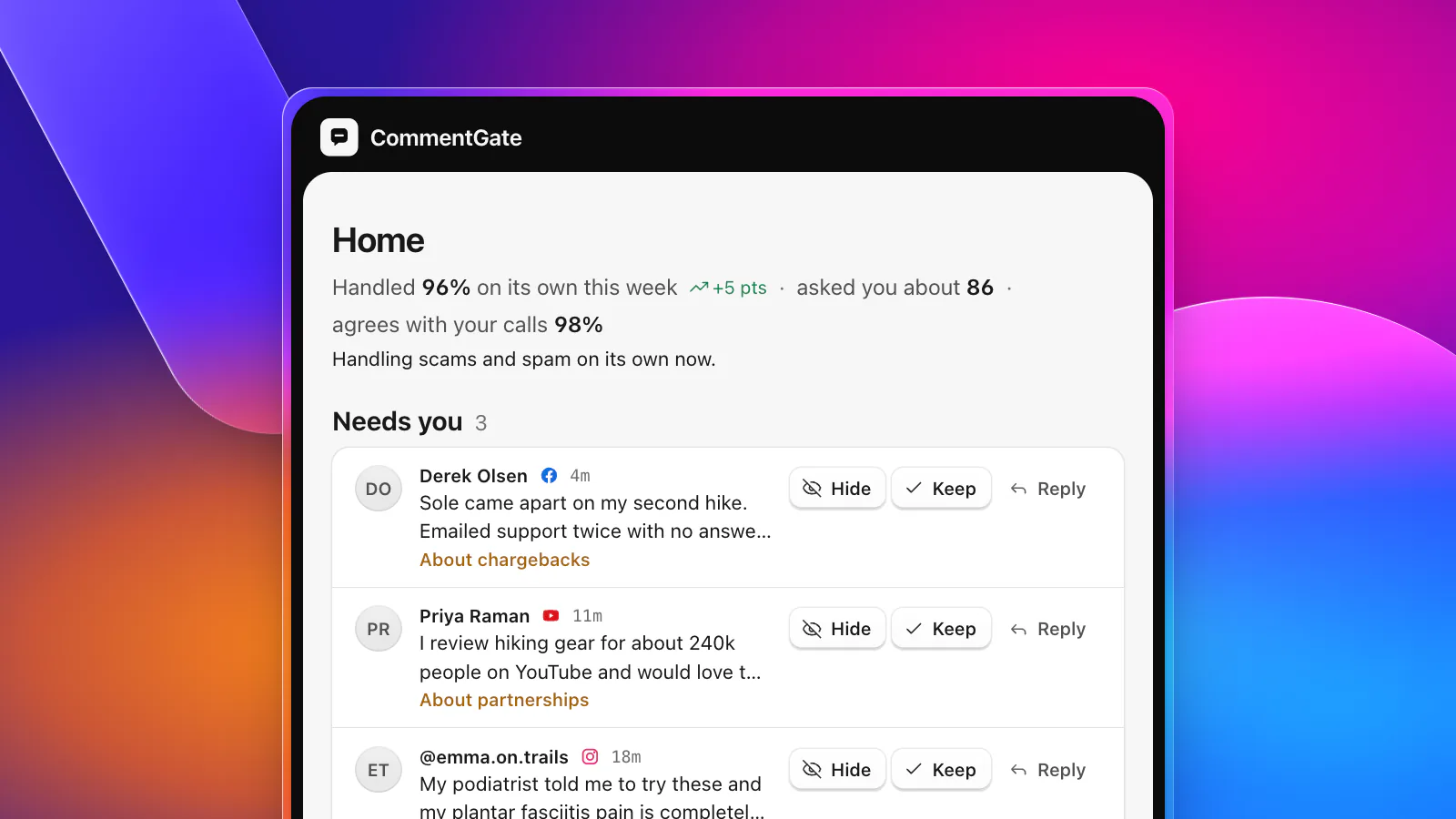
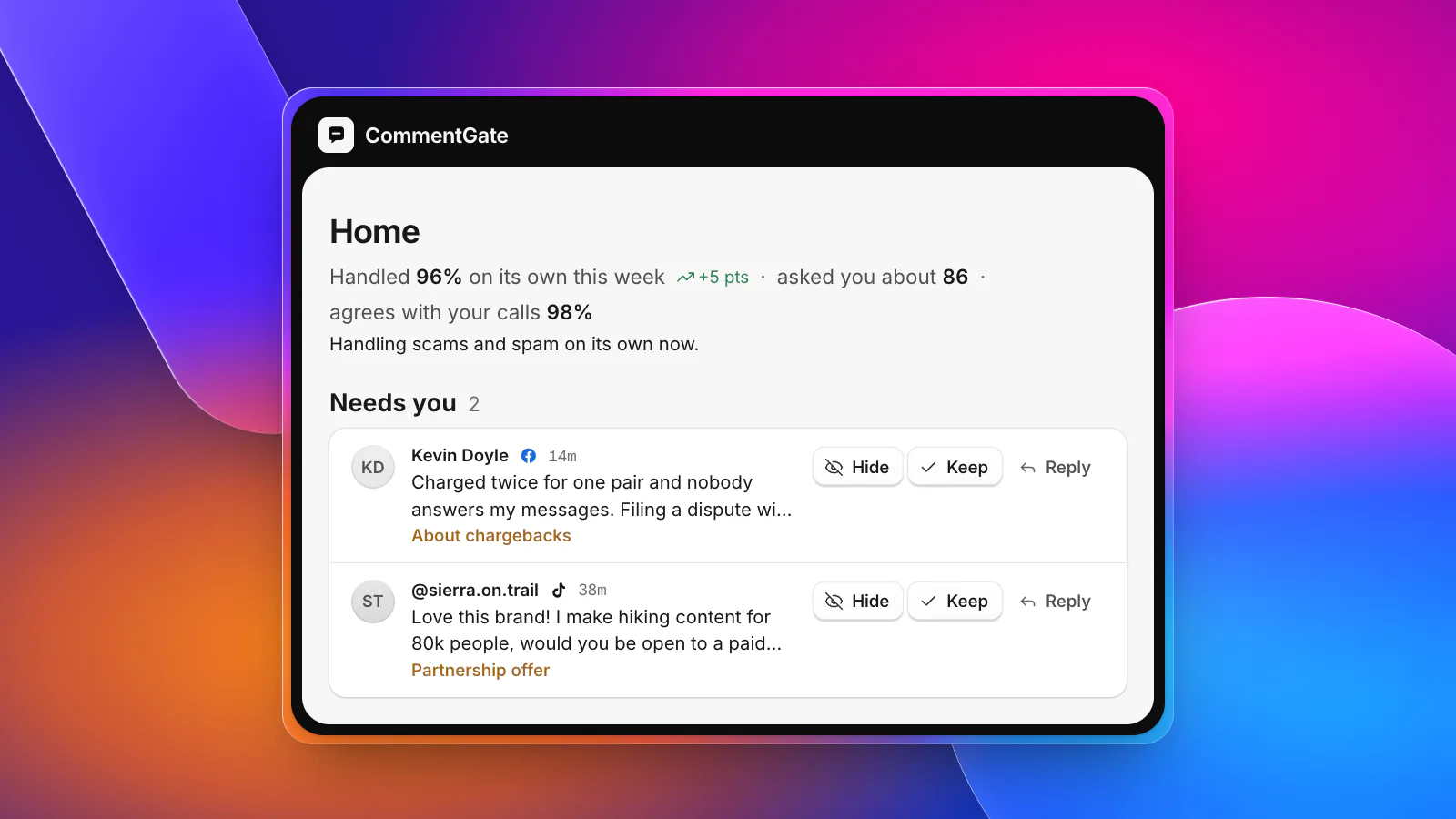
- Minutes 0 to 2 become Needs you. The judgement calls wait on Home with a one-line reason. Chargebacks, defect reports, partnership offers and medical claims under ads go there instead of being guessed; scams and spam are handled without you.
- Minutes 2 to 5 disappear. Connect your ad accounts once and every ad, including dark posts and new duplicates, lands in one list labelled with its name. Scams, spam, hate and competitor plugs are hidden within seconds on Facebook and Instagram and within minutes on TikTok, and your blocked words are copied to your TikTok ad accounts so TikTok hides them the moment they are posted.
- Minutes 5 to 7 become drafts. Questions get a reply in your voice, built from your written answers. Approve them, edit them, or let the clear ones send on their own.
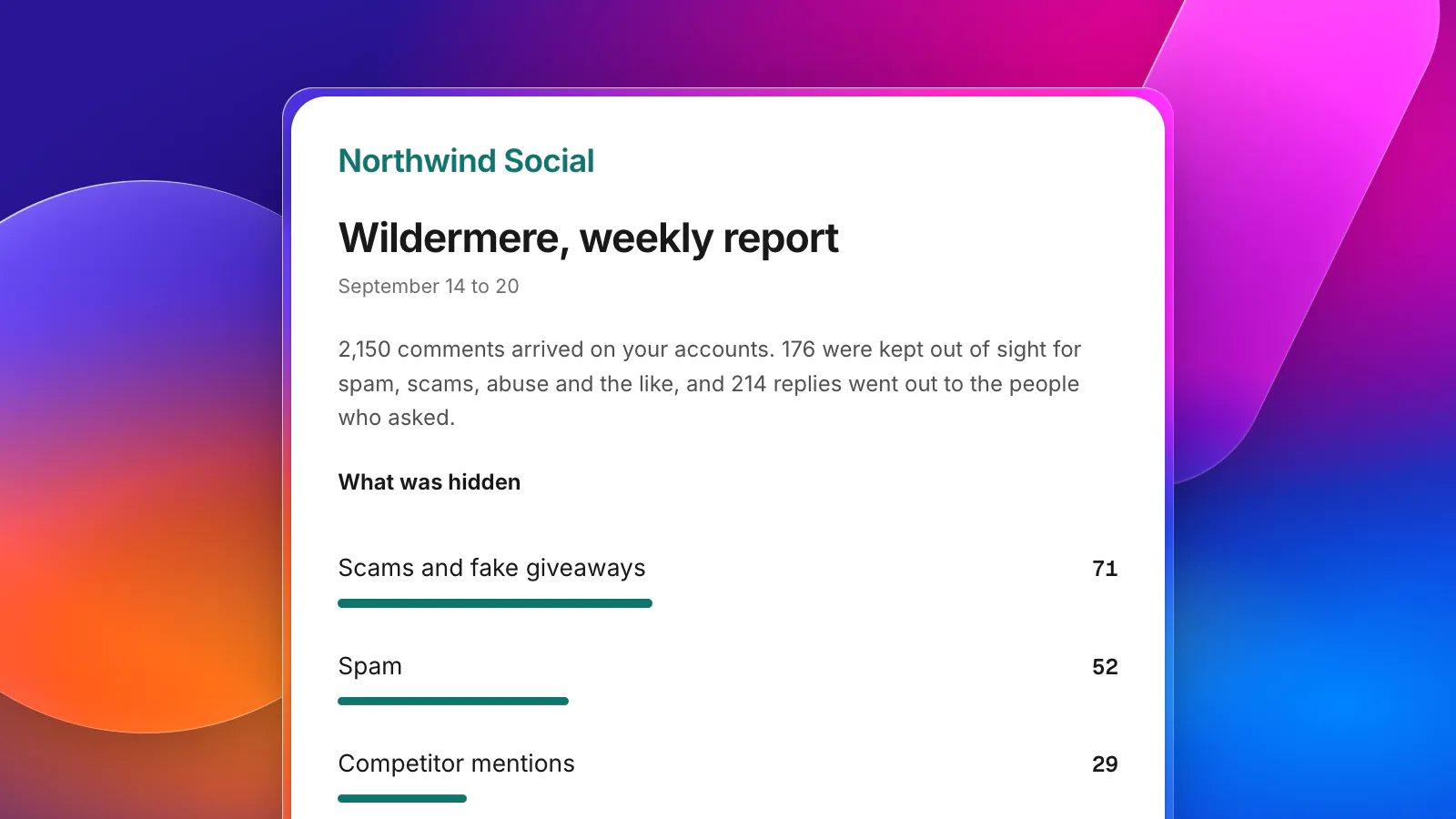
- Minutes 7 to 9 become a glance at Activity. Everything it hid is there with the reason. Unhide with one click, and it learns from the correction.
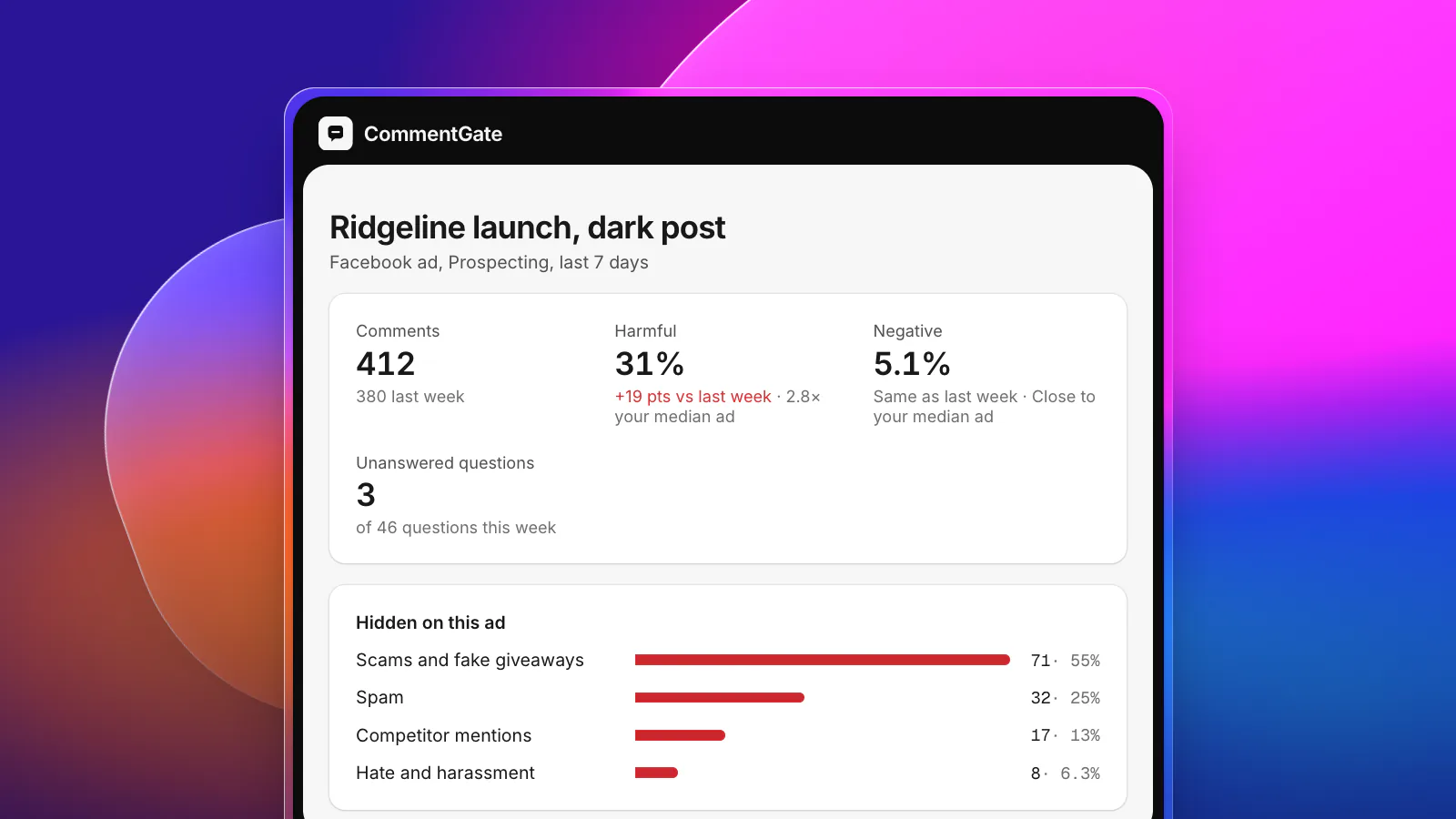
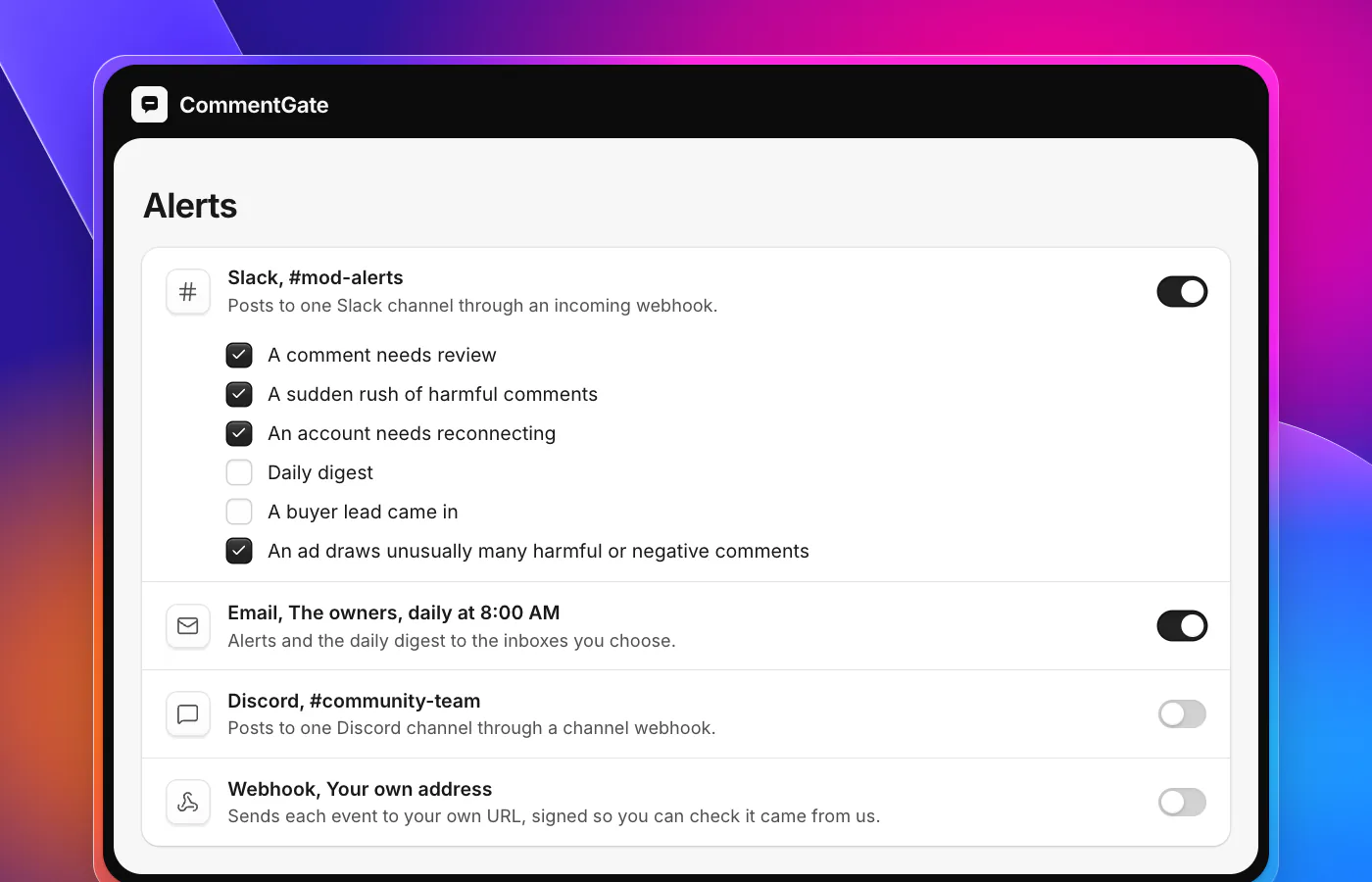
- Alerts replace the rest. Pick what reaches Slack, Discord or email: a comment waiting for review, a sudden rush of harmful comments, an ad drawing far more harmful or unhappy comments than usual. A daily digest arrives at the hour you pick (reports and alerts).
Agencies can run the same check across many clients from one place; the agency playbook shows how. If you are starting from scratch, set up the autopilot in three steps.
Sources
- Meta Business Help Center: Manage comments on your ads in Meta Ads Manager
- Meta Business Help Center: Best practices for comment moderation on your ads
- Meta Business Help Center: About ad relevance diagnostics
- Facebook Help Center: Hide a comment from a post on your Facebook Page
- TikTok Ads Help: About Comments Manager in TikTok Ads Manager
- TikTok Ads Help: How to view and manage comments in TikTok Ads Manager
- TikTok API for Business: Blocked words