Manage your comments from Claude or ChatGPT with the CommentGate MCP server
Connect Claude, ChatGPT, Claude Code or Cursor to CommentGate and ask "what needs me today?" in plain words. Here is how to set it up, what you can ask, and what it will and will not do.
Product 6 min read
On this page
Most mornings, a brand owner has one question about comments: is there anything I actually need to decide? Opening a dashboard to find out is one more tab. If you already spend your day in Claude, ChatGPT, Claude Code or Cursor, you can ask there instead.
CommentGate runs a hosted MCP server at https://commentgate.com/mcp. MCP, the Model Context Protocol, is an open standard that lets an AI assistant use tools from other products (modelcontextprotocol.io). Once you connect it, your assistant can read what CommentGate is waiting on, answer those comments, check how the autopilot did this week, change what it hides and pull your numbers, all in plain words.
What it can do
The server gives your assistant the same autopilot and inbox you use in the app:
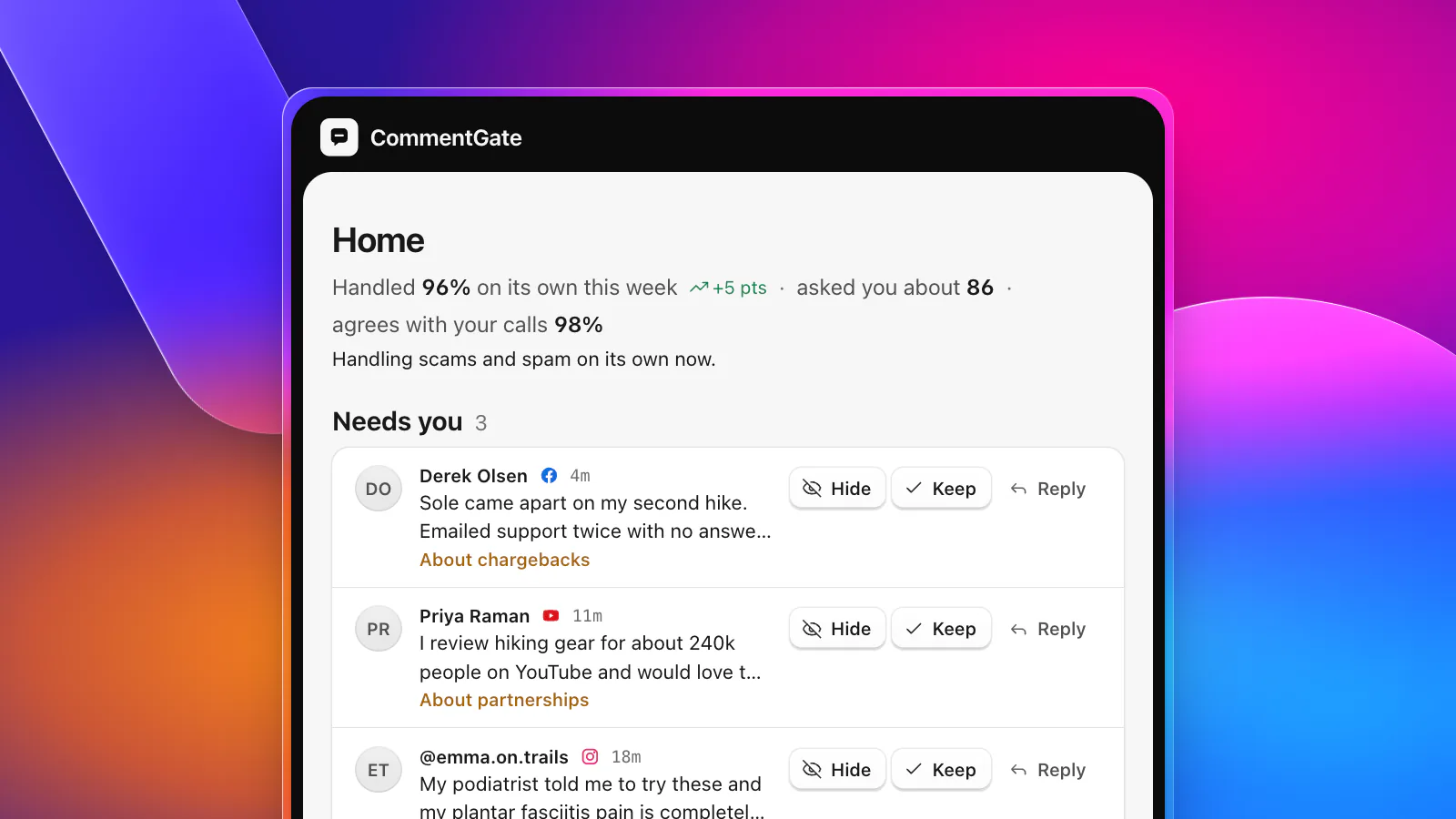
- Needs you: the comments CommentGate is unsure about, each with why it is asking and which way it leans, and a way to answer them with hide, keep or reply.
- The weekly status: how many comments it decided, what share it handled on its own, how often it agreed with your corrections, which areas it now handles alone, and how many comments are waiting.
- Comments: every inbox filter (platform, posts or ads, status, account, ad, post, dates), and actions on a single comment: hide, unhide, reply, allow, archive, unarchive, block and unblock.
- Guidance and protections: read or replace the plain-language guidance, and turn the Setup switches on or off, including how questions get answered.
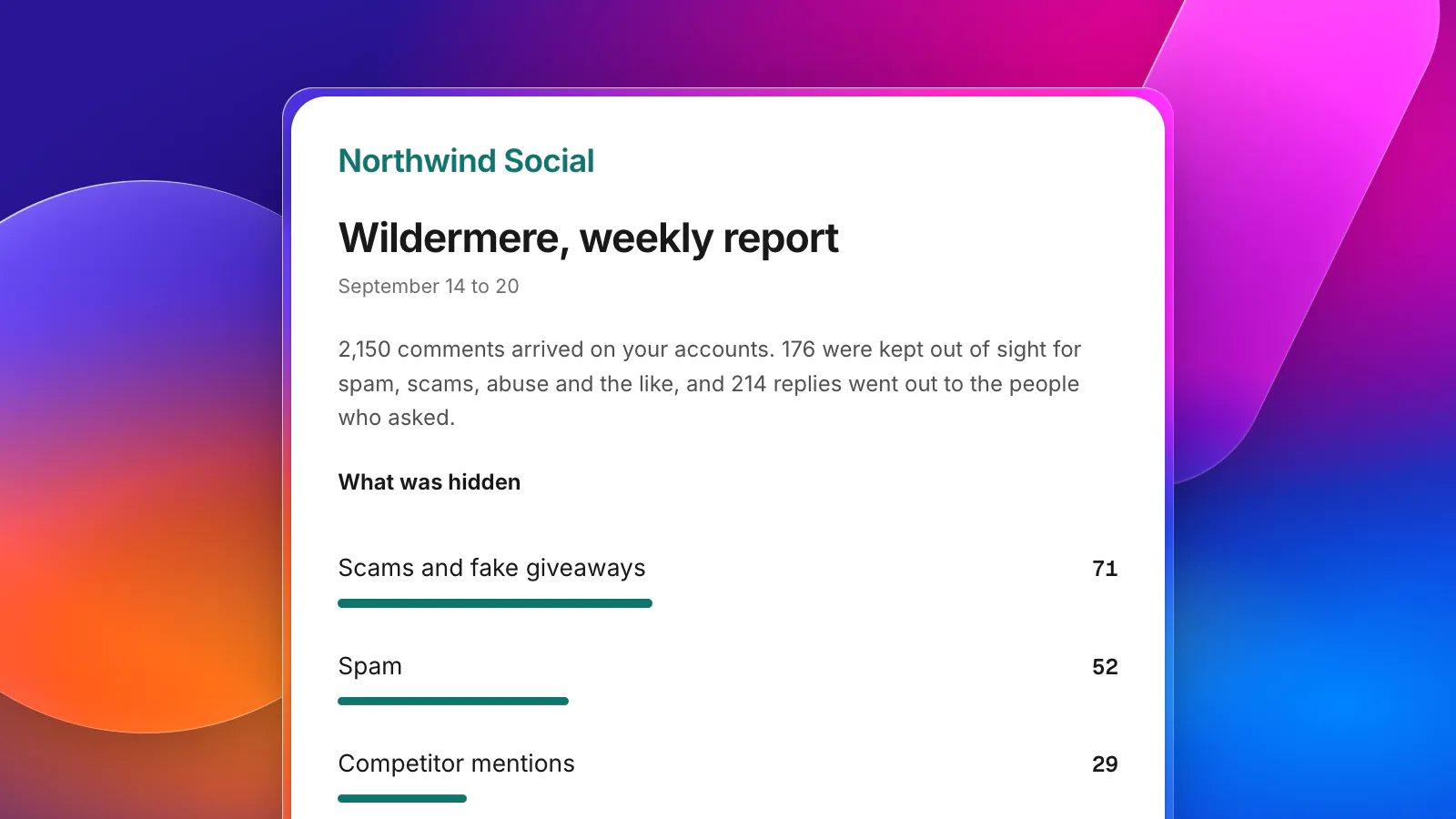
- Reports: the same totals as your reports page for any date range, platform or account.
- Sales: record a sale from a tracked link, if you use them.
An answer given through your assistant teaches the autopilot exactly like an answer given in the app. It shows in the comment's history under your name.
Set it up
You need a CommentGate account with at least one connected account. Then add the server to the assistant you use. Every route below signs you in to CommentGate the usual way (the link or code we send you), asks Which brand? if you work on more than one, and ends with Allow.
Claude (web and desktop)
Open Customize, then Connectors, choose +, then Add custom connector, and paste https://commentgate.com/mcp. On Team and Enterprise plans, an owner first adds it under Organization settings, then Connectors. Anthropic's help center covers custom connectors in more detail, including that Free plans can add one custom connector (Claude Help Center).
ChatGPT
Custom connectors in ChatGPT need Developer mode. Open Settings, then Security and login, and turn on Developer mode. Then open Plugins, choose +, and under Connection enter the URL. OpenAI offers Developer mode on the web for Pro, Plus, Business, Enterprise and Education accounts (OpenAI, Developer mode).
Claude Code
Run claude mcp add --transport http commentgate https://commentgate.com/mcp, then type /mcp inside Claude Code and sign in when the browser opens (Claude Code, MCP).
Cursor
Add the server to ~/.cursor/mcp.json (or .cursor/mcp.json in one project) with "commentgate": { "url": "https://commentgate.com/mcp" } inside mcpServers, and sign in when Cursor asks.
Tools that cannot sign in
Create a key in Settings, API keys and send it as a header instead: Authorization: Bearer cg_live_.... A key acts with the role of the person who created it. For assistants that only run servers on your own computer, the `commentgate` command line tool can run one with npx -y commentgate mcp. The full setup is on the developers page.
What to ask
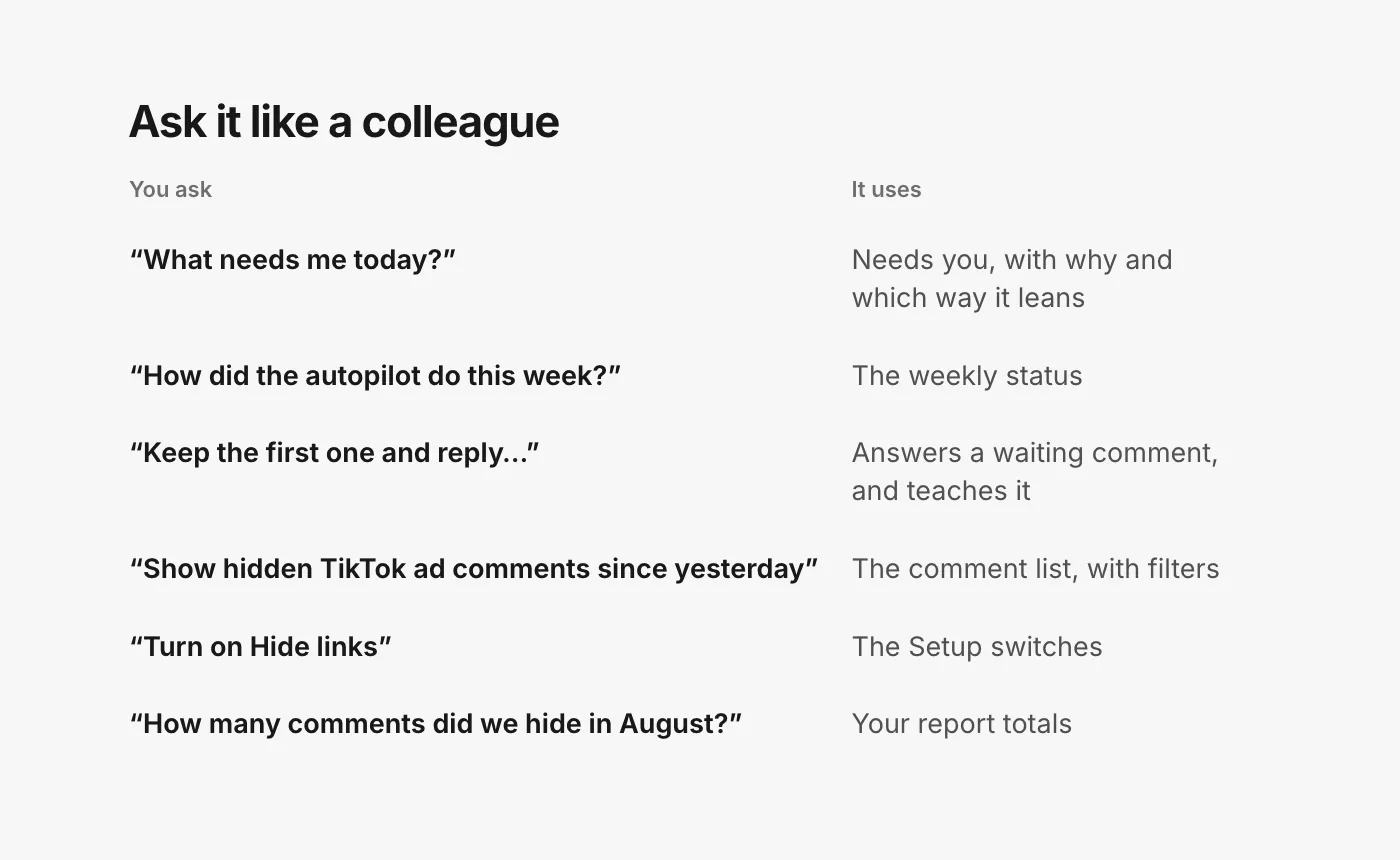
You do not need to know the tool names. Ask the way you would ask a colleague.
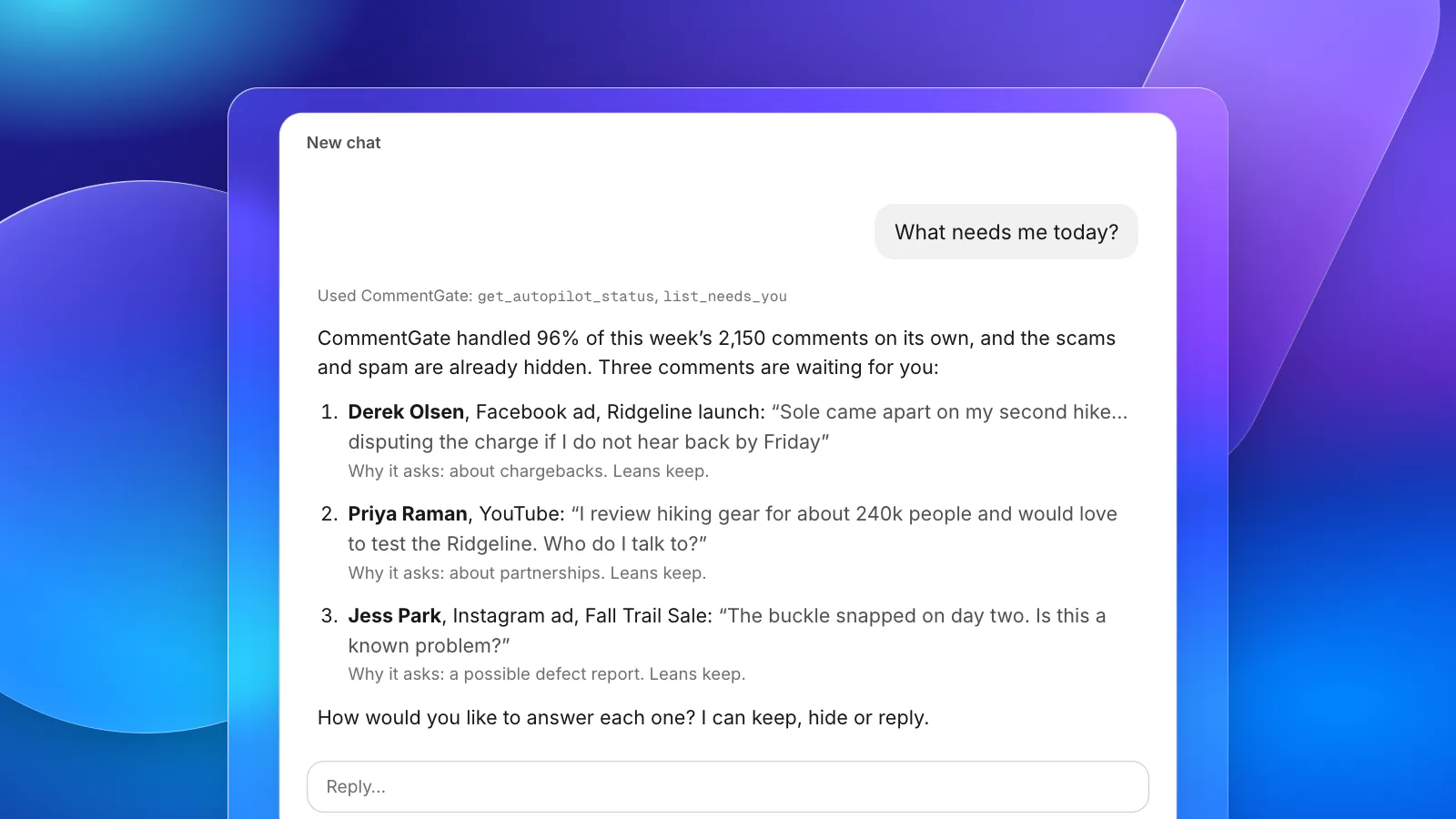
"What needs me today?"
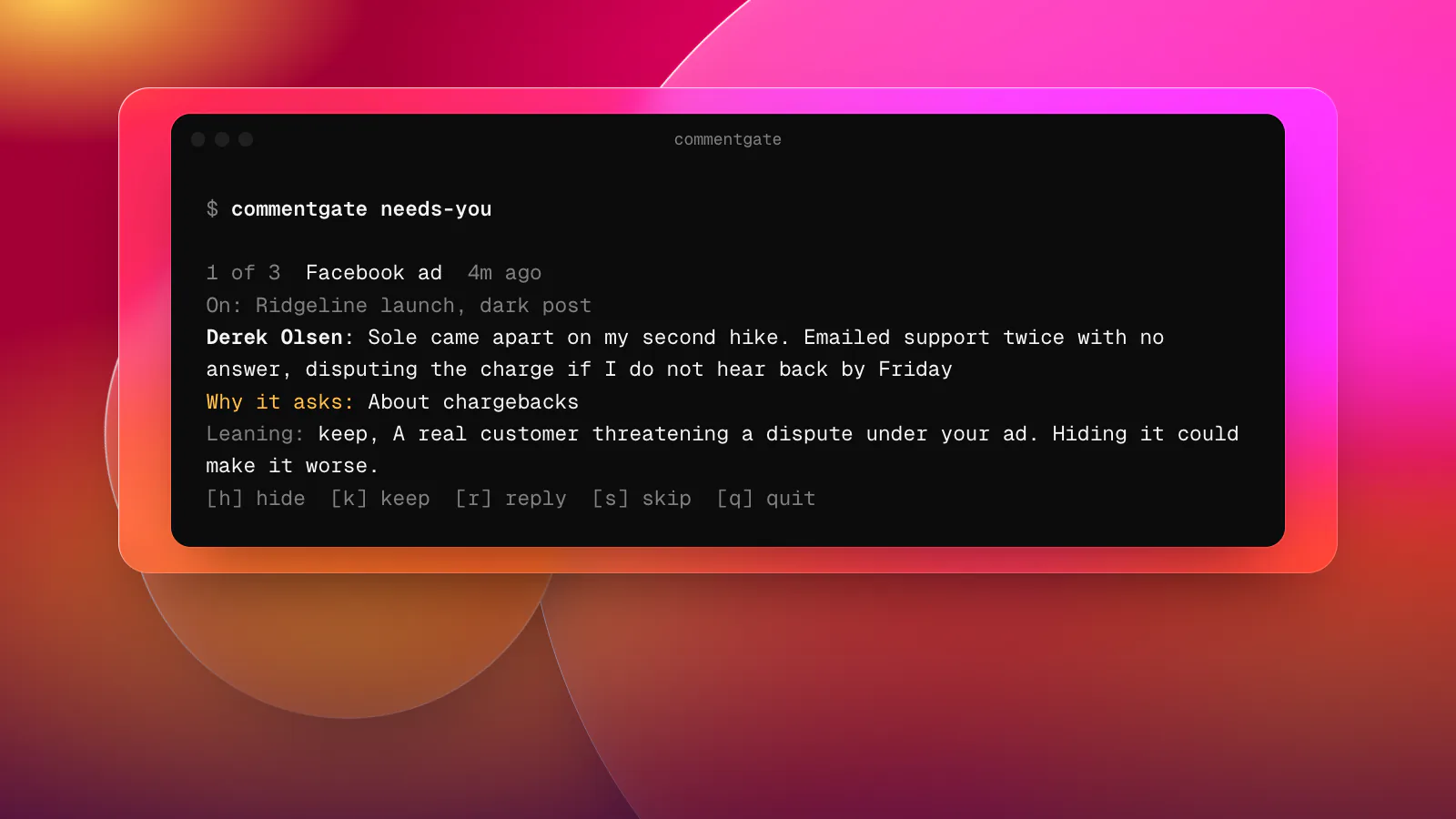
This is the one to start with. Your assistant reads Needs you and tells you what is waiting, where, and which way CommentGate leans. On a typical morning that is not the scams and spam, which are already hidden, but the few comments that deserve a person: a customer threatening a chargeback under your ad, a reviewer offering a partnership, someone reporting that a product broke.
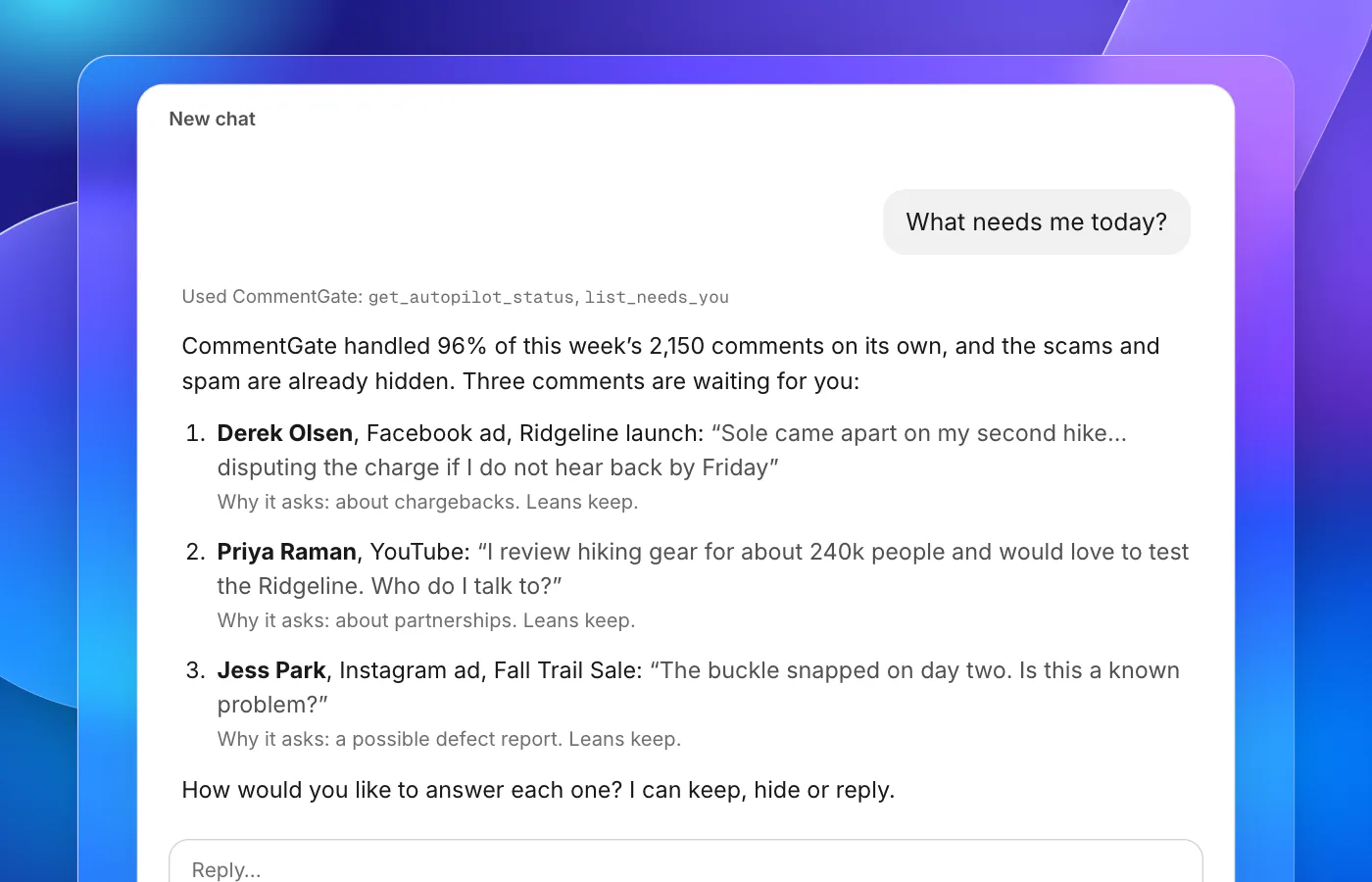
Then answer in the same conversation: "Keep Derek's comment and reply that we have sent him a message about the refund." "Keep Priya's and I will reach out to her myself." Each answer goes back to CommentGate as hide, keep or reply, and teaches it.
"How did the autopilot do this week?"
You get this week against last week: comments decided, the share handled on its own, the share it asked you about, and agreement with your corrections. It also names the areas it now handles alone. CommentGate trusts itself with an area once it has agreed with at least 95% of your last 100 answers there (and has at least 50), and it becomes more careful at once when agreement falls under 85%.
Finding comments
"Show me the comments hidden on our TikTok ads since yesterday." "Anything on the Ridgeline launch ad still waiting?" Your assistant turns these into filters: platform, posts or ads, status, the ad or post, and a date range. If something was hidden that should not have been, say "unhide it", and that correction is remembered too.
Changing what it hides
"Turn on Hide links." "Draft answers to questions instead of sending them." "Add to our guidance: never hide questions about sizing or shipping, even rude ones." Guidance is one text of up to 2,000 characters, and updating it replaces the whole text, so a careful assistant reads the current guidance first and adds your line. Ask it to show you the new version before it saves.
Numbers
"How many comments did we hide in August, and why?" "What was our median time to reply on Instagram last week?" Report totals use your workspace time zone (Settings, Brand), and match the reports page for the same filters. More on which numbers are worth watching in measuring comment moderation.
What it will not do
A few limits are deliberate:
- It acts as you. Your assistant has your role and nothing more. A moderator can answer, hide and reply, but only owners, admins and managers can change guidance and protections. If you are limited to certain accounts, so is your assistant. Removing someone from the brand stops their assistant at its next request.
- No deleting. Delete, like and restoring from the Bin stay in the app and the REST API. From an assistant, the strongest action is hide, which you can always undo.
- Platform rules still apply. Asking for something a platform does not allow gets a plain sentence back, such as TikTok only letting you hide other people's comments, never delete them. Your assistant can pass that on rather than guessing.
- It does not replace the autopilot. CommentGate keeps hiding scams and spam around the clock whether or not anyone asks. The assistant is a way to handle the part that needs you.
Ideas that work well
- A morning check. "What needs me today, and how did the autopilot do yesterday?" as the first message of the day.
- Agencies. Sign in once per client brand (each connection is one brand), so the assistant never mixes up whose comments it is reading. The agency playbook covers the rest of the setup.
- Launch days. Ask "what is new on the launch ad, and what is waiting?" between campaign checks. You stay in your ad work while CommentGate keeps the comment section clean.
- Writing guidance. Paste your comment guidelines and ask the assistant to turn them into one short paragraph of guidance, then save it after you read it.
For everything else the server offers, the integrations and API page lists the Zapier and Make apps, webhooks and the REST API that sit alongside it.