Fake support accounts and impersonators: how to spot them and report them
Accounts that copy your name and logo reply to your customers, offer refunds and ask for card details. Here is how to spot them in your comments, what to do in the first minutes, and where to report them on Facebook, Instagram, Threads, TikTok and YouTube.
Guides 5 min read
On this page
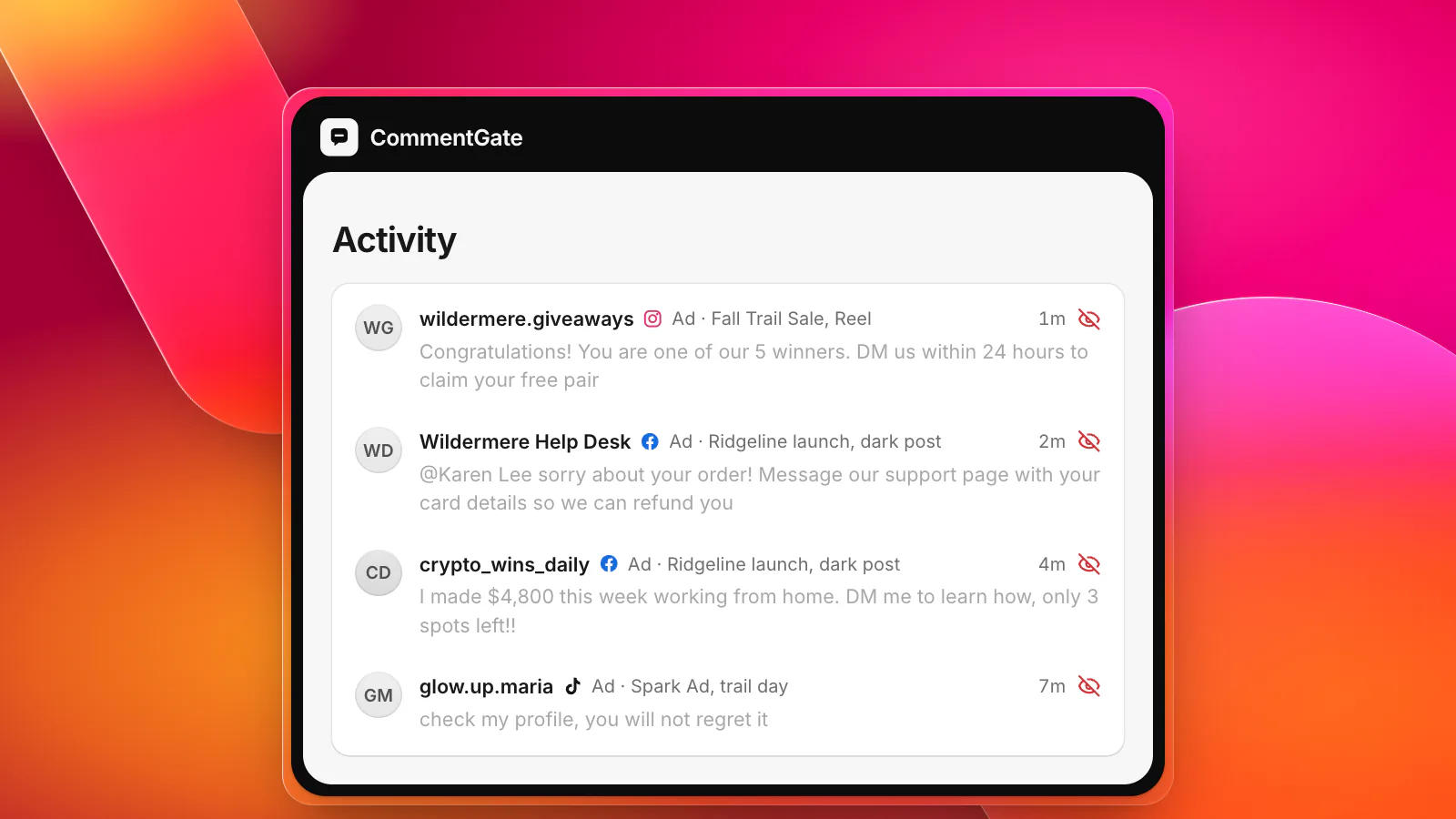
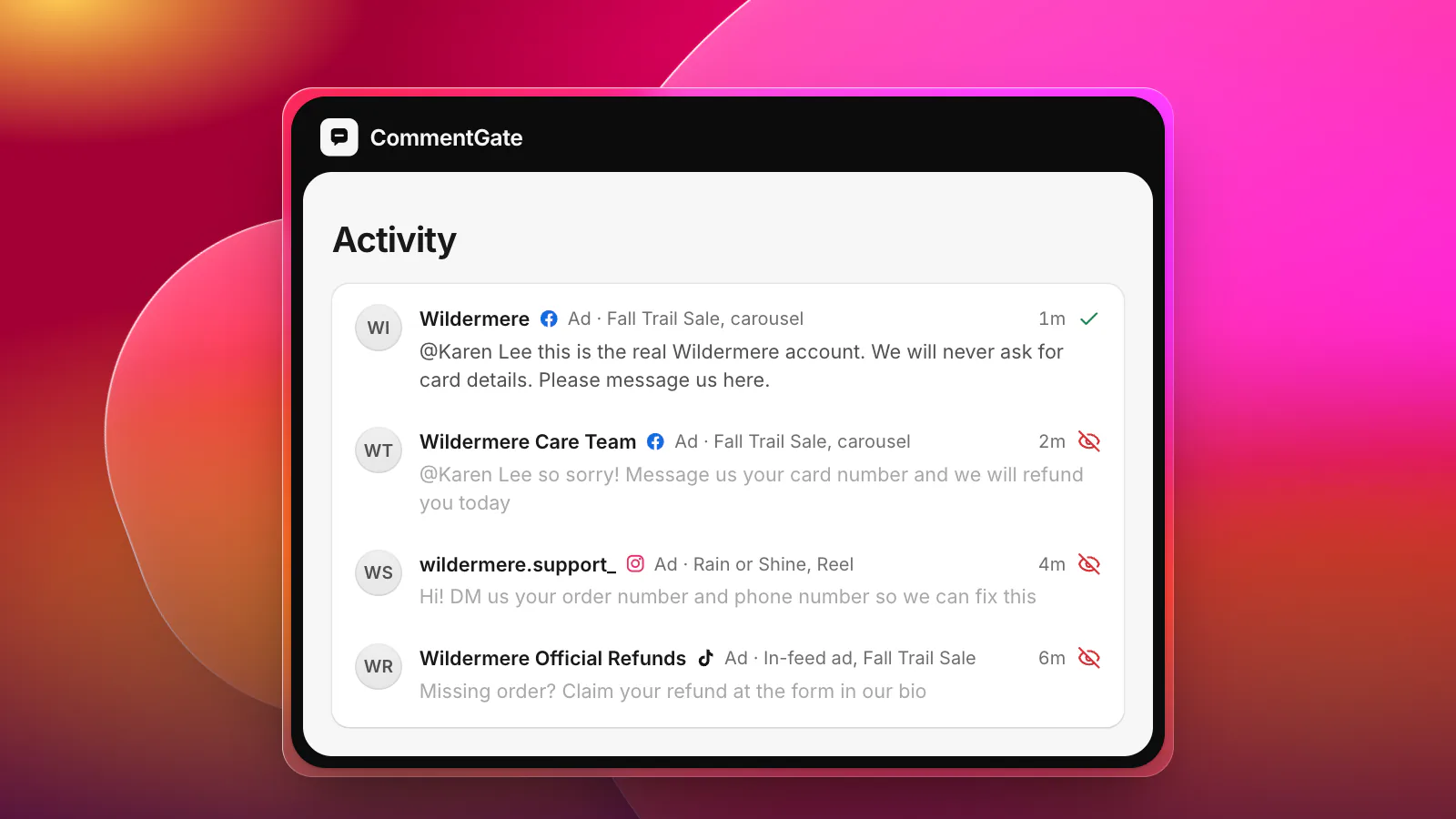
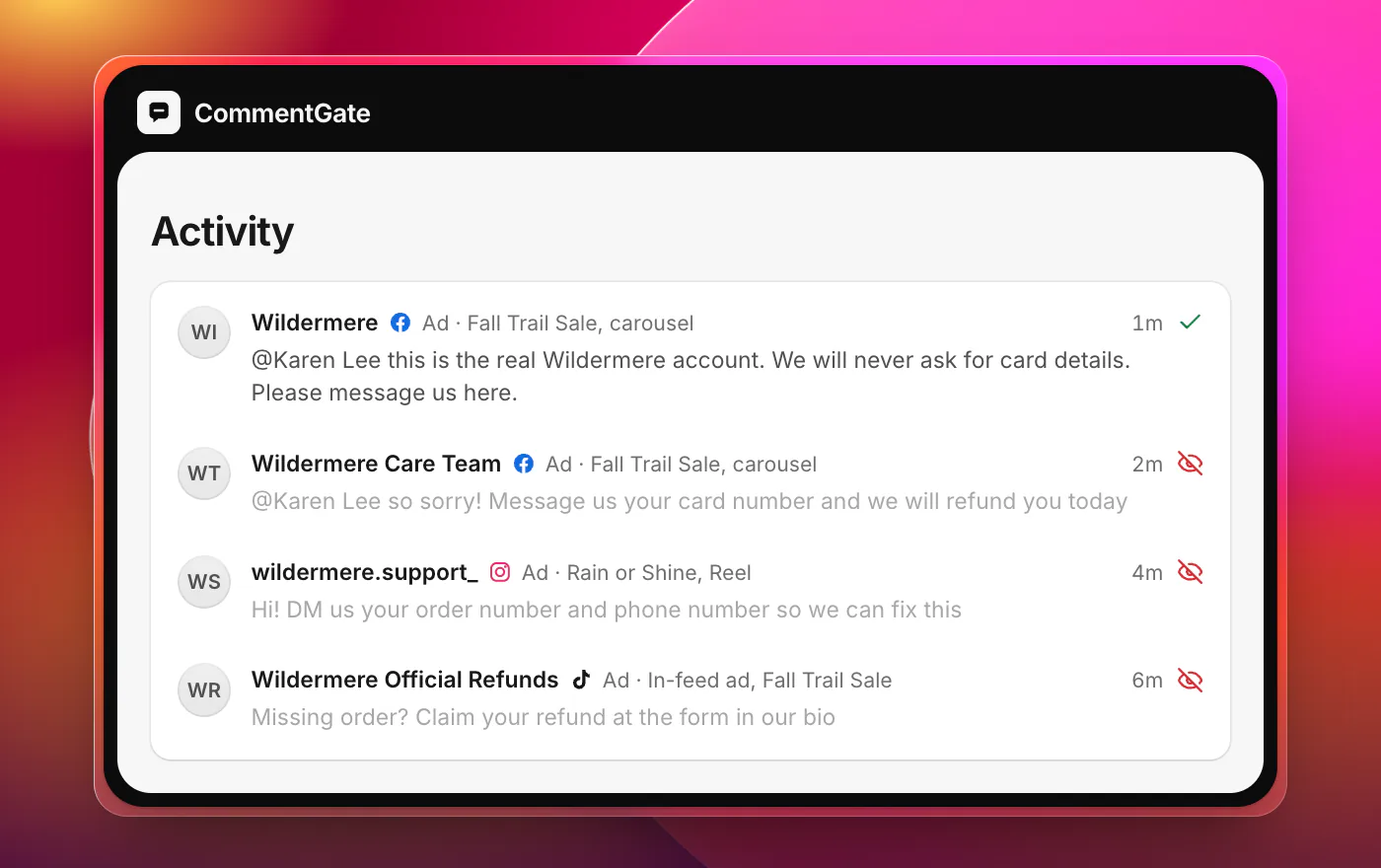
The most damaging comment under your ad is often not from an angry customer. It is from someone pretending to be you. A customer complains that their order is late, and within minutes an account called "Wildermere Care Team", with your logo as its picture, replies: "So sorry! Message us your order number and card details and we'll refund you today."
That customer was already unhappy. Now they may lose money, and they will blame you for it. Impersonators are a scam, but they are a scam that uses your name, so they need faster handling and a second step: reporting.
What impersonators look like
They come in a few recognizable shapes:
- The fake help desk. "Wildermere Support", "Wildermere Care Team", "Wildermere Refunds". Replies to complaints and questions about orders.
- The lookalike handle. Your handle with an extra underscore, a period, a swapped letter, or a word added: "official", "real", "shop", "help".
- The fake giveaway host. An account with your logo announcing "winners" and asking them to claim a prize.
- The fake store. An account or comment pointing to a lookalike site that sells your products at an impossible discount.
YouTube's impersonation policy describes the tricks well. It names "using workarounds like typos, special fonts, or extra punctuation to trick viewers into thinking you are a different creator or entity", "putting 'Real' or 'Official' into your channel name", and "posting comments that make people falsely think you are another person or entity" (YouTube Help: impersonation policy).
How to spot one fast
Check these in order. Any one is enough to act.
- It replies to someone else's complaint or question. Real brands answer from their own account. An account with your name that only appears under complaints is not you.
- It asks to move the conversation. "DM us", "message this number", "fill in this form". Real support can send a private message too, but it never asks for card numbers, passwords or codes in one.
- It asks for money or payment details. A refund never needs a card number typed into a chat.
- The name is almost right. Compare it character by character with your real handle.
- The account is new or empty. Few posts, few followers, a profile picture that is your logo slightly cropped.
The first ten minutes
When you find one under your post or ad:
- Answer the customer from your real account. "Hi Karen, this is the real Wildermere account. We will never ask for card details. Please message us here, or use the support page on our site." Do this first: on Instagram you cannot reply to a hidden comment (Meta: IG comment replies), and your answer is what protects the customer.
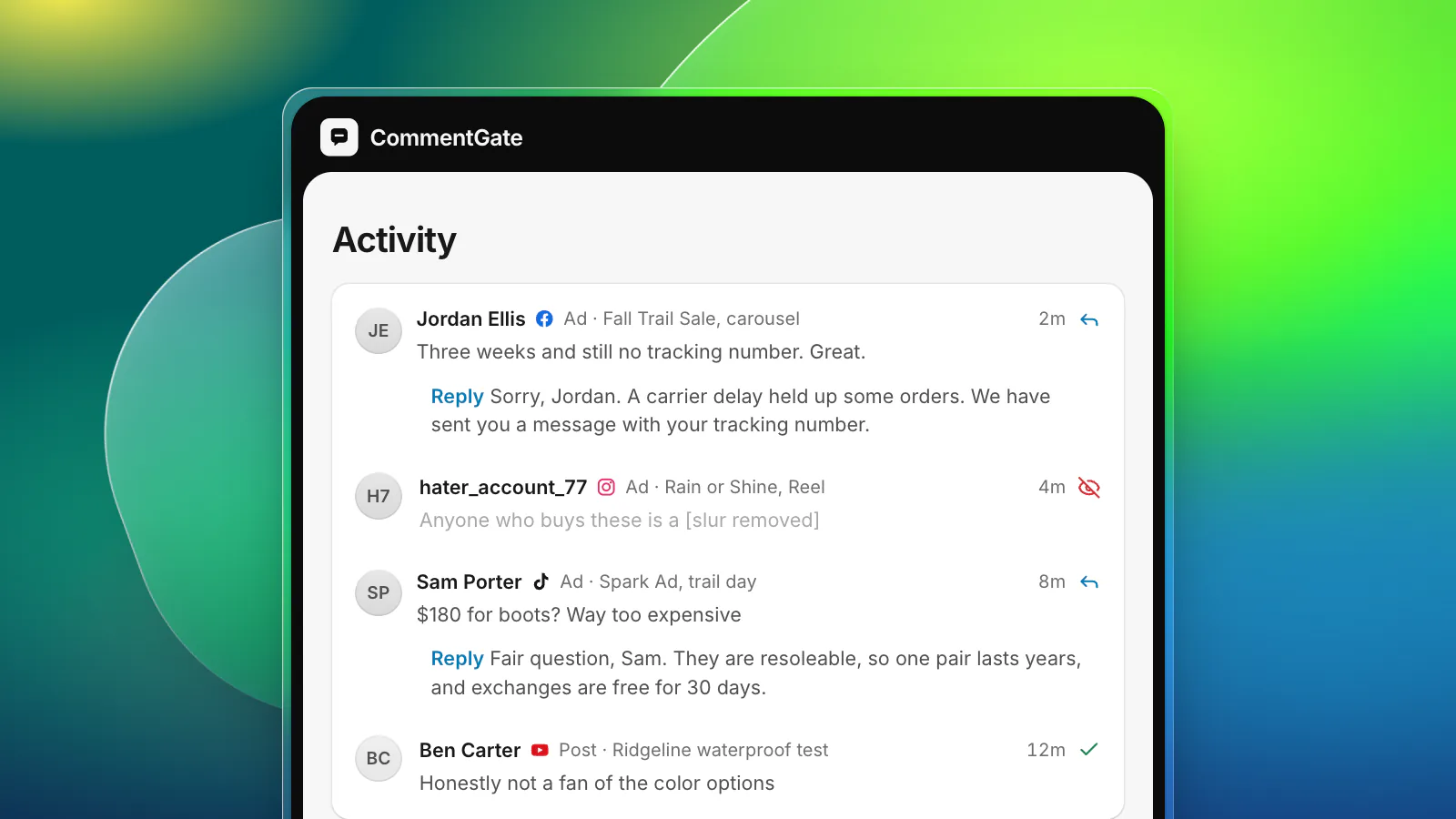
- Hide the impersonator's comment. Do not reply to it, argue with it or quote it; that pushes it up the thread.
- Check the rest of the post and your other ads. Impersonators rarely comment once. Search your recent comments for the same account and similar names.
- Report the account to the platform, from your brand's own account (see below).
- Tell your support team, so they can warn anyone who writes in about a refund from "your" support.
If a customer has already sent money or details, point them to their bank and to the platform's reporting tools, and write down what happened; you may be asked for it later.
Where to report them
Hiding protects the comment section. Reporting is what gets the account taken down, and it only works if the right person reports it.
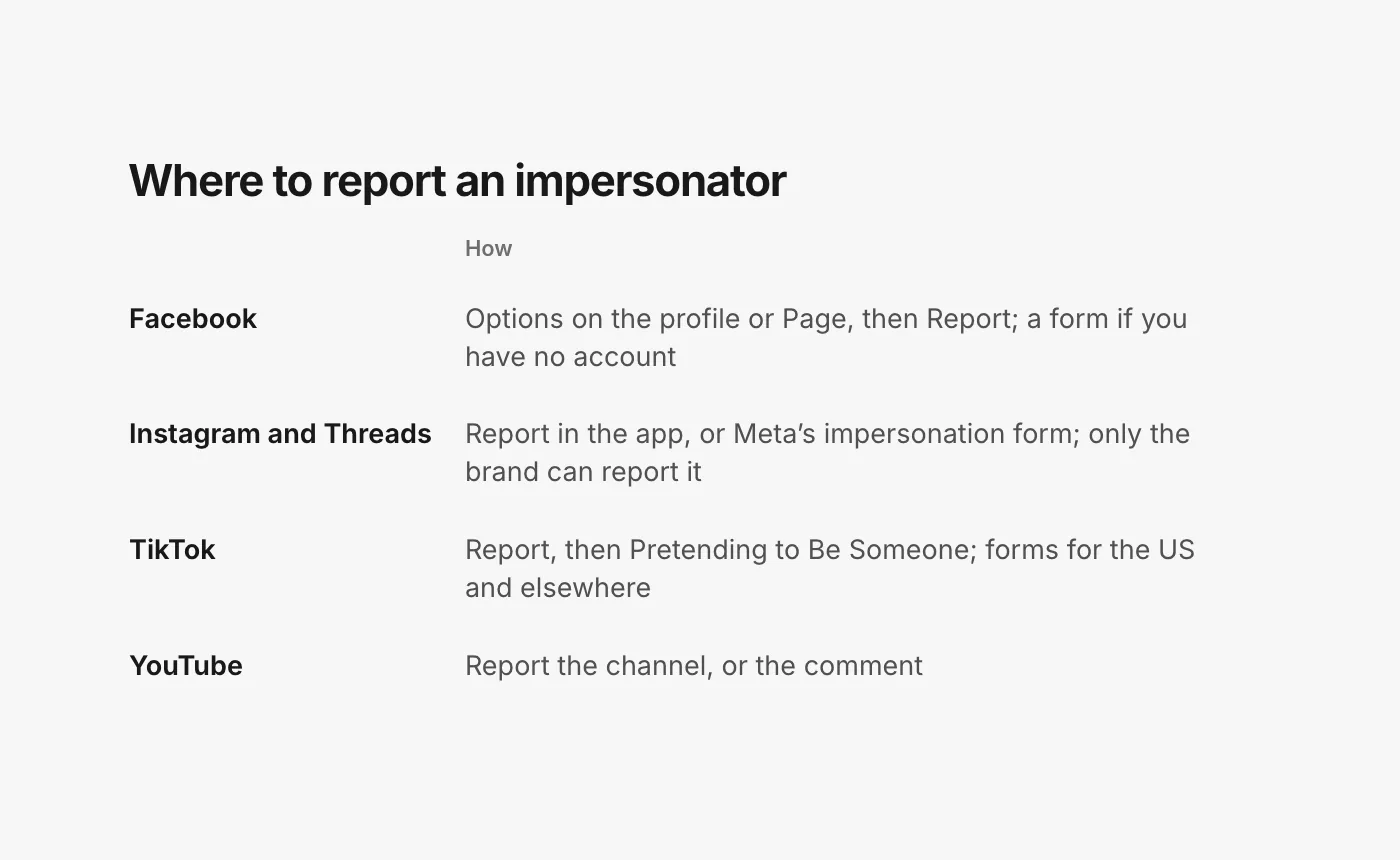
Profiles and Pages that impersonate others "go against our Community Standards and aren't allowed on Facebook." Go to the impersonating profile or Page, click Options below the cover photo, and choose Report profile or Report Page. You can report even without a Facebook account, using Facebook's contact form (Facebook Help: report impersonation).
Instagram and Threads
On Instagram, report the account from the app. Instagram is strict about who can report: "We only respond to reports sent to us from the person who's being impersonated or a representative of the person who's being impersonated" (Instagram Help: report impersonation). For a brand, that means reporting from the brand's account or through Meta's form for Instagram and Threads impersonation (Meta: report an impersonation account on Instagram or Threads). Asking customers to report it helps less than you would hope, since the report that counts is yours. It stays anonymous: "The account you reported won't see who reported them."
TikTok
On the impersonating profile, tap Share, then Report, Report account, and Pretending to Be Someone. TikTok also has separate online forms for impersonation accounts in the US and outside the US; the US form asks for identification (TikTok Support: report an impersonation account).
YouTube
YouTube "does not allow unauthorized impersonation of a person, entity, or channel", and says that if yours or another creator's channel is being impersonated, you can report the channel. A channel set up to impersonate "may be removed" (YouTube Help: impersonation policy). Individual comments can be reported too; reporting is anonymous, and reported content is reviewed rather than taken down automatically (YouTube Help: report content).
Make impersonation harder
You cannot stop people creating fake accounts, but you can make them less convincing:
- Say how you really do support. Put one line in your bios and your site's help page: "We only reply from @wildermere and never ask for card details in comments or messages."
- Answer complaints quickly from your real account. Impersonators work in the gap between a complaint and your reply. The shorter the gap, the fewer customers they reach.
- Add lookalike handles to your blocked-word lists. Facebook's keyword list, Instagram and Threads Hidden Words, TikTok's blocked words and YouTube's blocked words all take names (comment guidelines and where to apply them).
- Watch old ads. Complaints about returns arrive weeks after a sale, under ads you no longer check, and impersonators follow them there.
Impersonators in CommentGate
CommentGate's scam protection treats impersonation as a scam. The Hide scams and fake giveaways switch, on from the start, covers fake support accounts and lookalike brand accounts on Facebook, Instagram, TikTok, YouTube and Threads, on posts and ads.
- Hidden fast. Within seconds on Facebook and Instagram, within minutes on TikTok and YouTube, including ads that never appear on your Page.
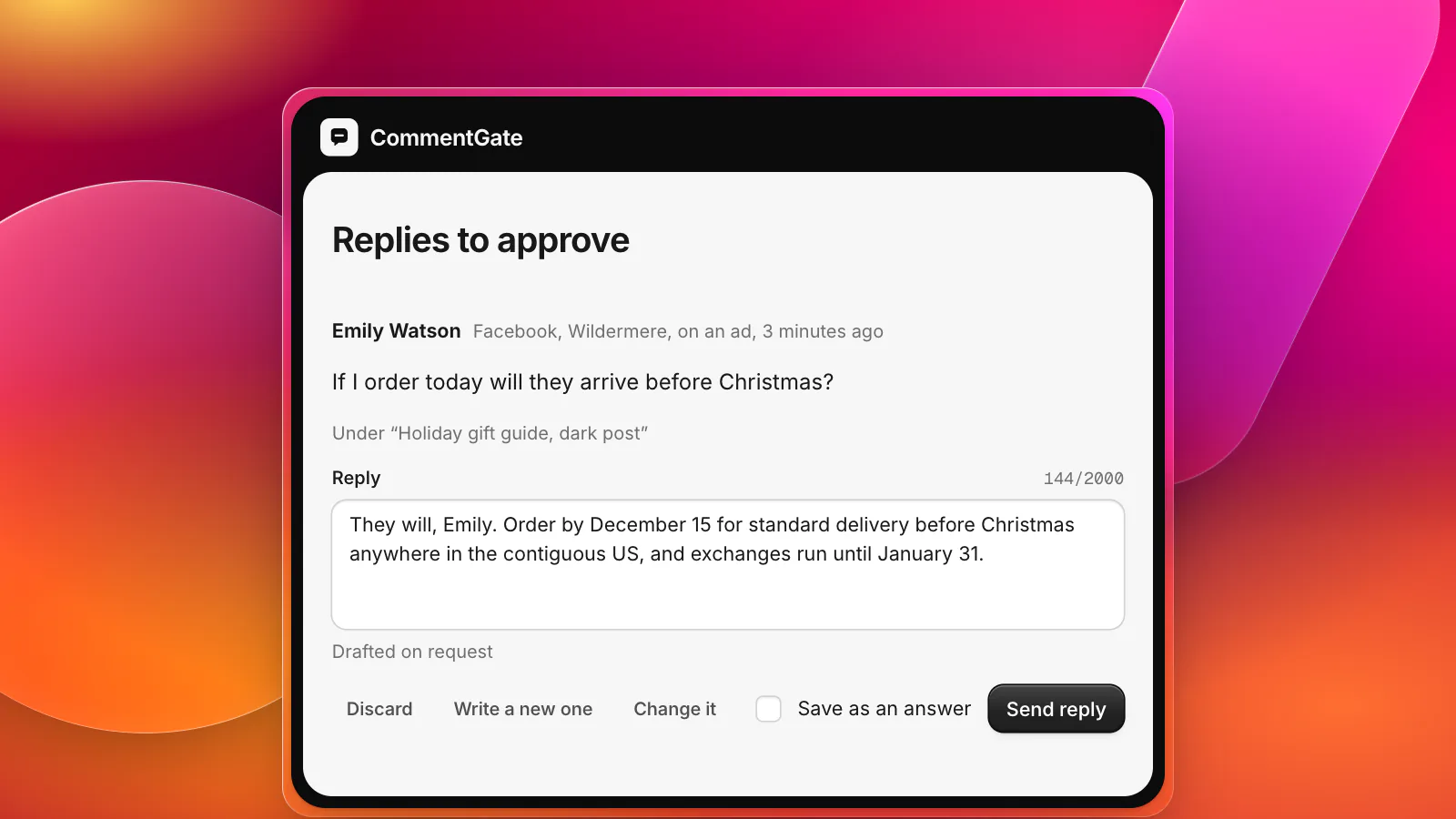
- Your real answer goes first. When a customer's question sits under an impersonator's reply, CommentGate drafts the real answer in your voice, and on Instagram the reply goes out before anything is hidden.
- Alerts when it spikes. A sudden jump in hidden comments sends an alert to Slack, Discord or email, so you know to report the account.
- Learns from you. Hide one it missed, or unhide a reply that really was your team, and it learns where your line is.
For the wider family of scam comments, see scam and fake giveaway comments. The holiday season is when fake support accounts are busiest; the holiday playbook covers getting ready.
Sources
- YouTube Help: Impersonation policy
- YouTube Help: Report inappropriate videos, channels and other content
- Facebook Help Center: Report a Facebook profile or Page pretending to be you or someone else
- Instagram Help Center: Report an account that’s impersonating you
- Instagram Help Center: Report an impersonation account on Instagram or Threads
- TikTok Support: Report an impersonation account
- Meta for Developers: IG Comment replies