Phishing links in comments: how they work and how to keep them off your posts
A phishing comment exists to get someone to a page that asks for a login, a card number or a code. Here is how they target your customers and your own team, how to read a link before anyone clicks it, and how to keep them off your posts and ads.
Guides 7 min read
On this page
A phishing comment has one job: to get somebody to a page that asks for something they should never type there. A password, a card number, a login code. The comment itself is only the bait. The damage happens one click later, on a page you do not control, and the person who loses money will remember where they found the link: under your post.
Phishing comments aim at two audiences. Your customers, who trust anything that appears to come from you. And your own team, the people who run the Page, the Instagram account and the ad account, whose logins are worth far more to a scammer than any one customer's card.
What phishing is, in the words of the people who fight it
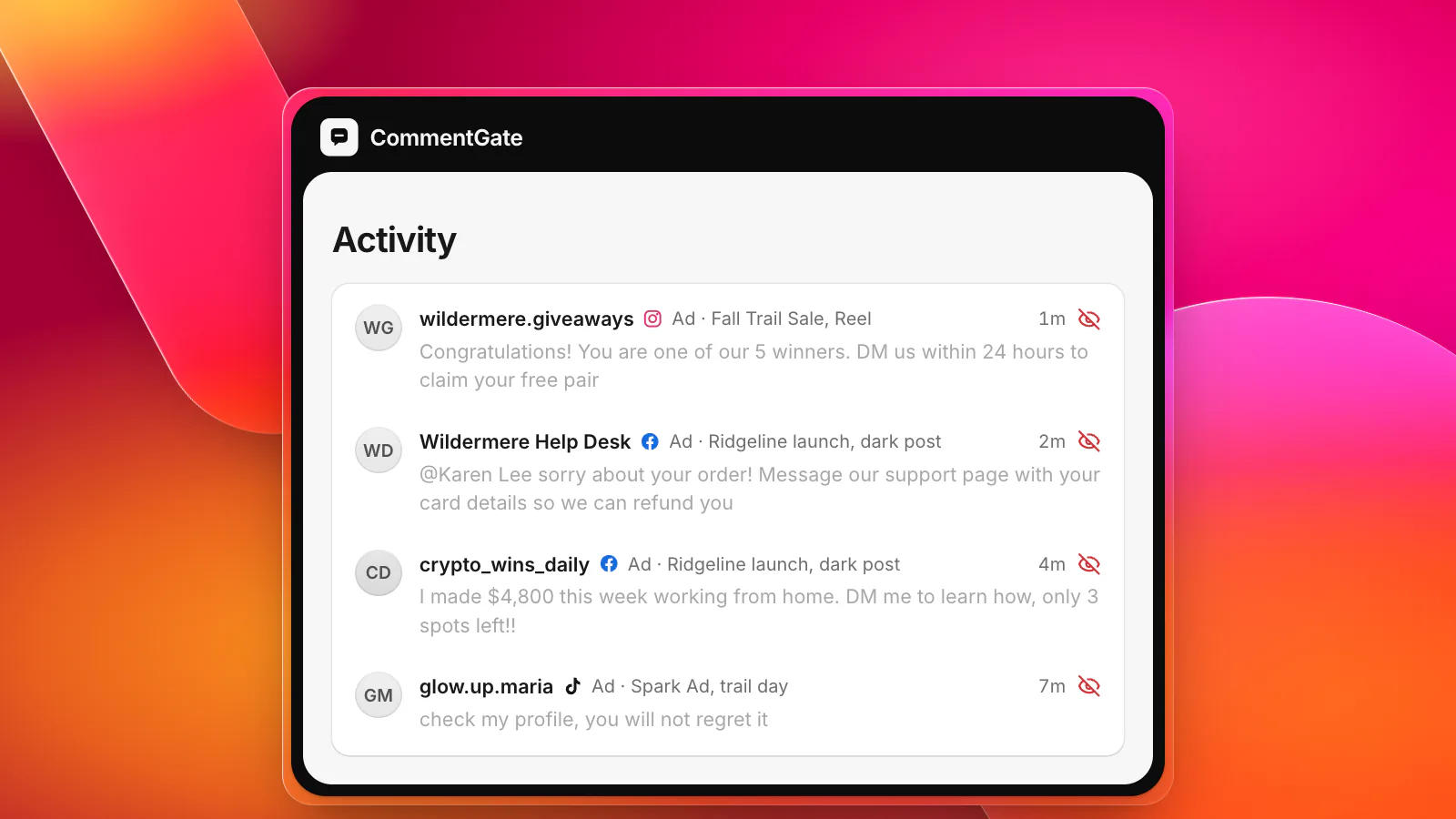
The FTC describes phishing as scammers trying "to trick you into giving them your personal and financial information", usually with a story. Its list of common stories reads like a tour of a brand's comment section: they "claim there's a problem with your account or your payment information", they "say you need to confirm some personal or financial information", they "want you to click on a link to make a payment", and they "offer a coupon for free stuff" (FTC: how to recognize and avoid phishing scams).
Meta adds the version aimed at account owners: phishing messages "may also claim that your account will be banned or deleted if you don't follow their directions" (Meta Help Center: avoid scams and phishing attempts).
Comments are just another delivery route for the same stories. They are public, they are cheap to post from throwaway accounts, and on a busy ad nobody is watching every thread.
The shapes to know
The fake "your Page will be disabled" notice
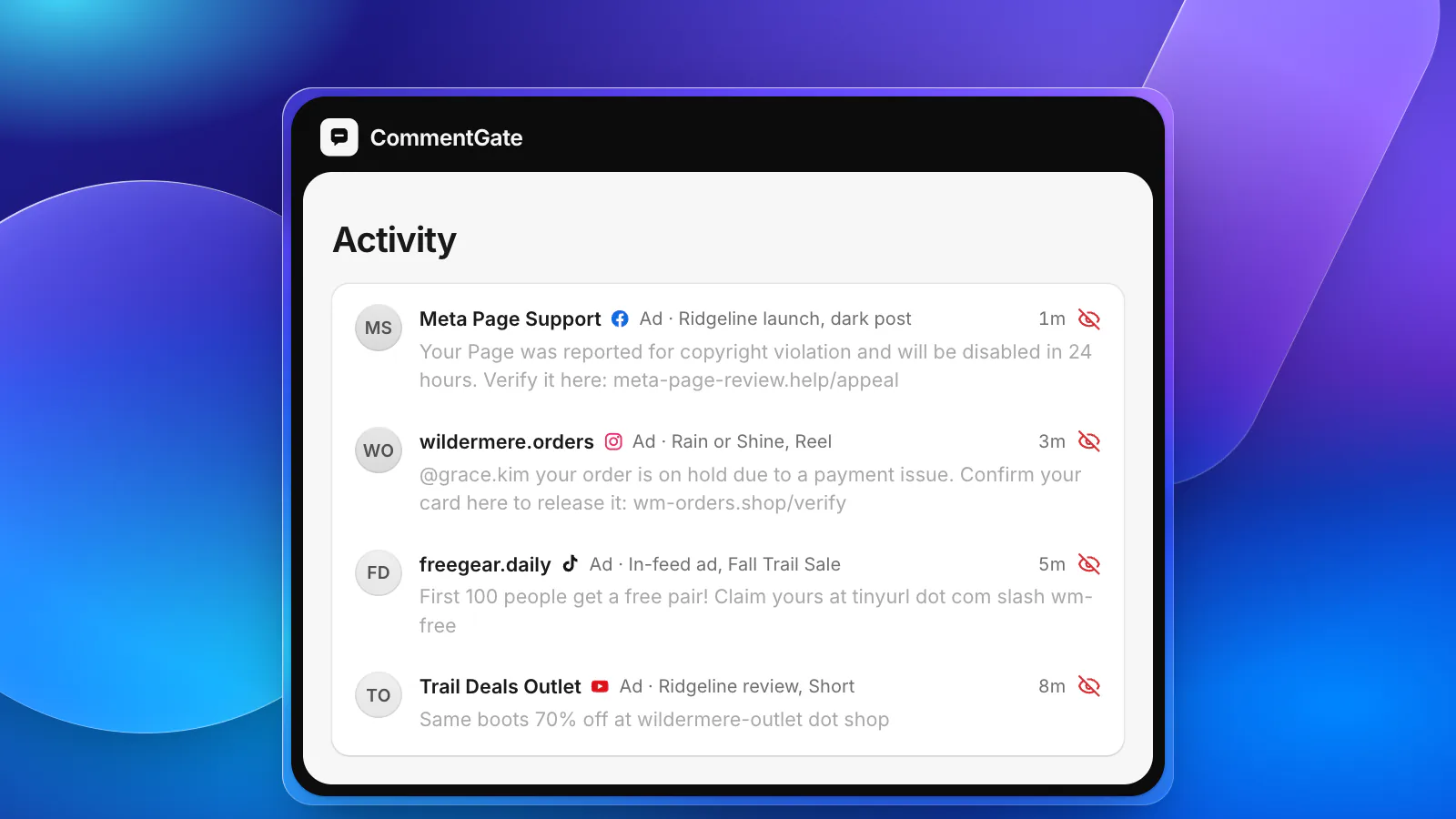
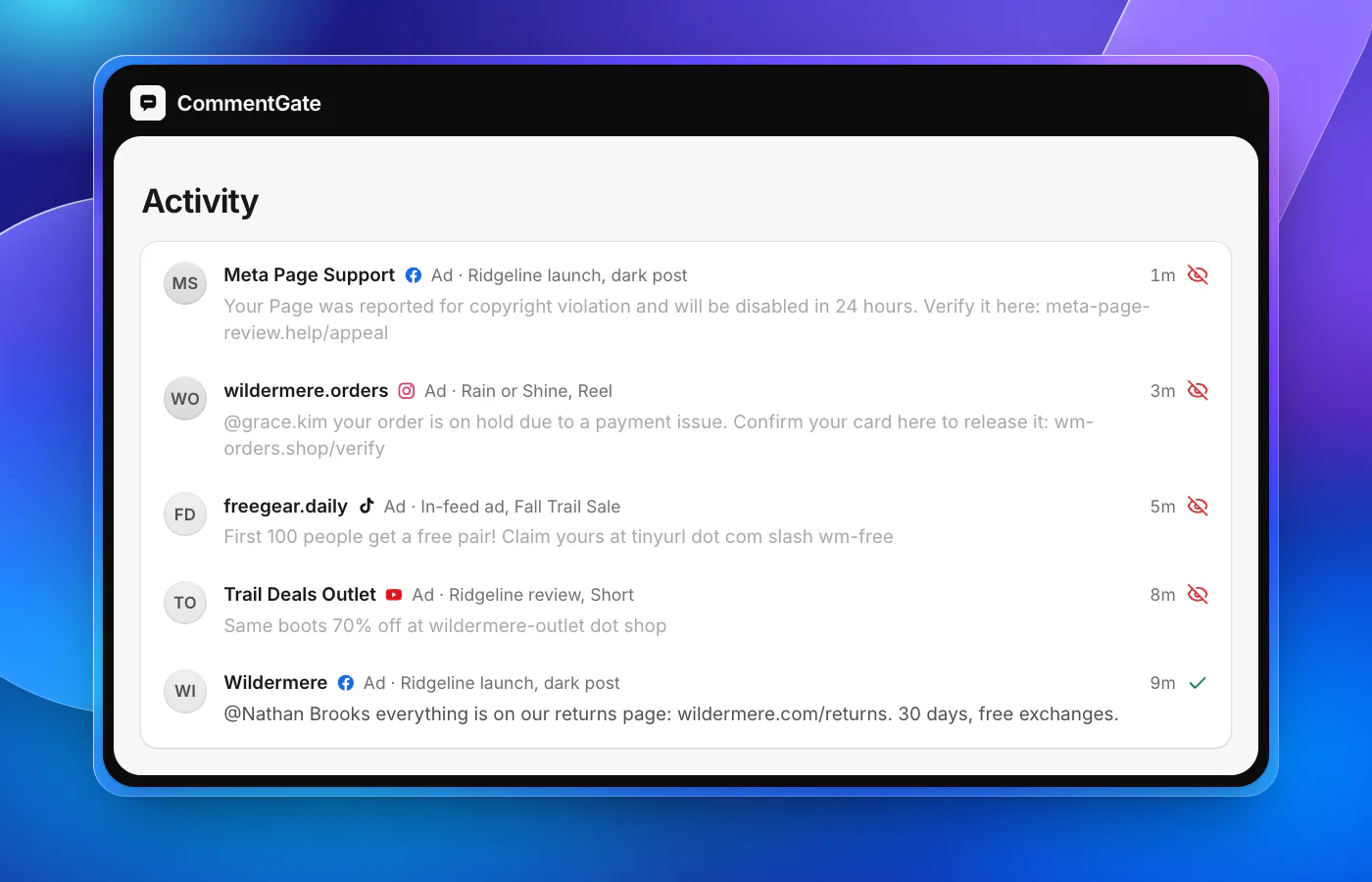
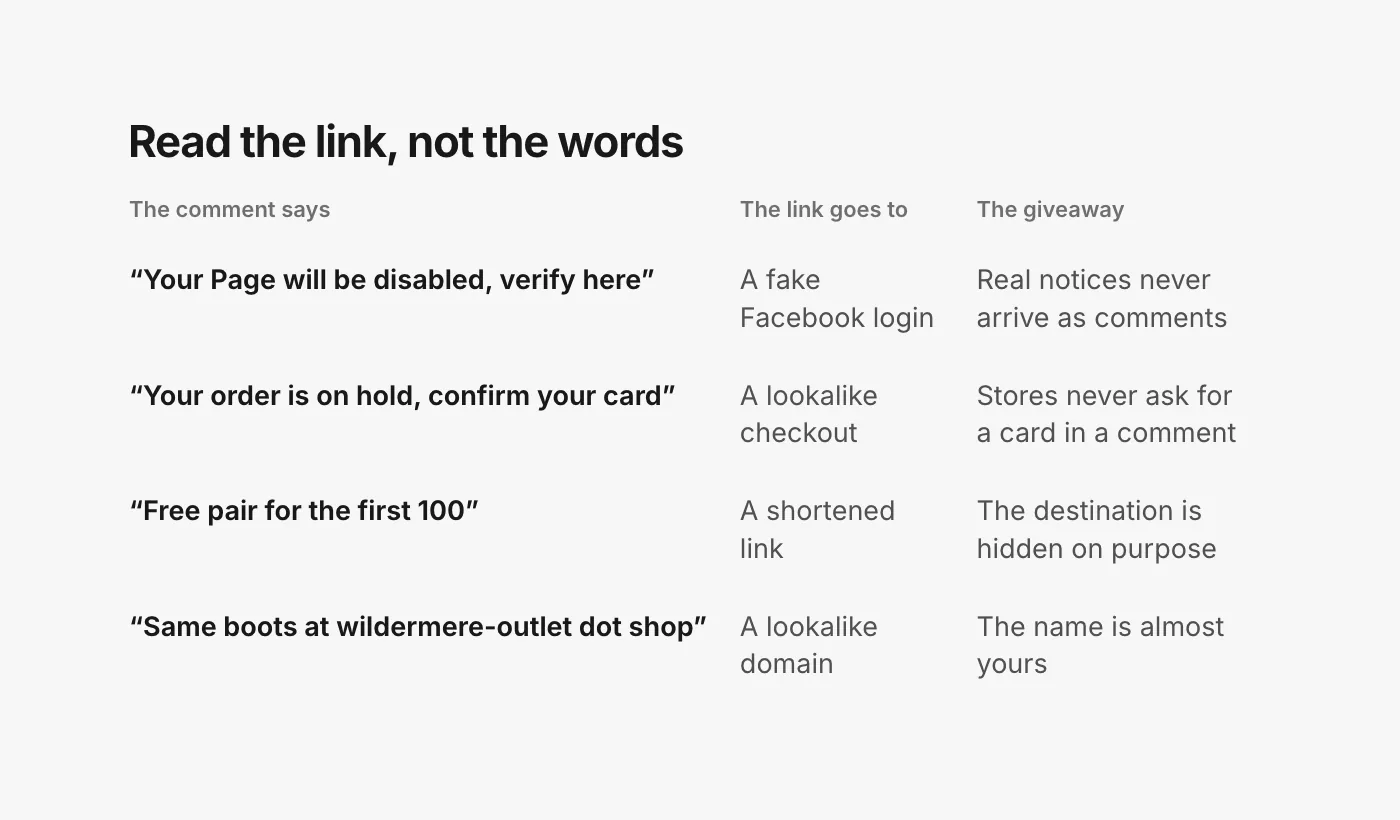
An account named something like "Meta Page Support" or "Page Policy Team" comments on your post: your Page has been reported for a copyright violation and will be disabled in 24 hours unless you verify it at a link. The link leads to a page that looks like a Facebook login.
This one targets you, not your customers, and it works because it arrives where you are already looking. Meta is clear on two points: do not trust messages "threatening to delete or ban your account", and anything real from Meta comes only from a short list of domains (fb.com, facebook.com, facebookmail.com, instagram.com, meta.com, metamail.com and global.metamail.com) or their subdomains (Meta Help Center). A comment from a stranger's account is not one of them.
The fake order problem
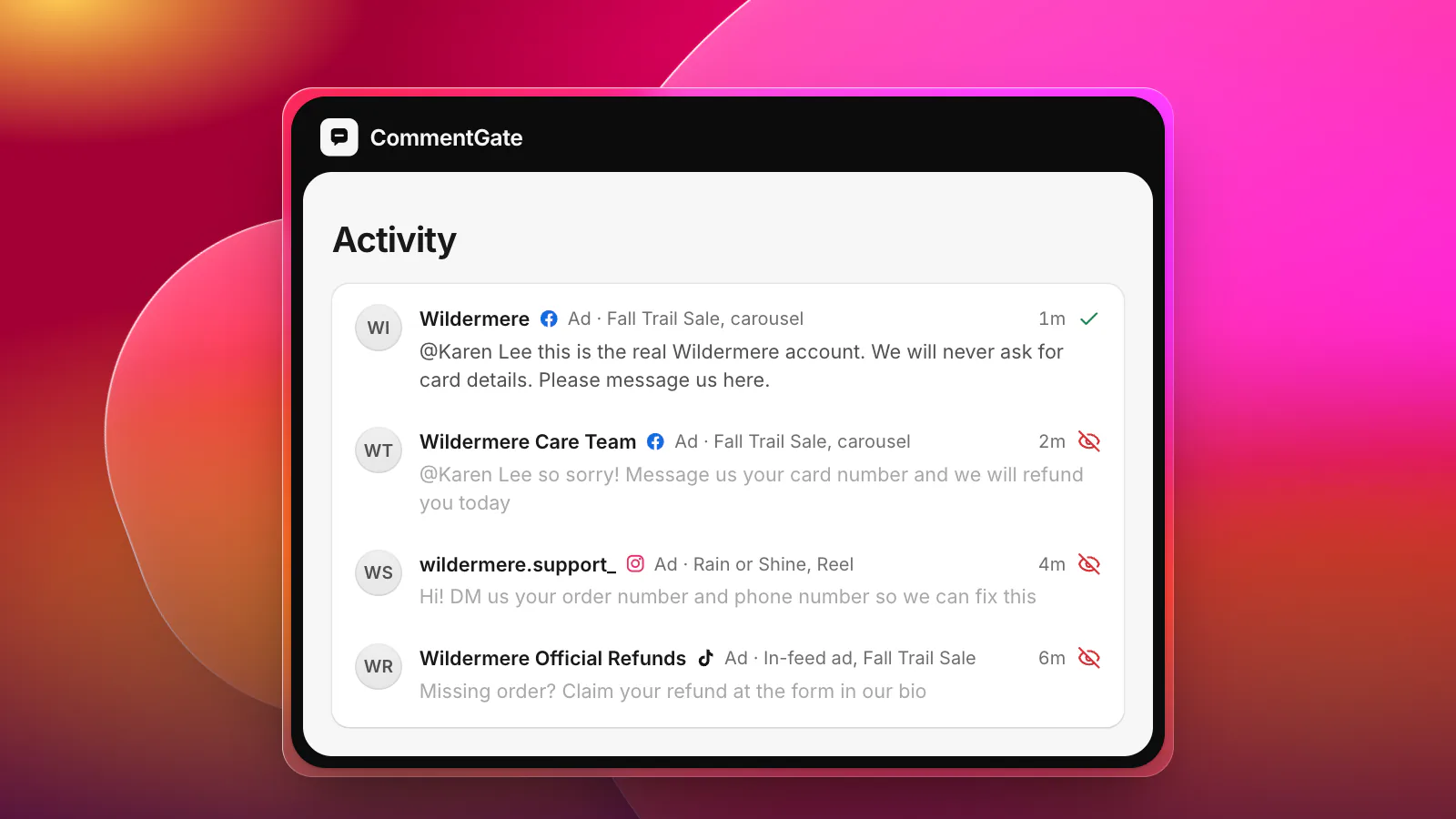
A customer asks where their package is. A reply appears within minutes: "Your order is on hold due to a payment issue. Confirm your card here to release it." It borrows the customer's real worry and your real brand. Our guide to fake support accounts covers the account side of this; the link is what makes it phishing.
The free coupon or free product
"First 100 people get a free pair, claim yours here." The page asks for shipping details and then a card "for the $4.95 shipping fee". The FTC's advice fits in three words: "it's not real".
The lookalike store
"Found the same boots 70% off at wildermere-outlet dot shop." The domain is nearly yours, the product photos are yours, and the checkout takes cards that never see an order. Meta's own spam policy names this pattern: a landing page or domain "that pretends to be a reputable brand or service by using a name, domain or content that features typos, misspellings or other means to impersonate" it (Meta Community Standards: spam).
Links in disguise
Not every phishing comment contains a clickable link. Watch for addresses spelled out ("dot com", "d0t shop"), "link in my bio", shortened links that hide where they go, and screenshots or images with a web address or QR code in them. Meta's policy also lists "deceptive redirect behavior", where a link sends people through a step and on to "a substantially different domain" (Meta Community Standards: spam).
How to read a link before anyone clicks it
You do not need to open a suspicious link to judge it. Read it.
- Find the real domain. It is the part just before the first single slash. In
wildermere.com.account-verify.help/login, the domain isaccount-verify.help, not wildermere.com. Read it from right to left. - Compare it with yours, letter by letter. An extra hyphen, a swapped letter, a different ending (.shop, .store, .help) is enough.
- Distrust anything shortened or spelled out. A short link hides its destination on purpose. So does "dot com" written in words.
- Ask what the page wants. A login, a card number or a code, reached from a comment, is the whole scam.
- Check who posted it. A notice about your account does not arrive as a comment from an account with 12 followers.
Keeping them off your posts
Hide, do not reply. Replying to a phishing comment bumps it, notifies its author and tells readers someone engaged. Hide it. On Instagram, hidden comments are visible only to you and the person who wrote it, and "the commenter won't be able to see that it's been hidden" (Instagram Help: hide comments).
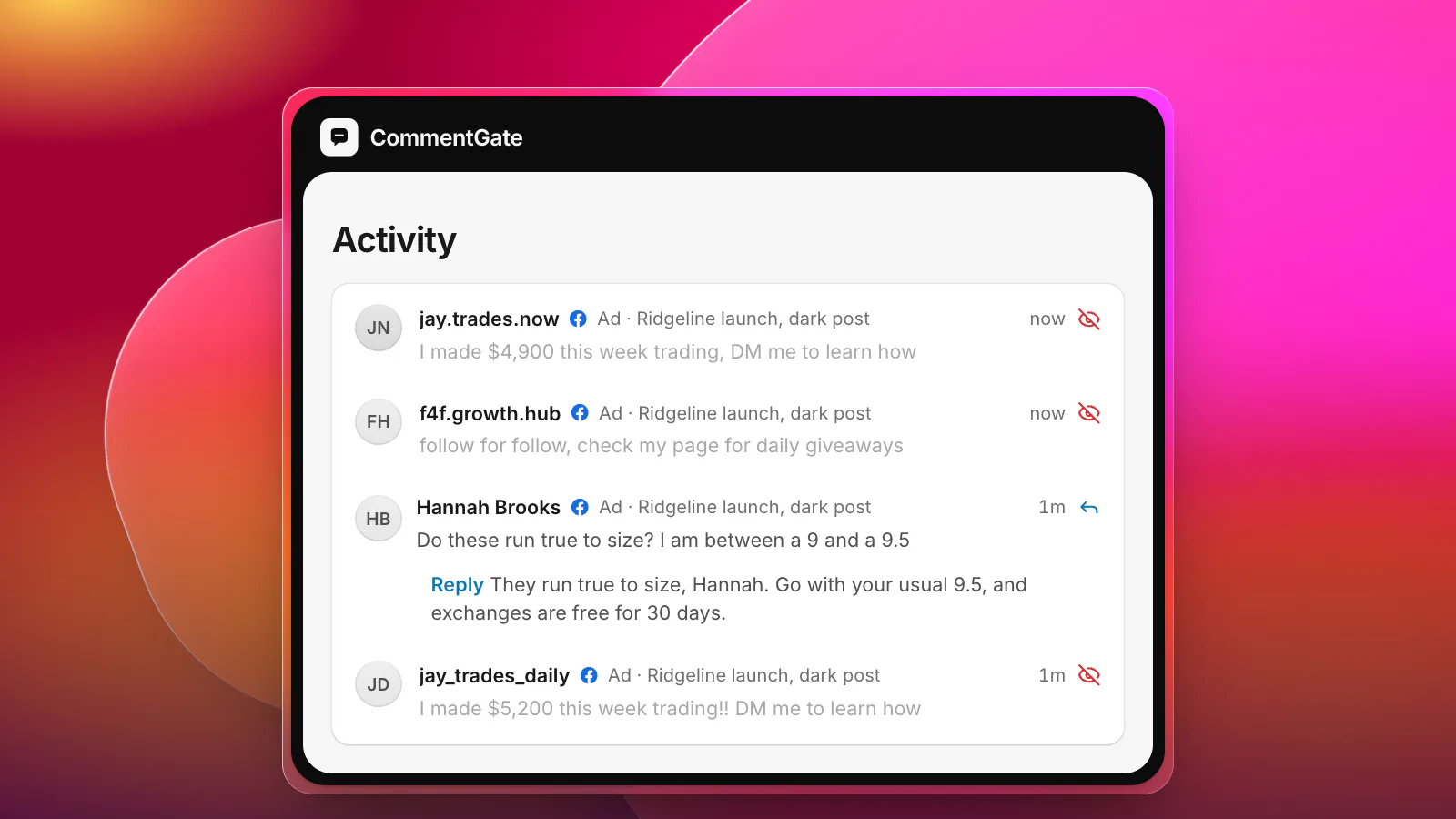
Answer the customer, not the scammer. If a phishing reply landed under a real customer's question, answer the customer from your real account first: "That reply is not from us. We will never ask for your card in a comment." Then hide the fake one.
Use each platform's own filters for the words scammers repeat:
- Facebook: hide comments containing words, phrases or emojis you list, set per Page (Meta Business Help: comment moderation for Pages).
- Instagram: Hidden Words takes a custom list of "words, phrases, numbers, and emojis" (Instagram Help). Add the lookalike domains you have seen, without the dots and with them.
- TikTok: keyword filters hide matching comments on your posts "unless you approve them" (TikTok Support: manage comments). On TikTok ads, each ad account can hold up to 500 blocked words (TikTok API for Business: blocked words).
- YouTube: you can hold every comment that contains a URL for review, and comments with links "aren't blocked if they're posted by you, moderators, or approved users" (YouTube Help: comment settings).
Word lists catch the repeat offenders and miss the rest, because the wording changes every week. Our free blocked words builder helps you start a list that does not catch your real customers.
Protect the people who run the accounts
The most expensive phishing comment is the one an admin clicks. A few habits close most of the gap:
- Never log in from a link in a comment or a message. Go to the app or type the address yourself.
- Turn on two-factor authentication for every person with access to your Pages, accounts and ad accounts. Meta recommends it, and the FTC notes that multi-factor authentication "makes it harder for scammers to log in to your accounts if they do get your username and password" (FTC).
- Tell your team what real notices look like. Account problems show up inside the app and in email from Meta's own domains, never as a comment on your post.
If someone already clicked
A customer: answer them from your real account, move it to a private message, and point them to their bank if they entered a card. The FTC sends people who think a scammer has their card or account numbers to IdentityTheft.gov for step-by-step recovery, and takes reports of phishing at ReportFraud.ftc.gov (FTC).
Someone on your team: if they can still log in, Meta's advice is to reset the password and log out of any devices they do not own (Meta Help Center). Then check who has access to your Pages and ad accounts, and remove anyone you do not recognize.
Report the accounts behind the comments too. Hiding protects your post; reporting is what gets the account removed.
How CommentGate handles phishing links
In CommentGate, Hide scams and fake giveaways is on from the start, and it covers phishing along with fake prize winners and fake support accounts, on your posts and your ads. It reads what the comment is trying to get someone to do, so a fake "Page violation" notice is hidden however it is worded.
- Hide links hides any comment with a link to another site. Links to your own site stay up, so your own replies with a returns page or a size guide are never caught.
- Hide phone numbers and emails stops the "message this number to release your order" version.
- Pictures count too. When a phishing comment arrives as an image on Facebook, or as an image comment on your TikTok videos, it is judged the same way.
On Facebook and Instagram, a phishing comment is hidden within seconds of being posted. On TikTok it takes minutes, because TikTok reports new comments within five minutes; on YouTube, comments are checked about every 5 minutes. If a hidden comment turns out to be a real customer sharing a real link, unhide it with one click and CommentGate learns from the correction. More on the rest of the scam family in our guide to scam and fake giveaway comments, and in the glossary.
Sources
- FTC Consumer Advice: How to recognize and avoid phishing scams
- Meta Help Center: Avoid scams and phishing attempts
- Meta Transparency Center: Community Standards, spam
- Meta Business Help Center: Manage comment moderation for Facebook Pages
- Instagram Help Center: Hide comments or message requests you don’t want to see
- TikTok Support: Manage comments
- TikTok API for Business: Blocked words
- YouTube Help: Learn about comment settings